
To add a referral, search for the person who was referred to you; in the contact record click on Referrals, then "Add Referred By". If the referral is not in your account you will need to add them as a contact in your database first.
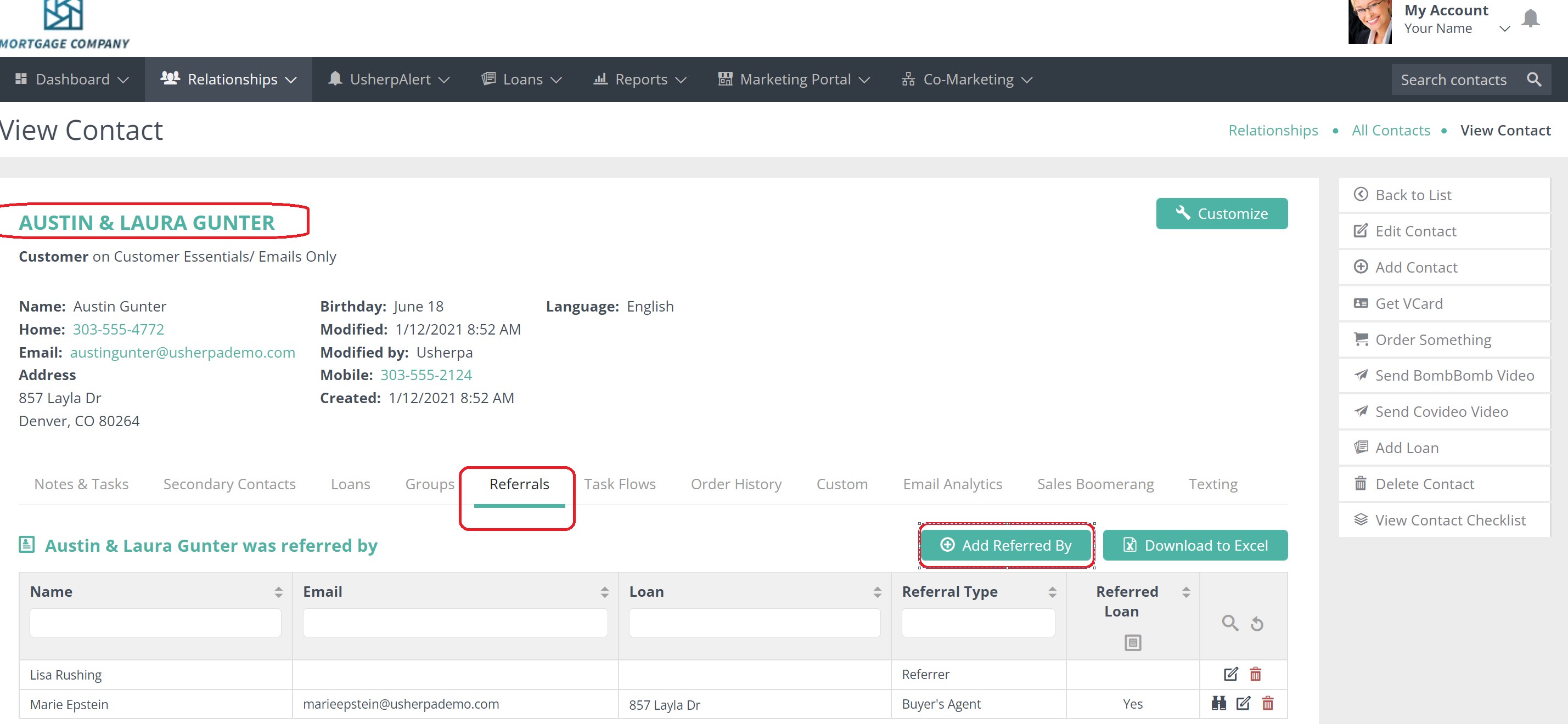
From the drop down box choose the Referral Type. Type in the name of the person who referred you.
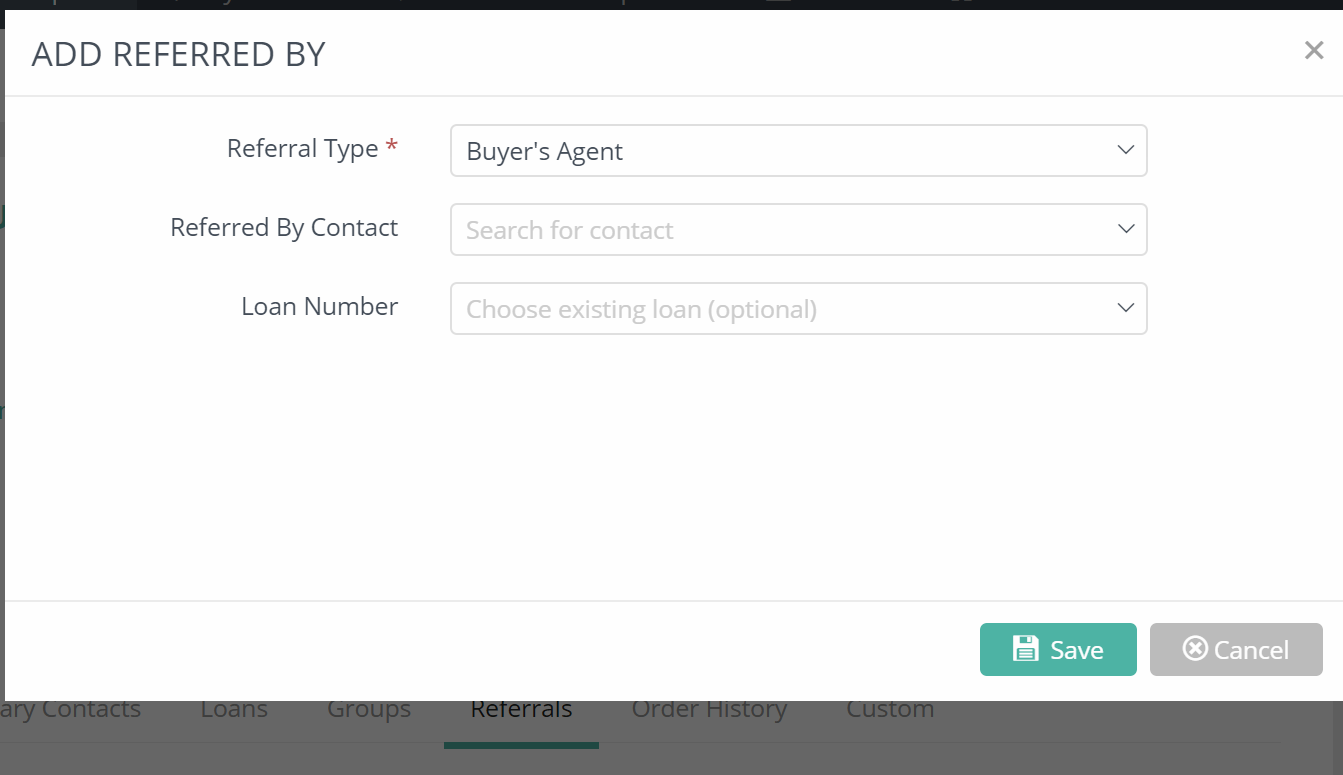
Click "Save"
This will now show up under the person's referral tab.
If they have a loan, then it will also show up on the reports tab, under the Referral Reports.
Comments
0 comments
Article is closed for comments.