
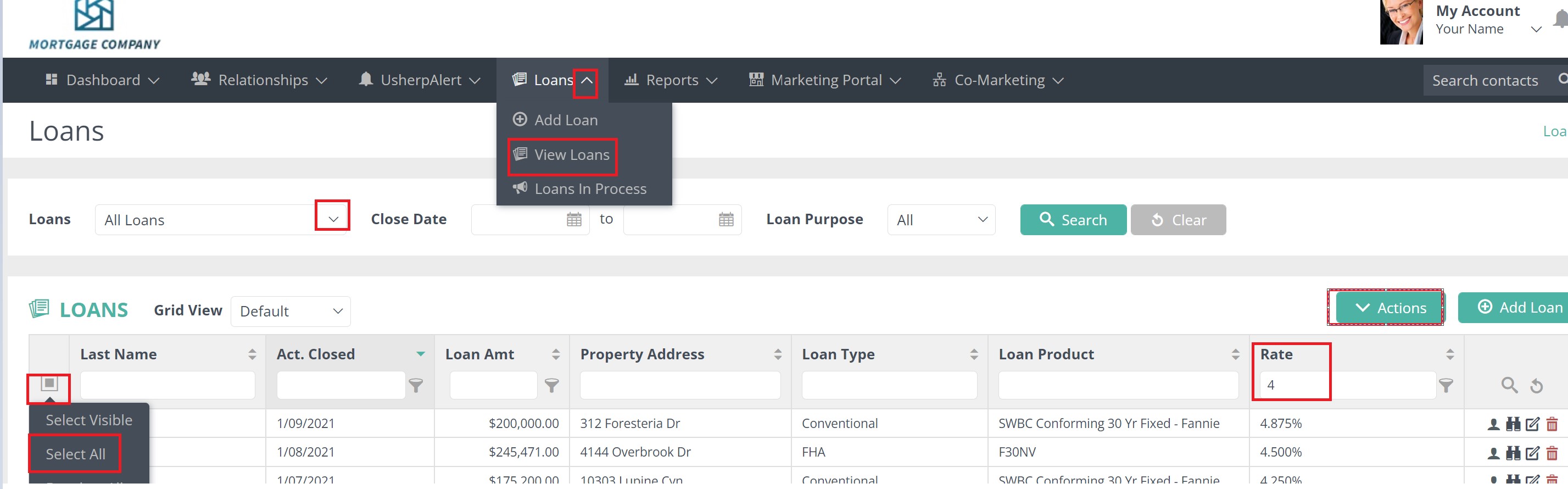
Click the “Loans” tab at the top of the page and View Loans from the drop down. Select the loan type from drop down box. Type in the interest rate you would like to search in the Rate search box, click on the filter icon and select how you want to search.
You can then click on the gray box and Select All to check all contacts. An Actions box will pop up and from the drop down box you can Add to a Group, Download to Excel or Mailing Labels, or Order Something like a refinance email or postcard from the Marketing Portal.
Comments
0 comments
Article is closed for comments.