
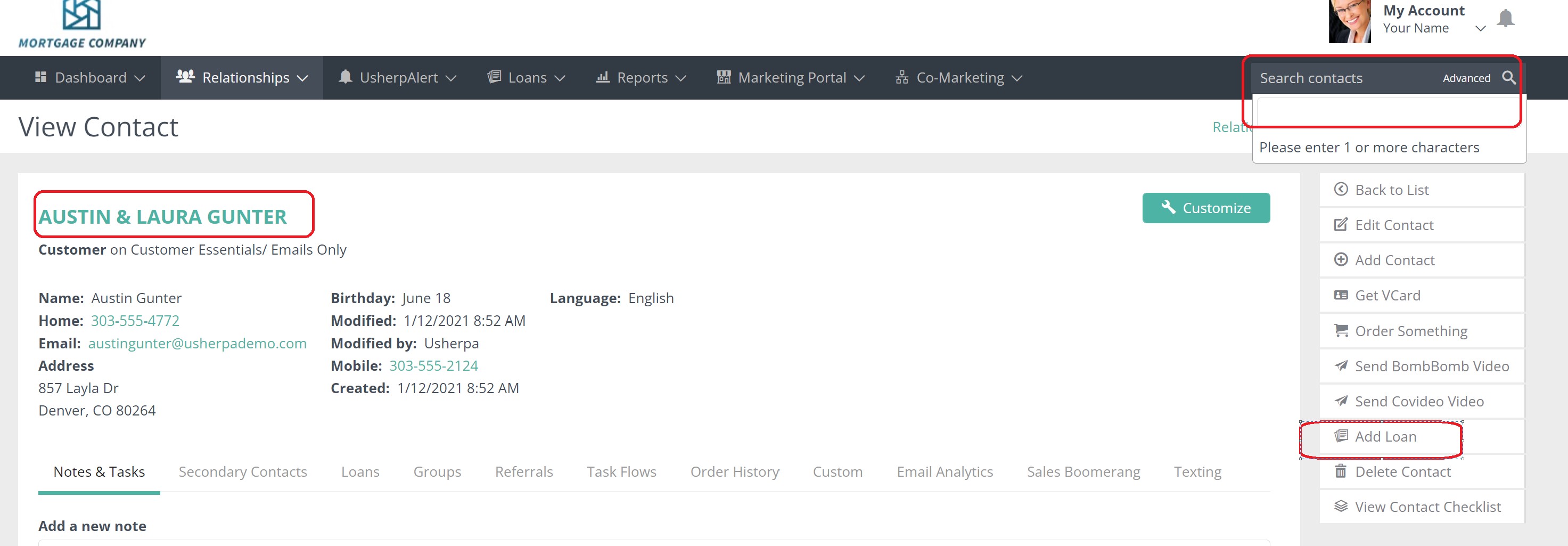
Once you are logged into to your Usherpa account, you can search for the contact you wish to add a loan to in the search box. Select the contact name. Once the contact record comes up, click on "Add Loan" on the right side.
You can now enter all of the loan information. For all loans, you must enter Loan Purpose, Owner Occupancy and either Actual Close Date (for a closed loan) or Estimated Close Date (for an in process loan); we recommend filling in the interest rate as well. Make sure to click on each category and Save.
Comments
0 comments
Article is closed for comments.