
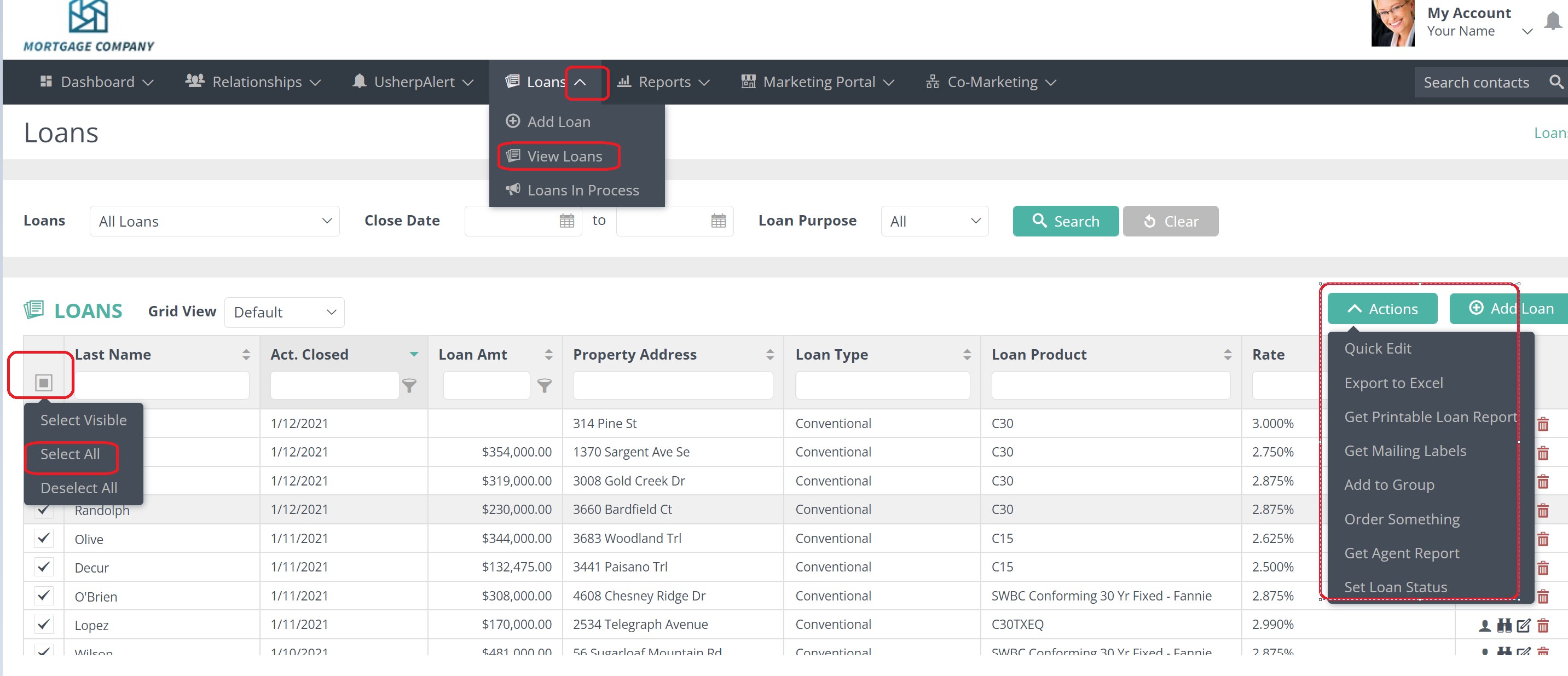
Click the Loans tab and view loans rom the drop down, then on the left hand side of the screen select the people you would like to appear in the report, or Select All. An Actions box will pop up and from the drop down box choose “Get Printable Loan Report” or "Export to Excel" button. Double click on the report to open it.
Comments
0 comments
Article is closed for comments.