
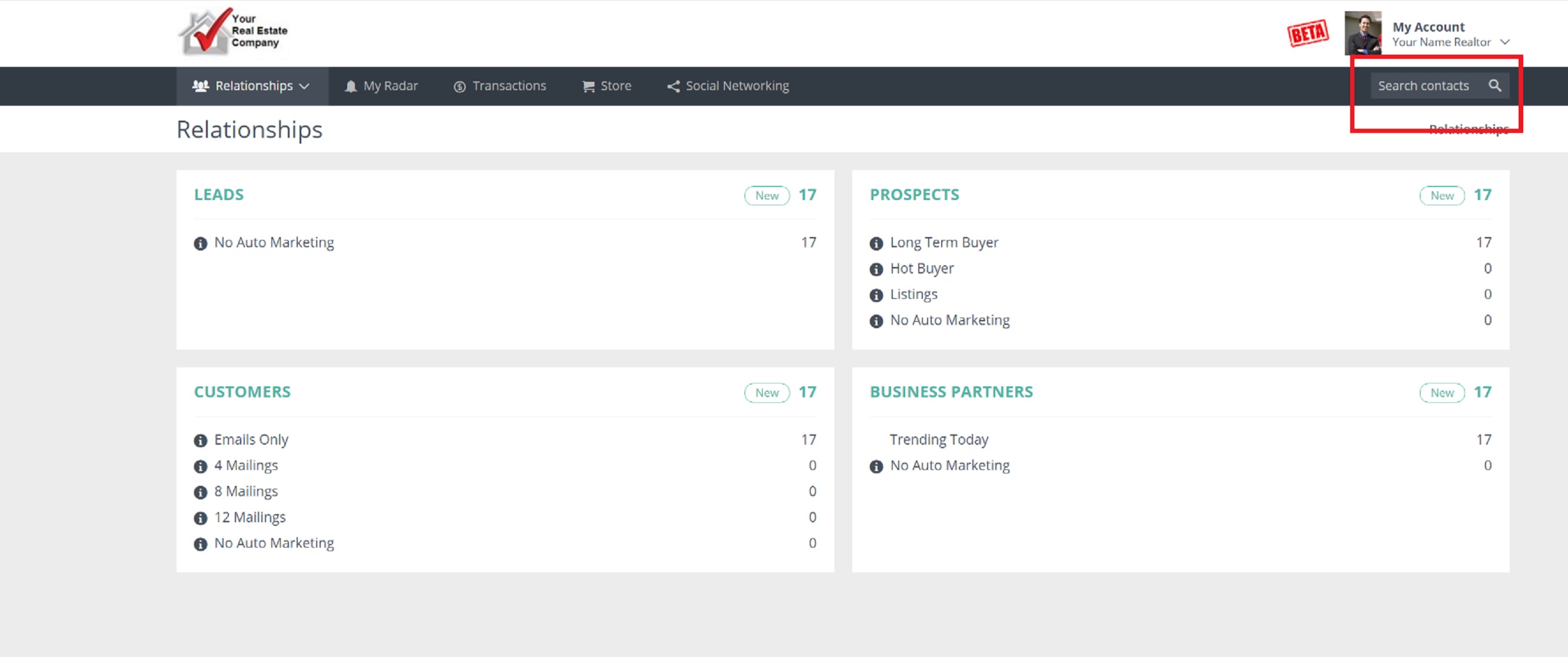
To edit a contact record in your Usherpa account, first search for the contact's name in the "Search Members" box in the top right of your screen:
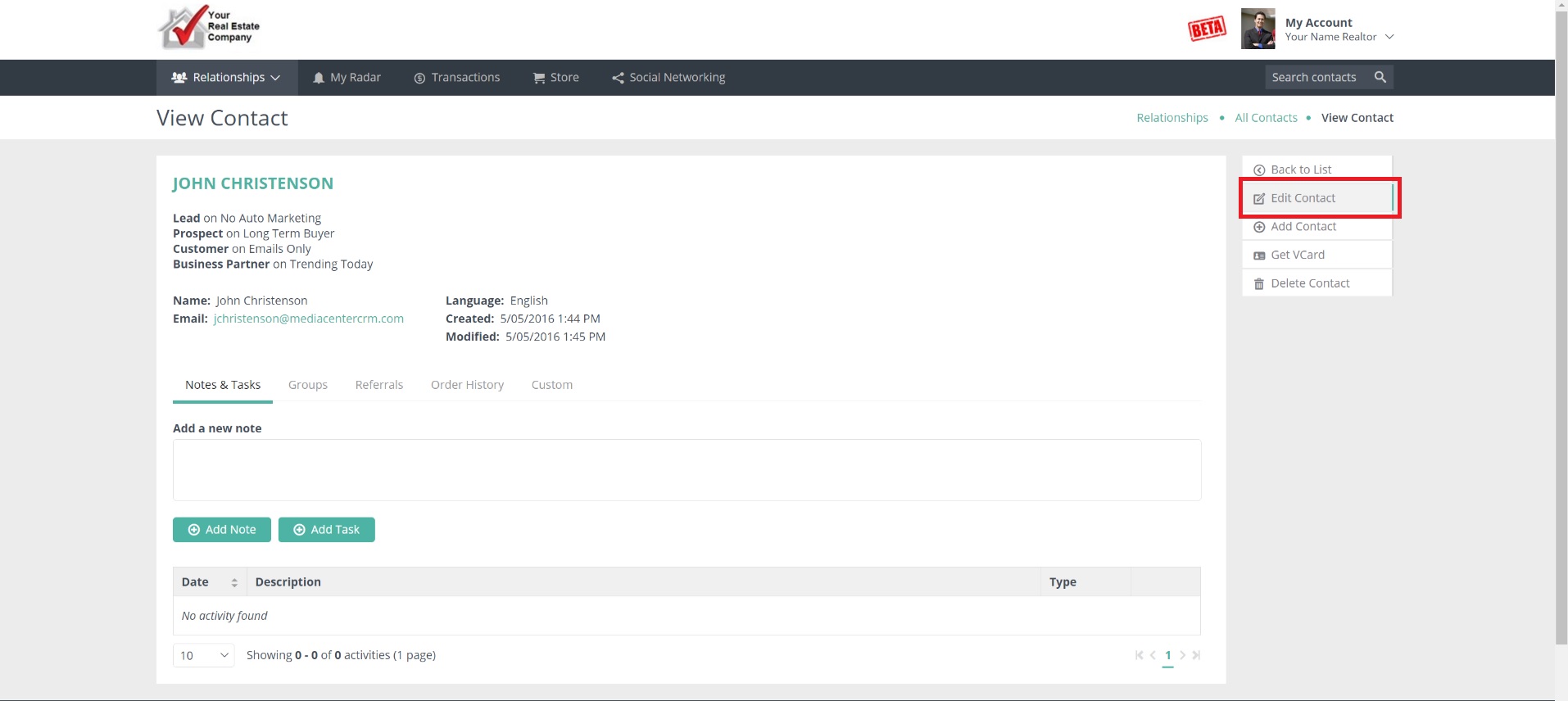
Next, click on "Edit Contact" in the top right of the next screen:
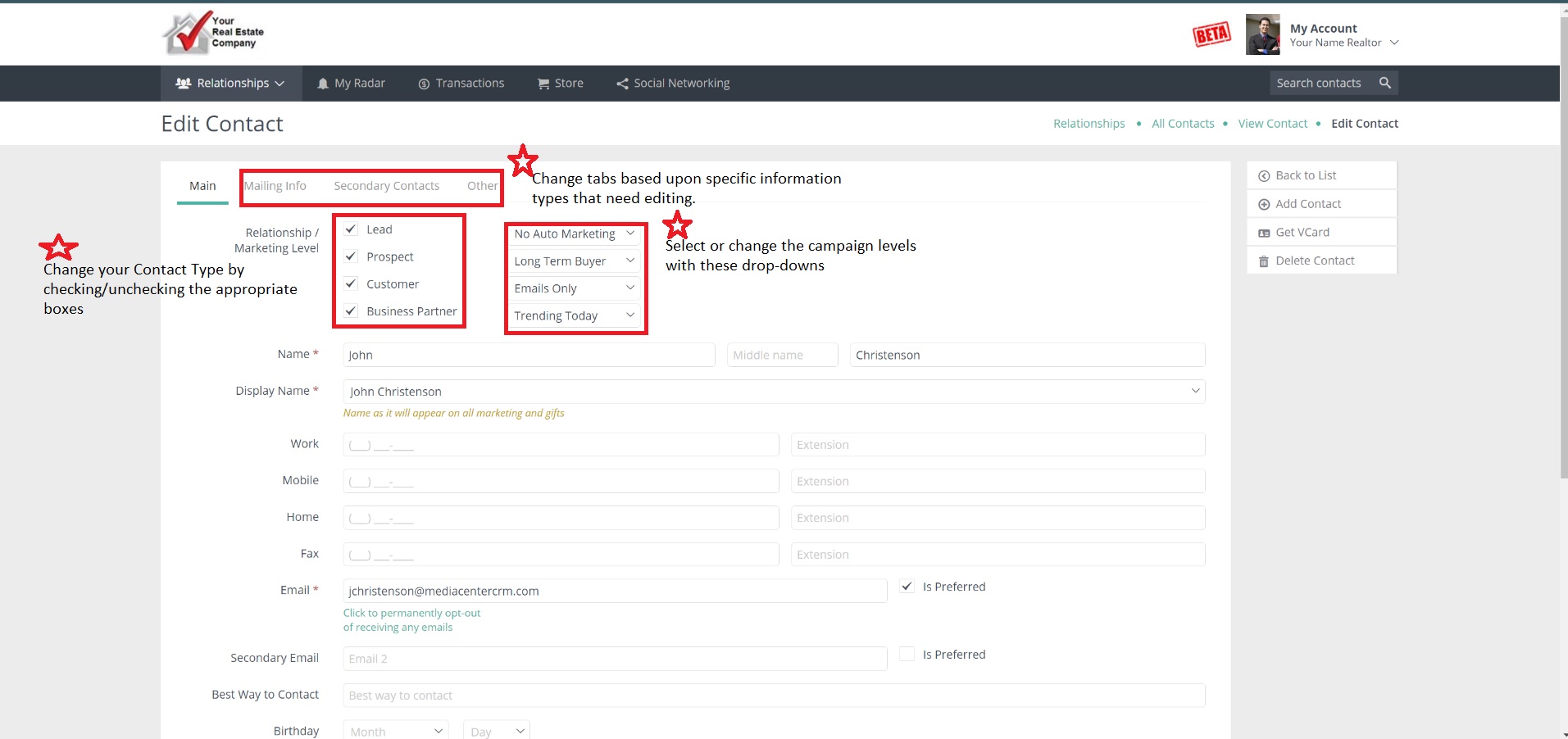
Now just select the information you want to edit. You can edit Contact Type, Campaign Levels, personal information, secondary borrower information, addresses, etc. Note that you can toggle between different tabs which contain different information:
Make sure to click SAVE at the bottom when you're done!
Comments
0 comments
Please sign in to leave a comment.