
Go to lo.usherpa.com and login to your account
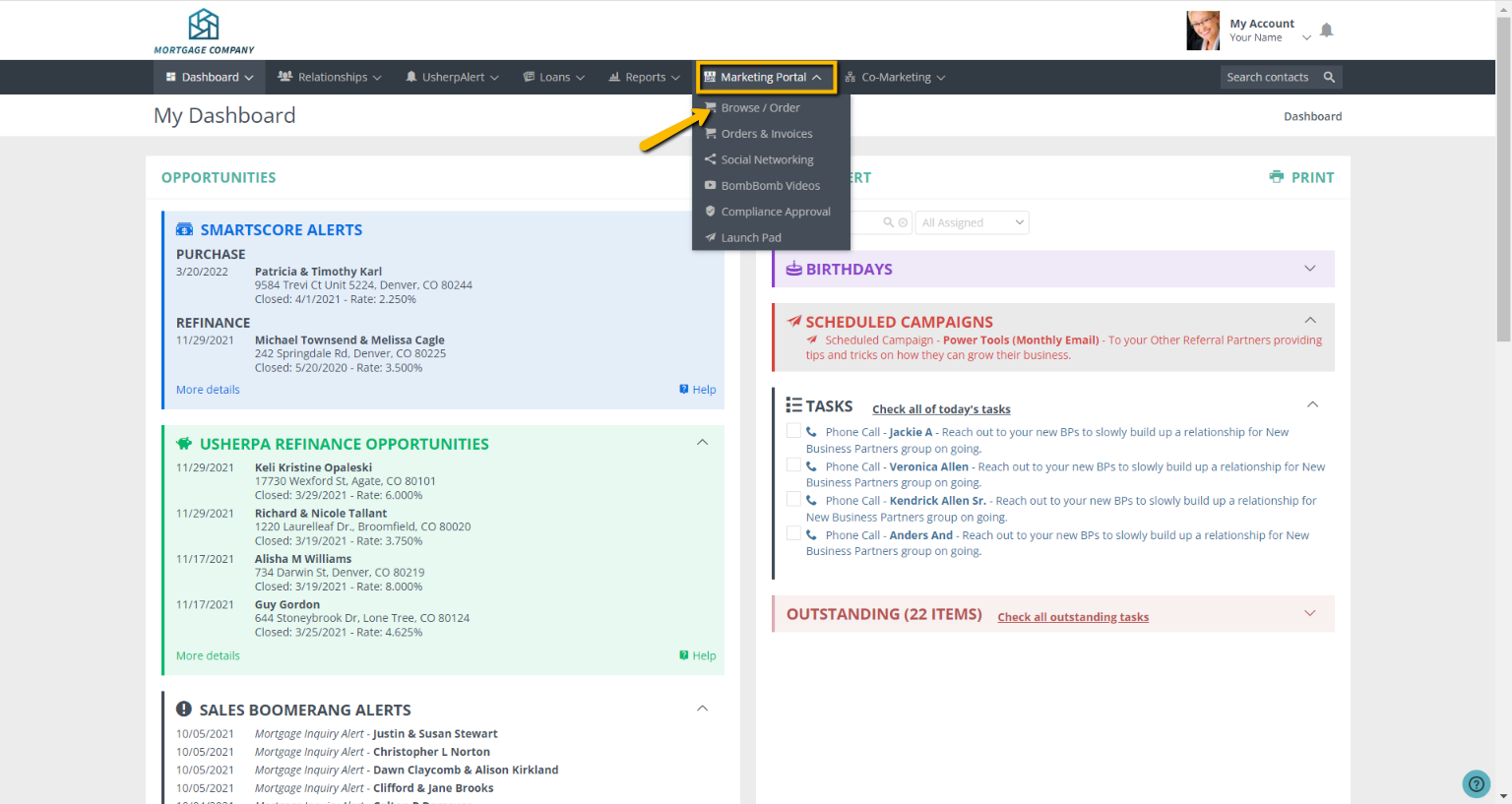
Once you are logged in, click on the "Marketing Portal" tab and from the drop down box "Browse/Order"
Once you are in the "Marketing Portal", click the "Links" button on the right side. Then click on Video or Newsletter.

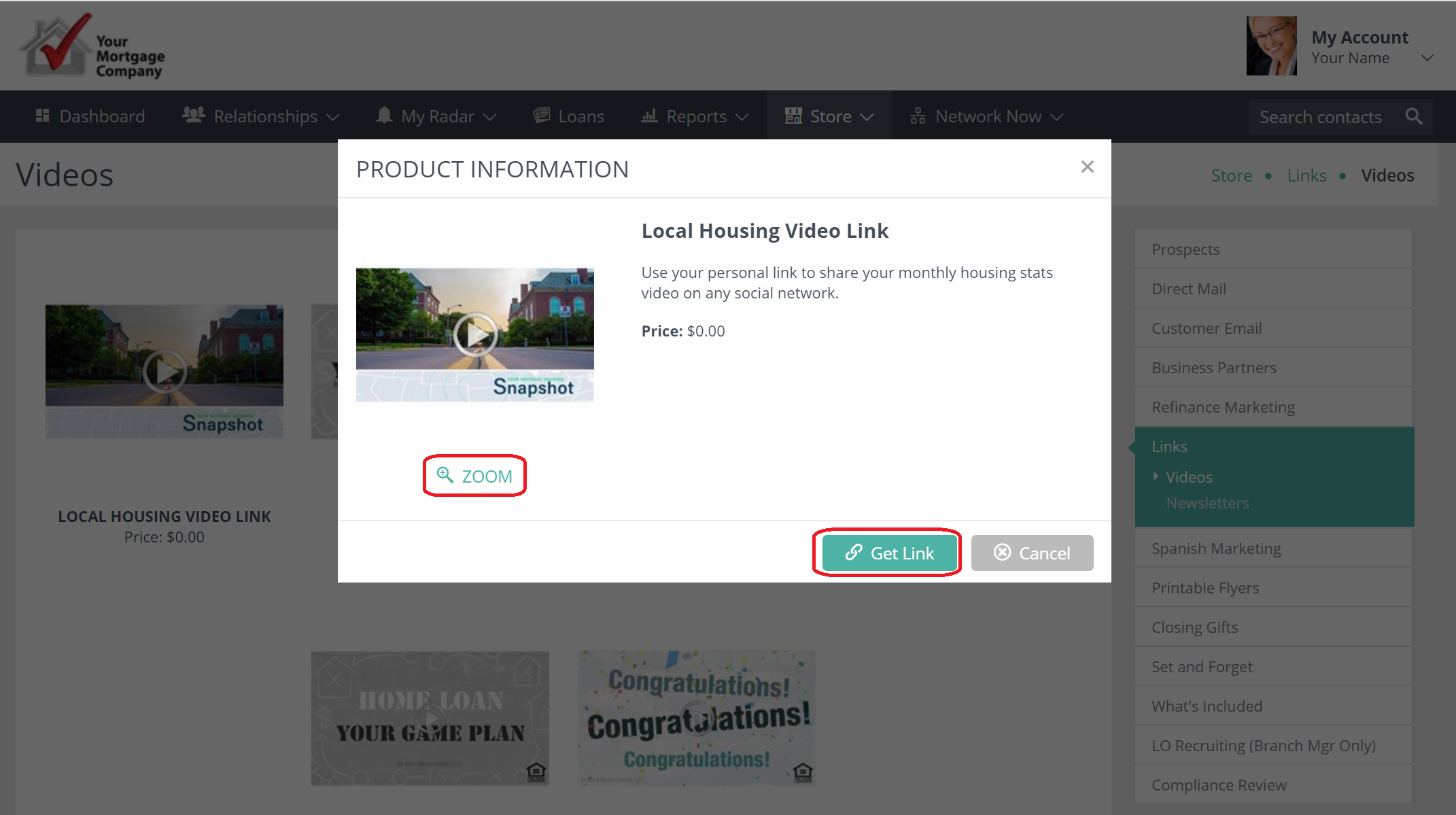
Click the campaign and this box will pull up with the product information along with the link. Click "Get Link"
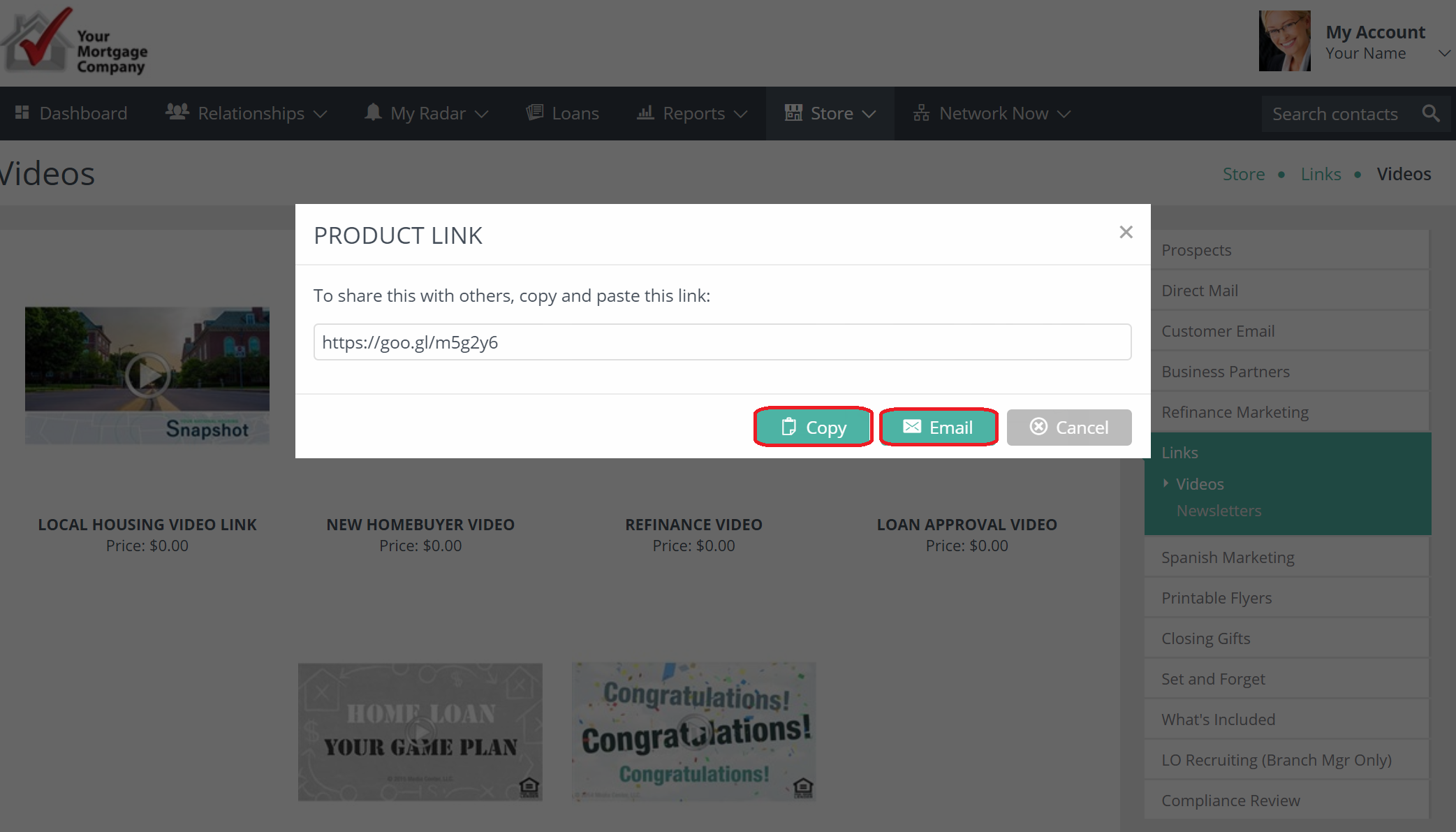
You can view your link, copy it or email the link.
Comments
0 comments
Please sign in to leave a comment.