
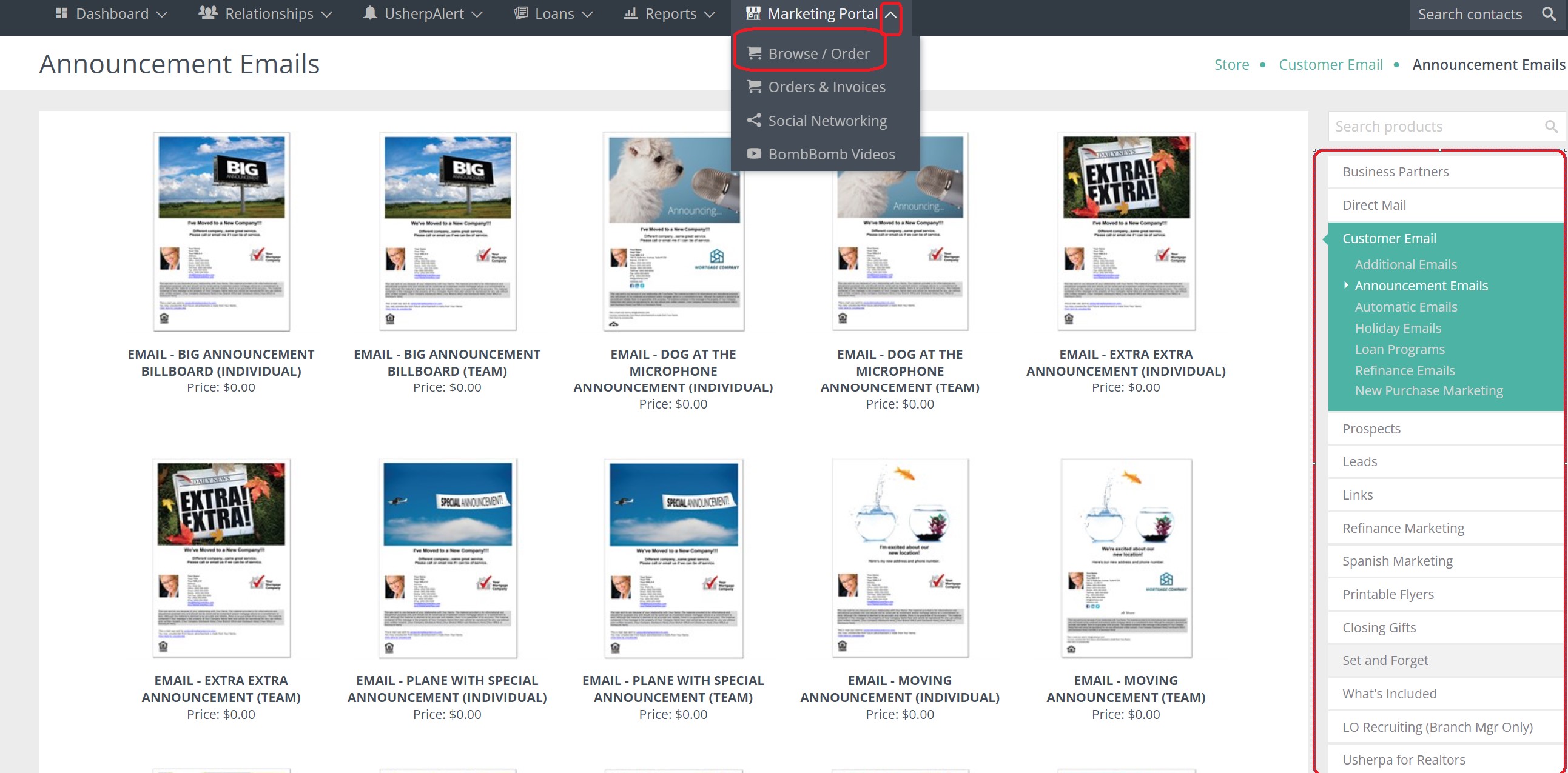
Login to your Usherpa account and click on the Marketing Portal tab; from the drop down box, choose Browse/Order.
Once the portal pulls up, there are many options to choose from based on the type of contact you would like to reach (Customer, Prospect or Business Partner).
Options for announcements, refinance marketing, closing gifts, etc.
You have the choice of direct mail or emails.
After you have determined the type of email or mailing you would like to send, you can choose from various designs and types.
Once you have made a selection click on the picture, this box will appear with a description, price (if applicable) and a ZOOM feature to view the email in full size.
If you are satisfied, click ORDER. It will give you the choice of what contact type you would like this to be sent out to (Customer, Prospect, Business Partner, Recruit, Group)
Once you have selected a contact type, hit Next and Select All in the first column.
To select a specific person choose All Contacts (this option is good for closing gifts, Realtor in a Box or return address stamps). It will give you the option to search for the name.
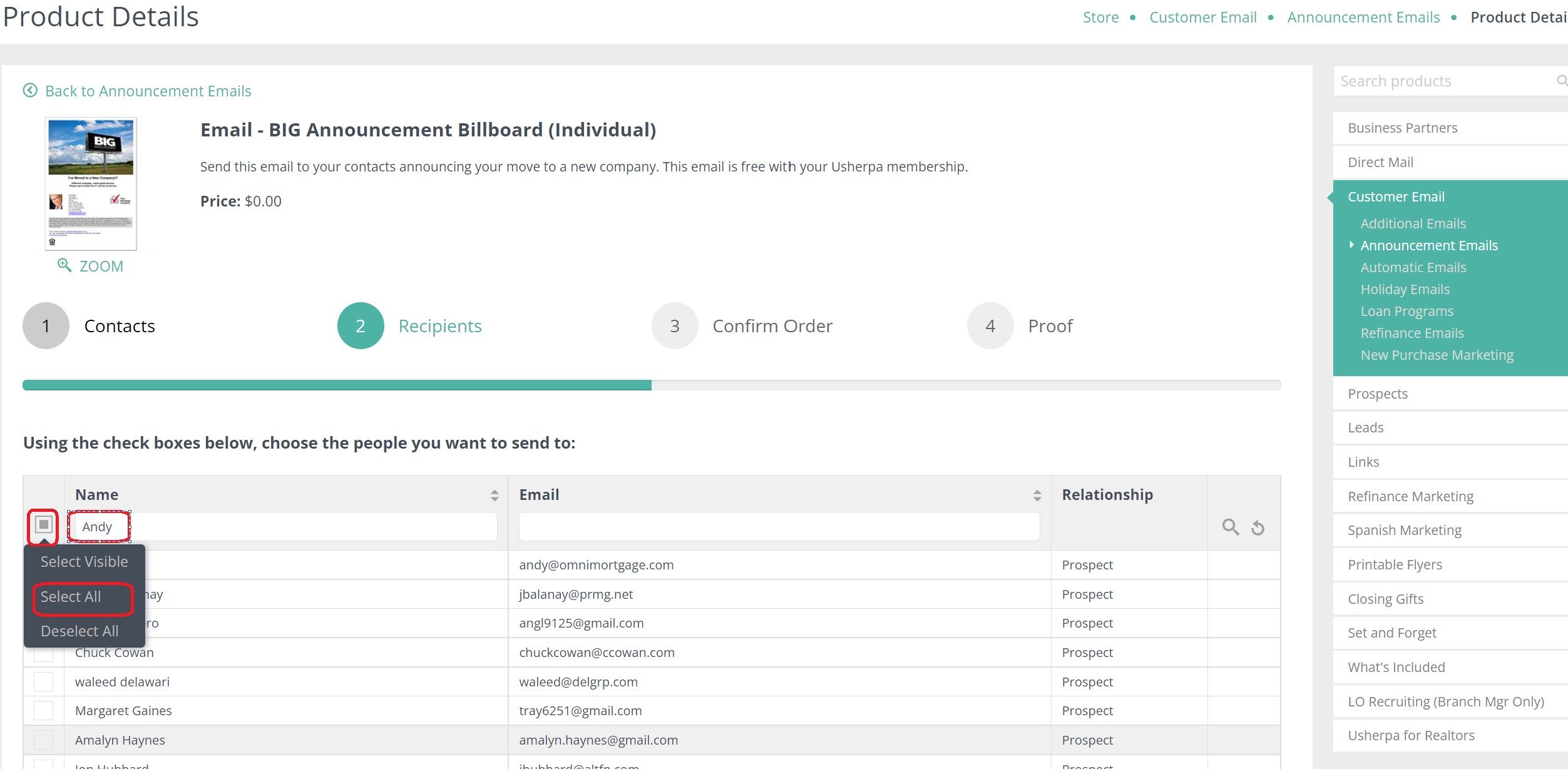
After you have selected the contacts, click Next. After you review the details, price (if applicable) and the number of recipients it will be sent to, click Next and then Approve & Place Order.
Comments
0 comments
Please sign in to leave a comment.