
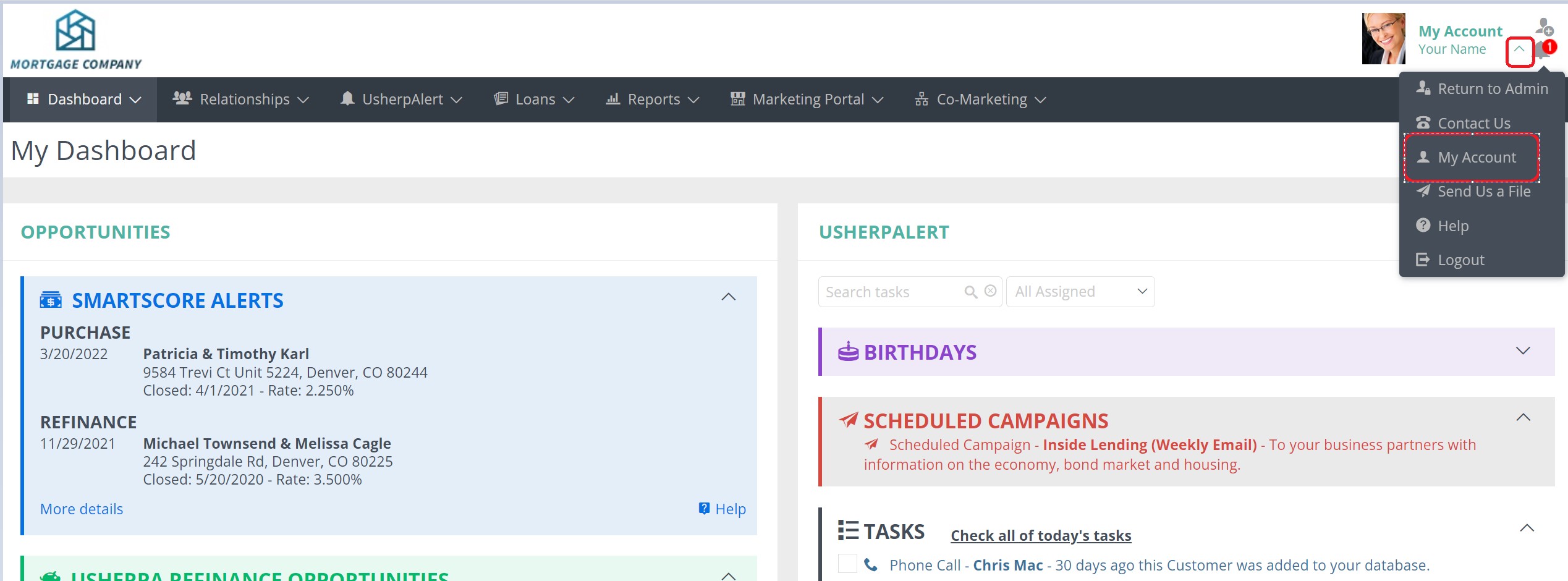
Click on "My Account" in the top right corner, then choose "My Account" from the drop down box.
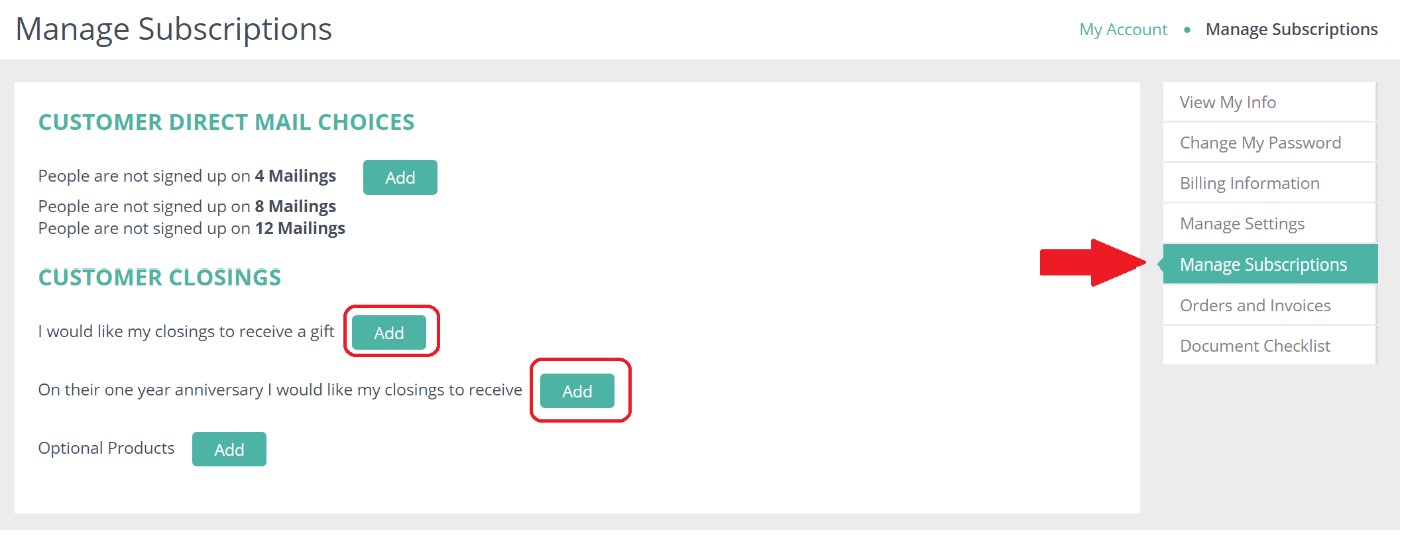
Select "Manage Subscriptions". Click on "Add" next to either the Automatic Return Address Stamps or Anniversary Cards. You will then be able to choose if they go to your Purchase closings only, or Purchase and Refinance closings.
Comments
0 comments
Article is closed for comments.