
Login to your Usherpa account and click on the Store tab, from the drop down box choose Browse/Order. Then click on Printable Flyers on the right side of the screen.
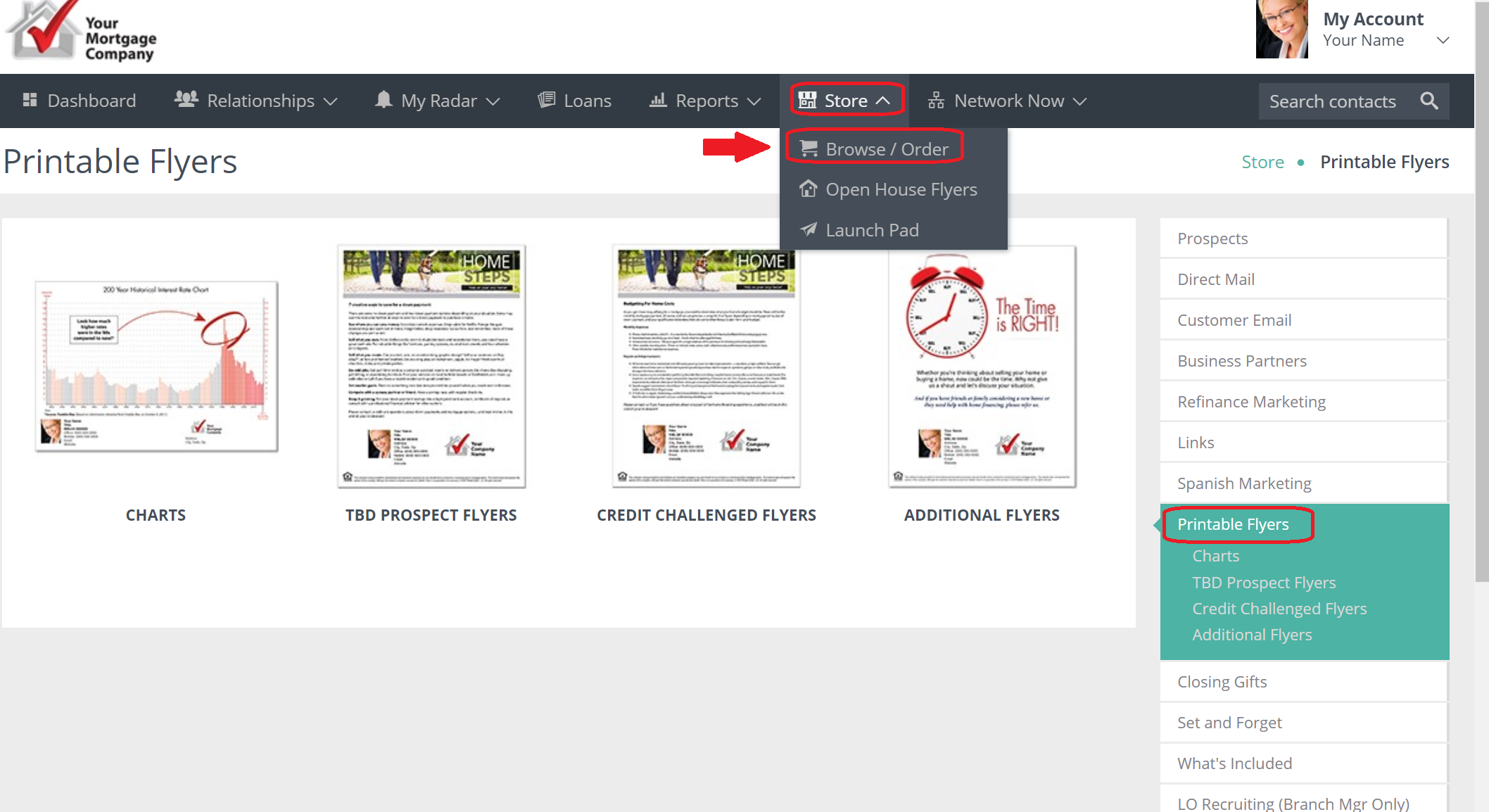
FLYER options will be listed under the Property Flyers heading. You can click on any of the options for FLYERS and this box will appear.
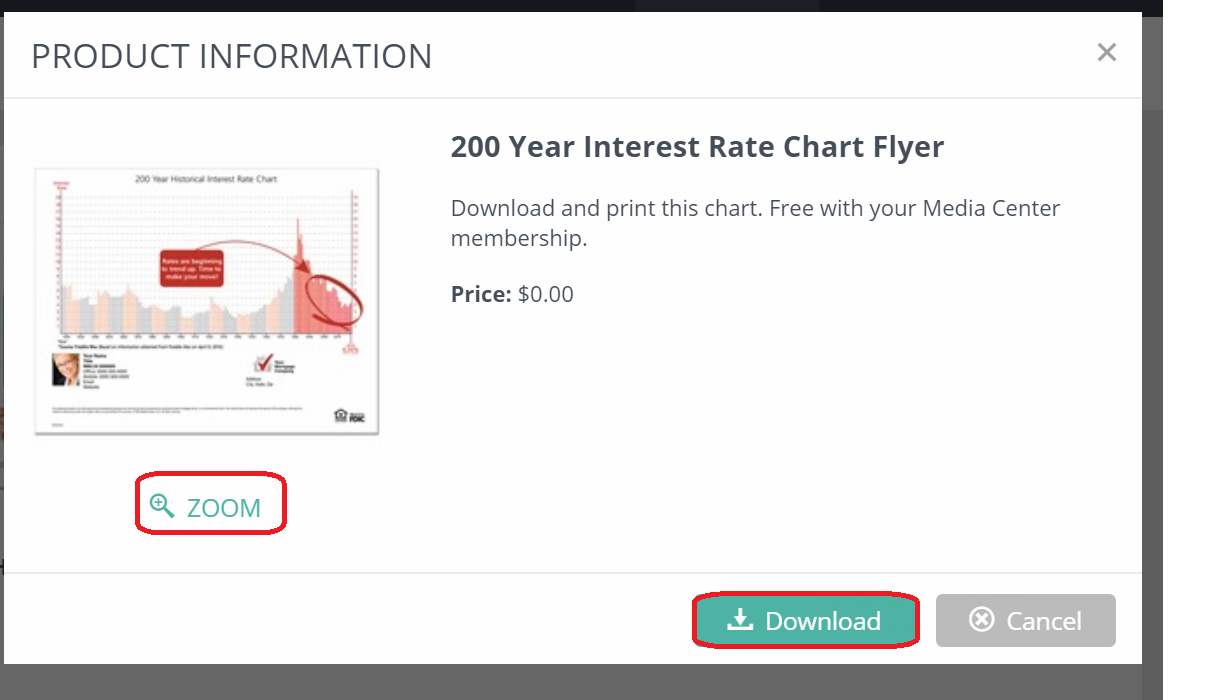
It will give you an option to ZOOM to see a larger image or DOWNLOAD.
Once you have made a decision, click the DOWNLOAD button.
Once you click DOWNLOAD, the flyer will start an automatic download.
Click open and your flyer will now be presented in Adobe Reader/Acrobat.
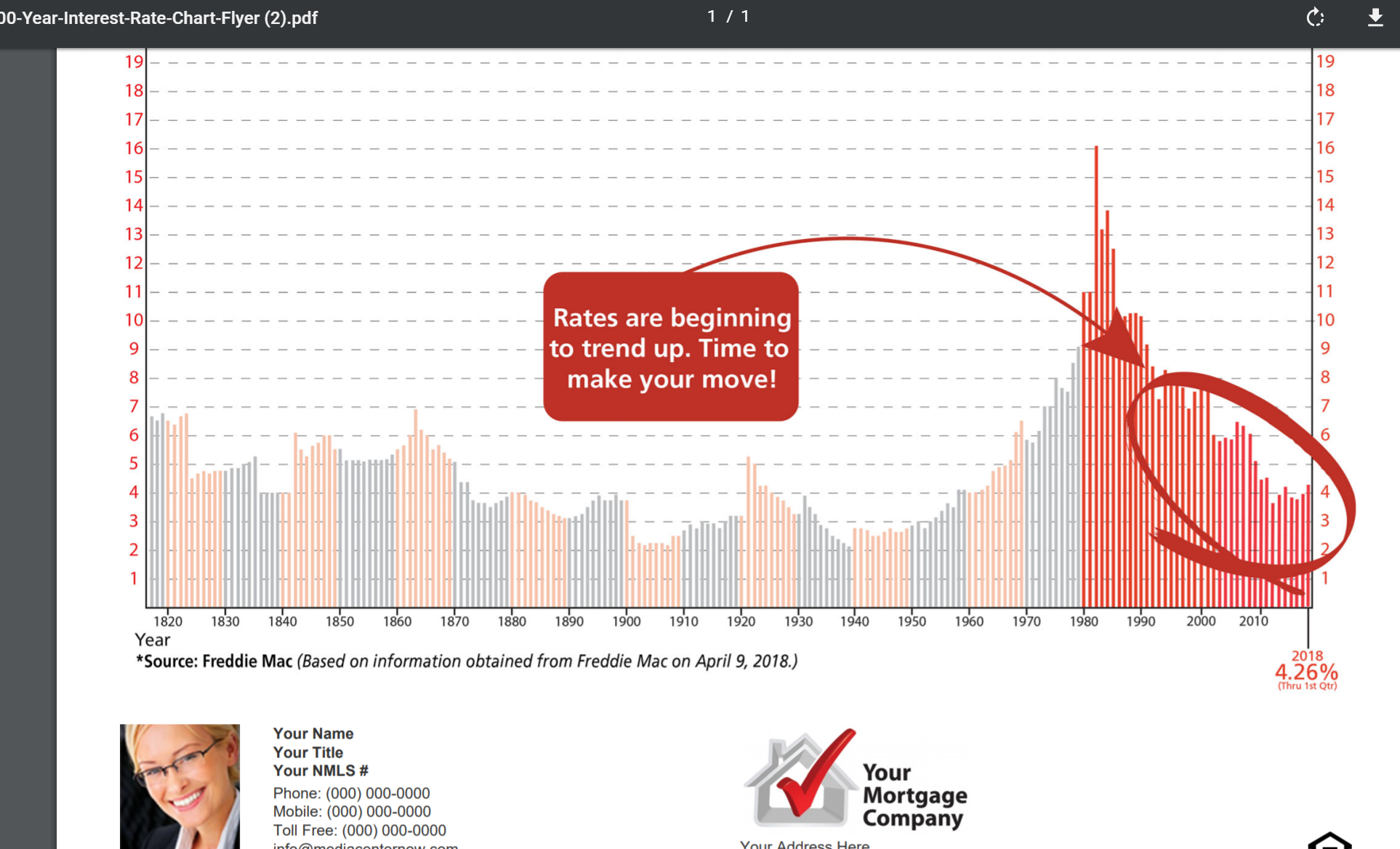
From here you can print or email your chosen flyer.
Comments
0 comments
Please sign in to leave a comment.