
Click on the “Marketing Portal” tab and choose Browse/Order from the drop down box. Go to the category "Closing Gifts".
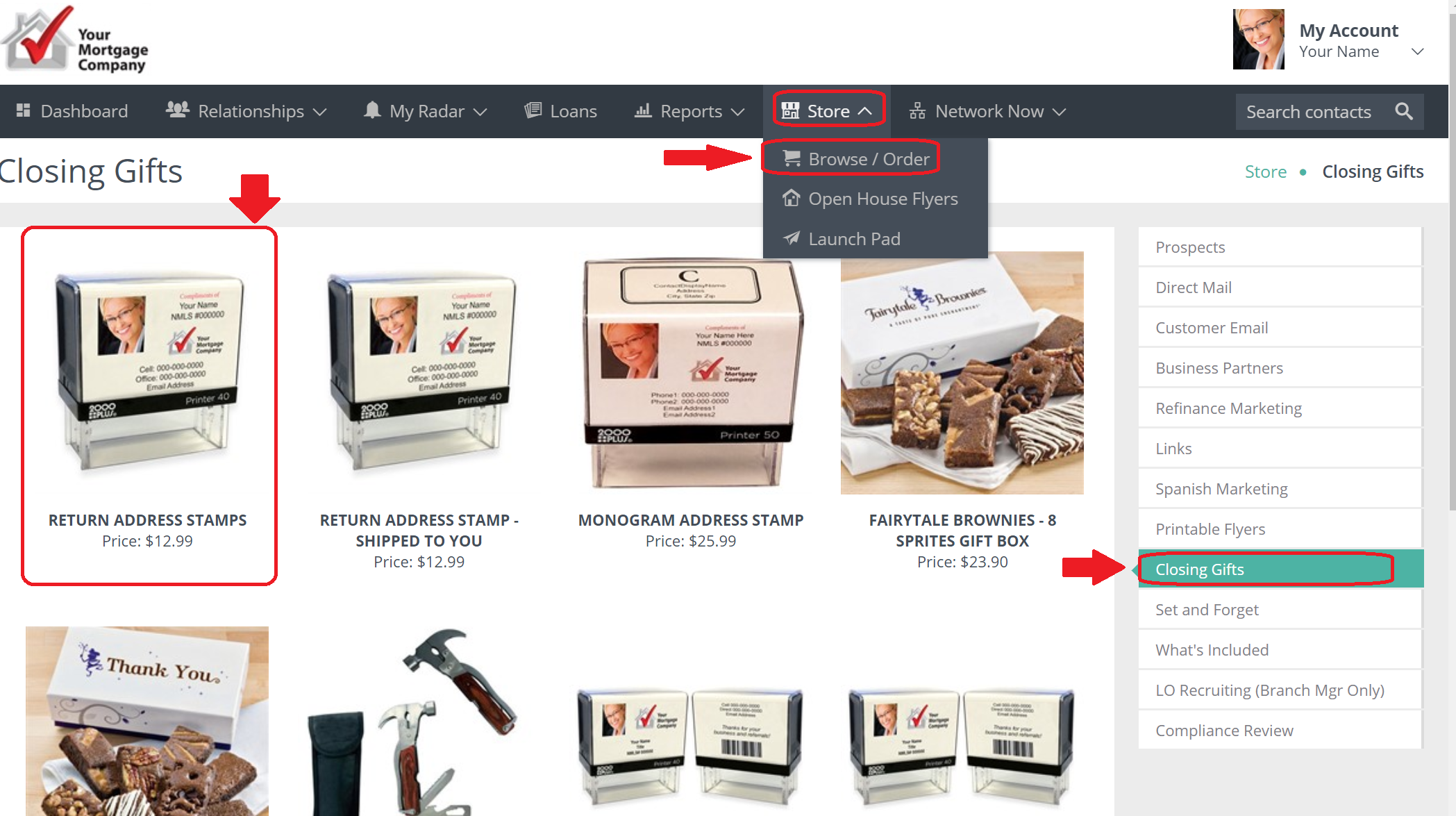
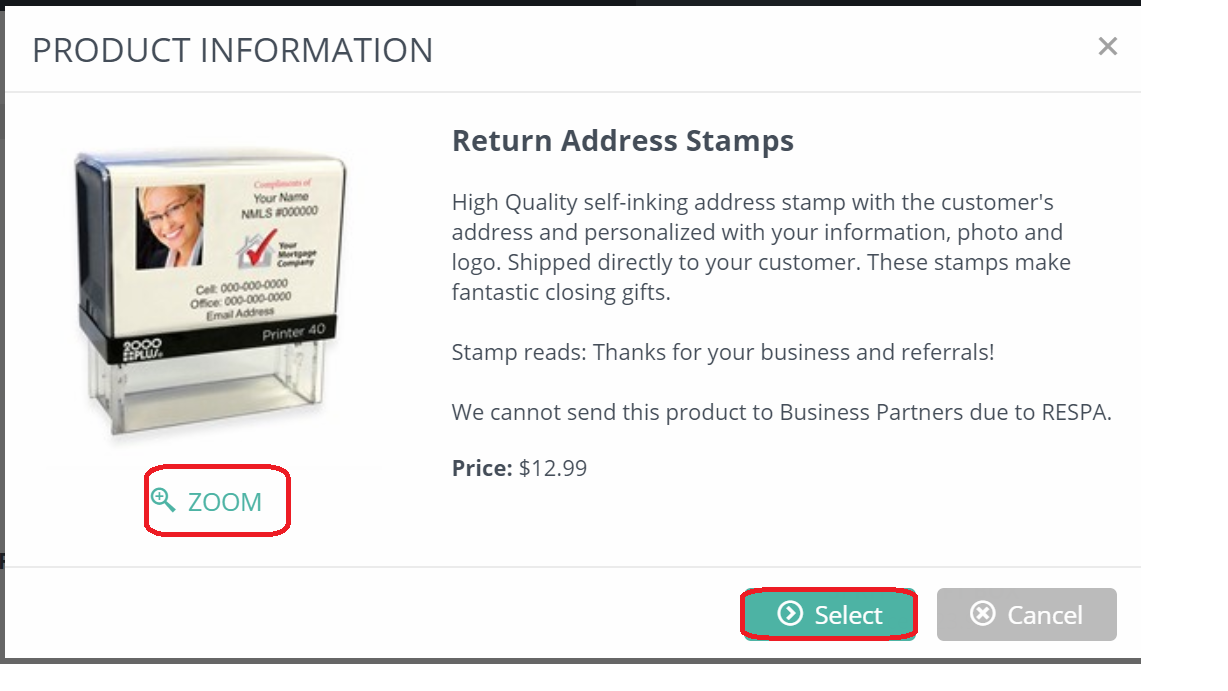
Click on the image of the Return Address Stamp and follow the steps to submit. Click Select to begin your order.
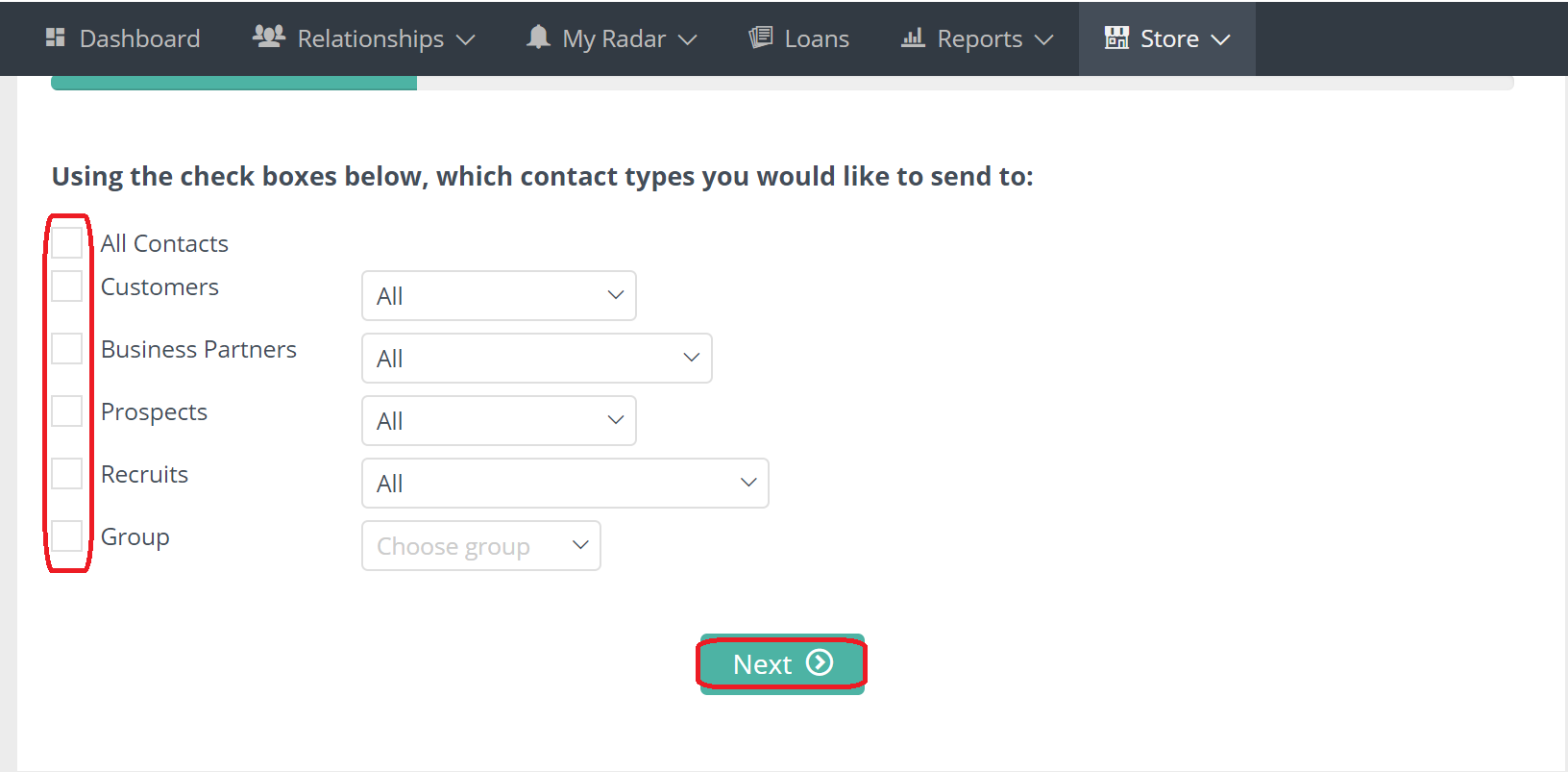
Check the box next to the contact type you would like to send the stamp to and then click Next. (Typically this is sent to a specific person.)
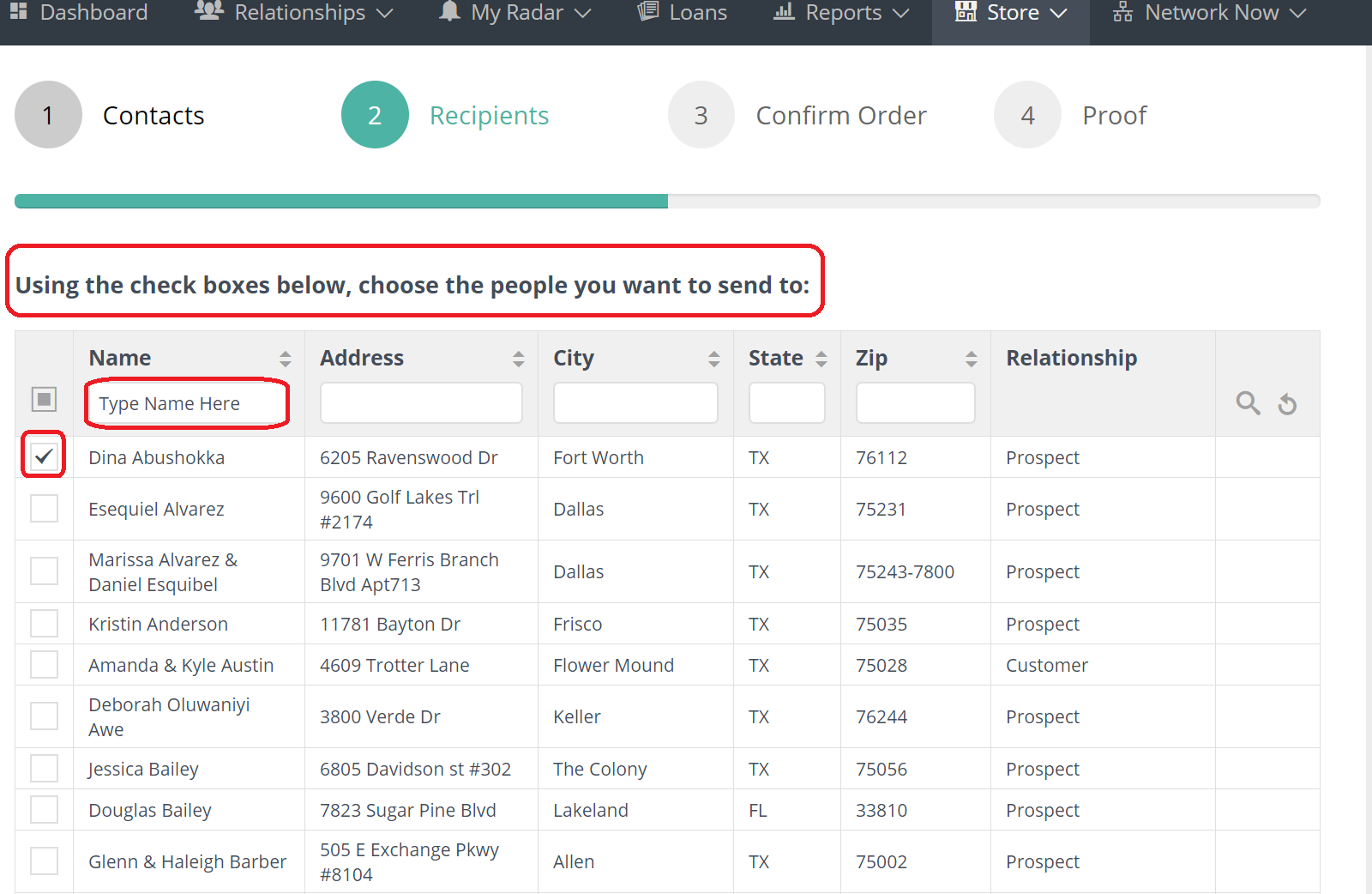
Check the box of the contact or search for your customer by typing in their first or last name in the search field. Select the box next to the name, and then click "Next" at the bottom.
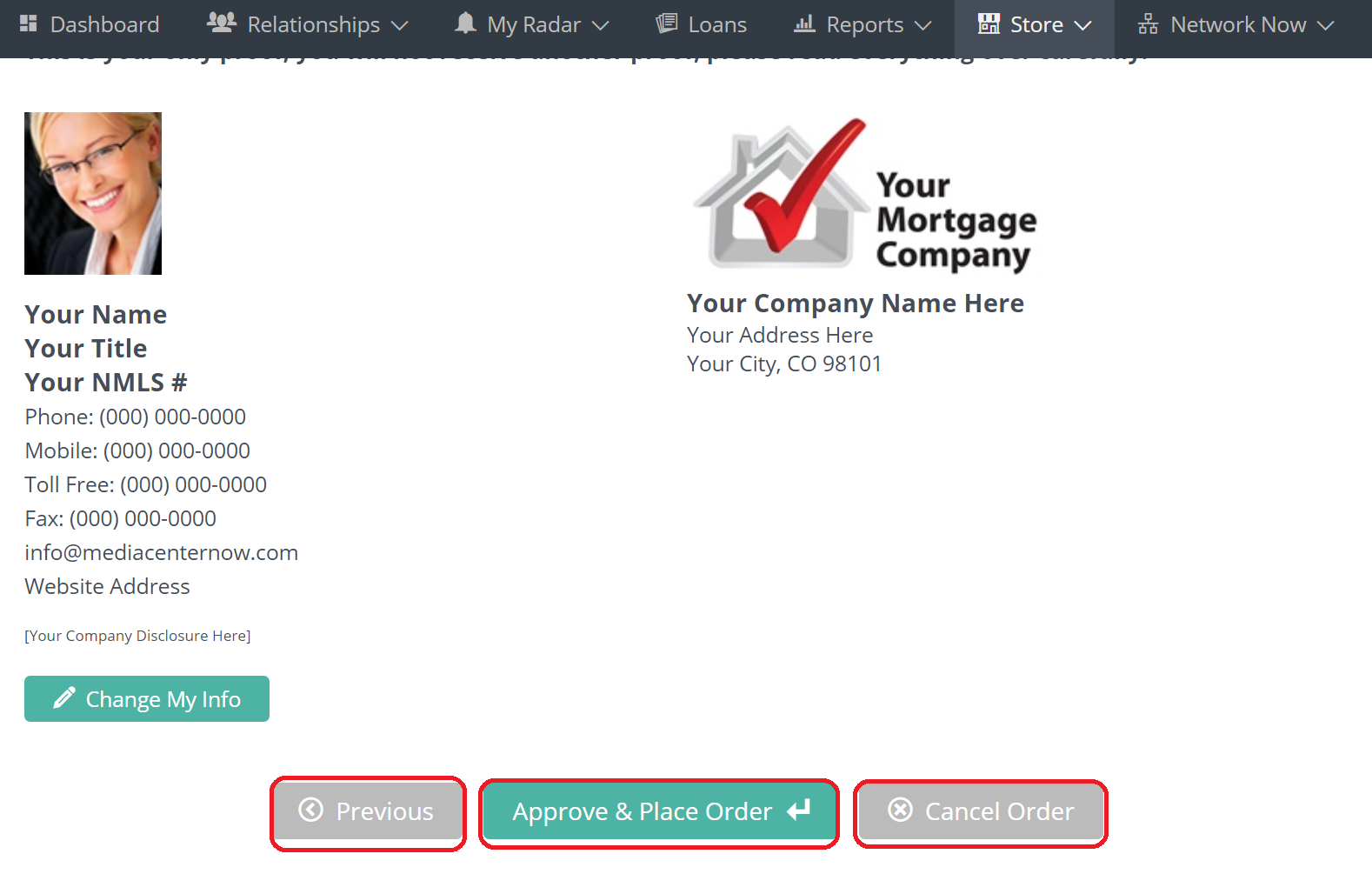
Make sure everything looks correct and click "Next". From this screen you can go back, Approve & Place Order, or Cancel Order.
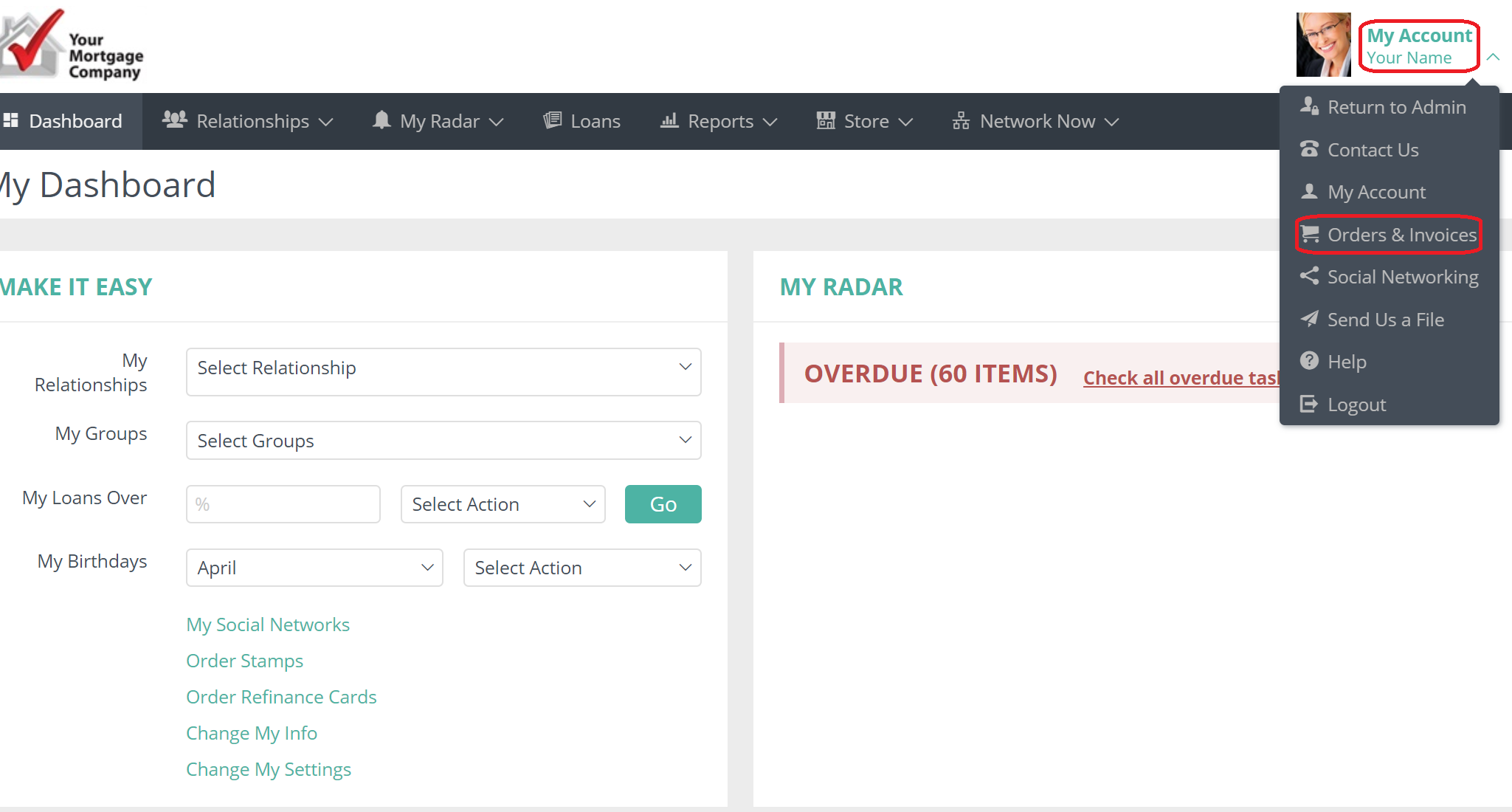
To view the order click on "Orders & Invoices" under "My Account" in the upper right corner of your Usherpa account.
Comments
0 comments
Article is closed for comments.