
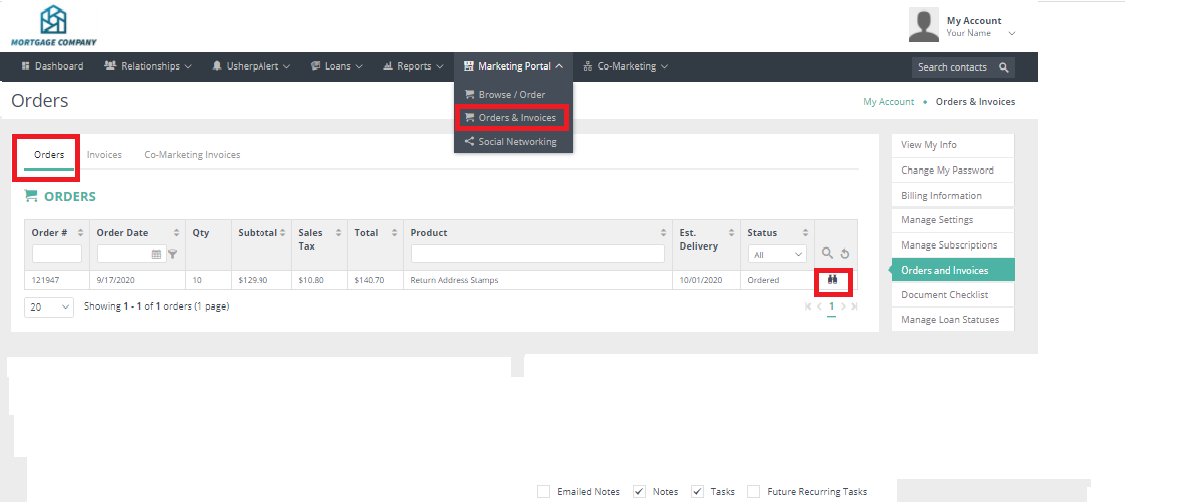
Click on the "Marketing Portal" tab. Choose "Orders & Invoices" from the drop down box. Your orders will appear there from your latest order to your earlier orders. We update the status of your order so you know when the product was sent. Click on the “binoculars" to the far right of the order to view.
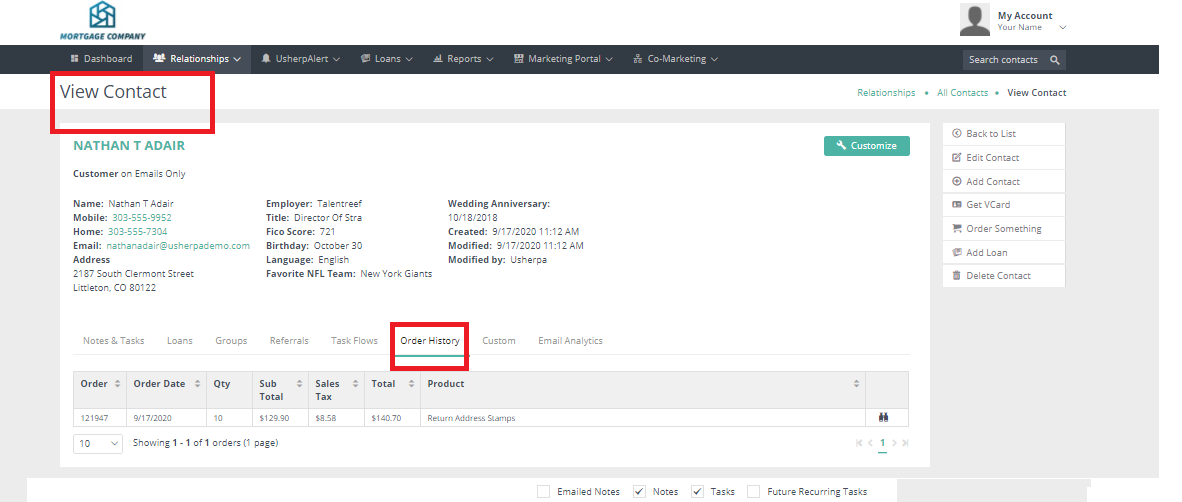
You can view all orders on a specific contact by clicking on "Order History" in their contact record.
Comments
0 comments
Article is closed for comments.