
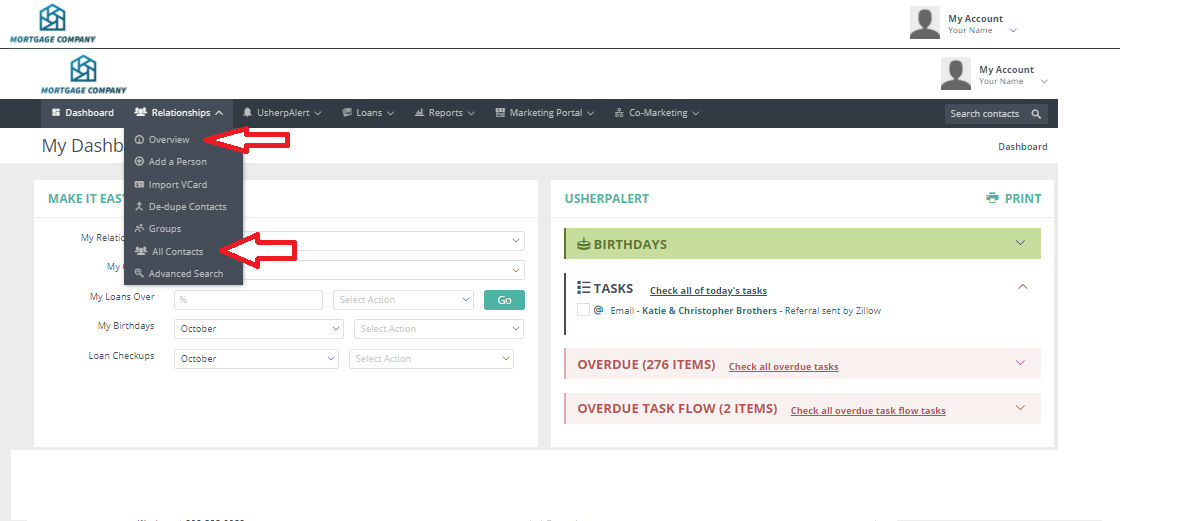
Click on the arrow next to the Relationships tab. Select either "Overview" (for the type of Relationship) or "All Contacts".
Click "Select All" on the gray box in the first column. An "Actions Box" will pop up and from the drop down box "Mailing Labels". Your mailing labels will come up in a Word Document in label format. You can print them out to your printer using an Avery 5960 template, or you can save them as a Word document.

Comments
0 comments
Please sign in to leave a comment.