
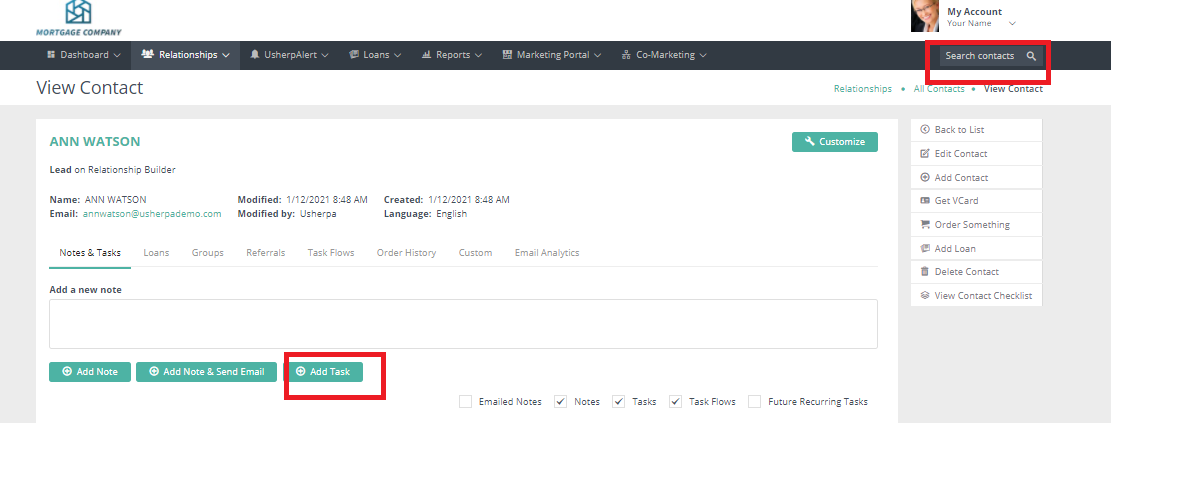
To create a task specific to an individual in your database, pull up that person via the "Search Contacts" button. Simply enter their name into the search box, then click on the name once it's brought up. At the bottom left side of the screen, click the ‘Add Task’ button and fill in the fields. Click ‘Save’ and that’s it! On the day the task is due, you'll get an email with the task details and contact information relative to your contact.
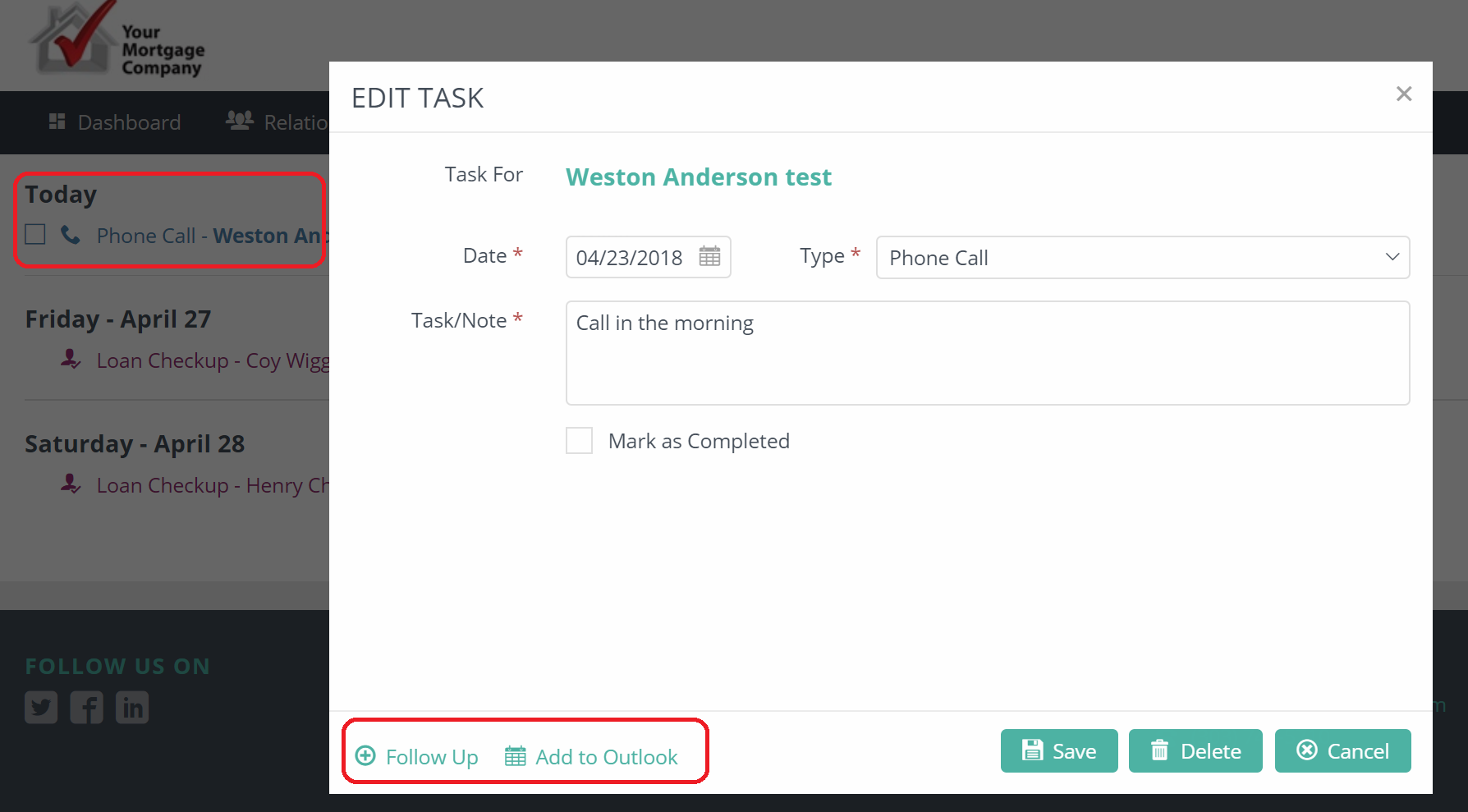
From the UsherpAlert page, you are able to view your tasks and birthdays, add the task or birthday to your Outlook calendar, or create a follow up task.
A File Download screen will pop up, click "Open". This will let you view the event. To save it to your calendar, click the "Events" tab, then click "Save & Close".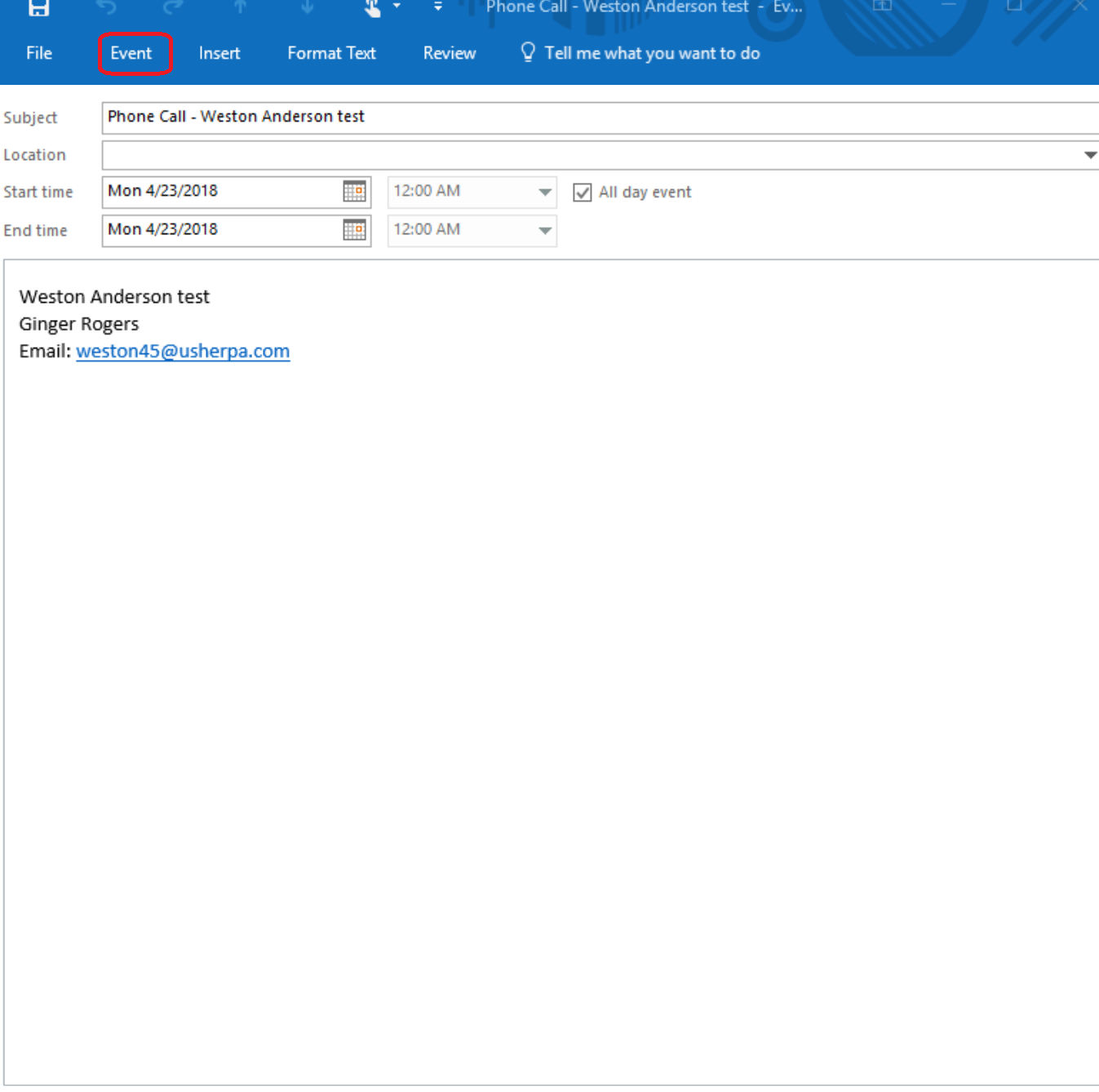
Comments
0 comments
Article is closed for comments.