
Follow these simple steps to select the email(s) you would like to opt your contacts out of receiving. If the box is checked, no one in your database will receive that email.
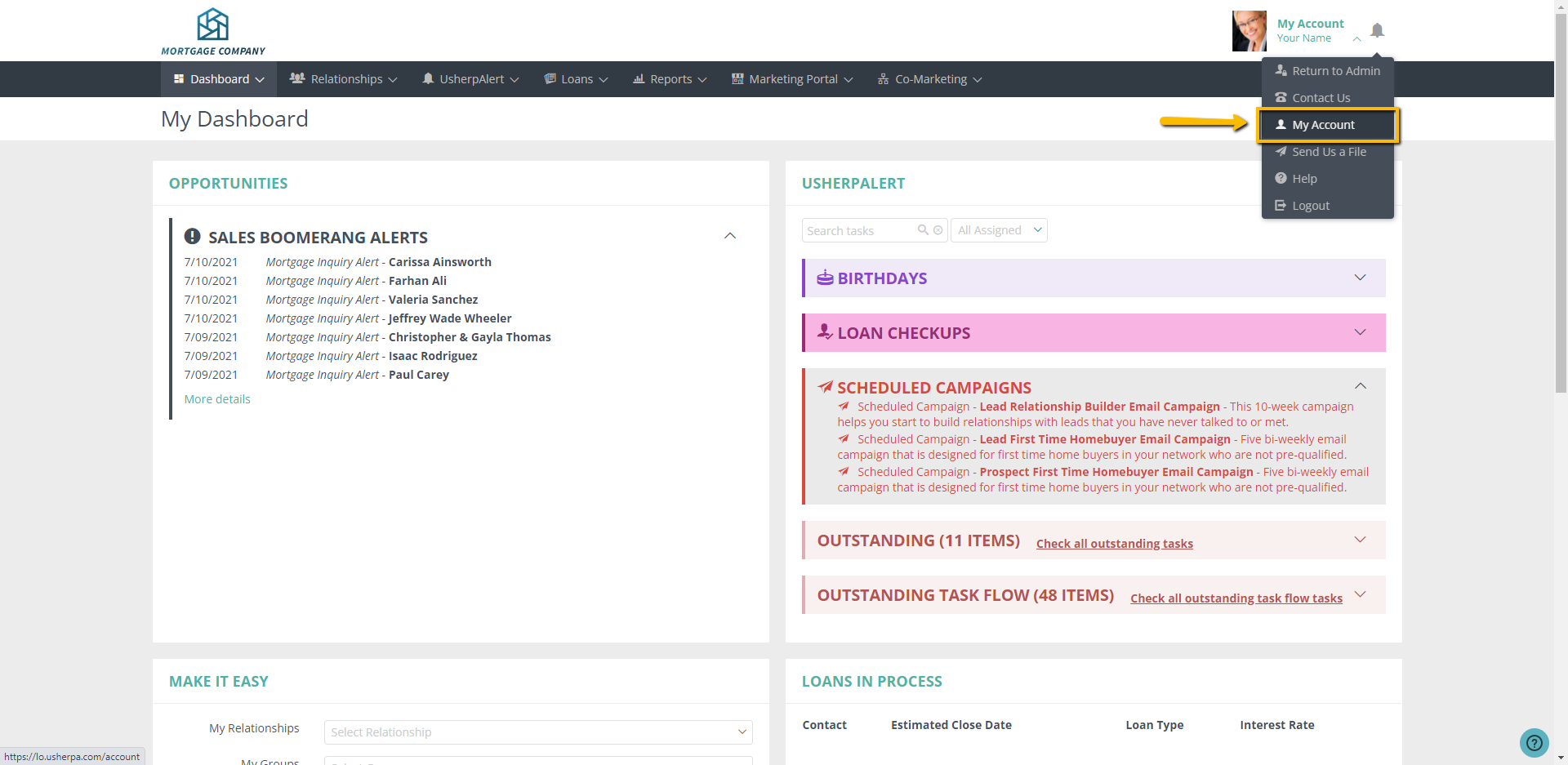
- Select "My Account" in the upper right hand corner of your Usherpa dashboard.
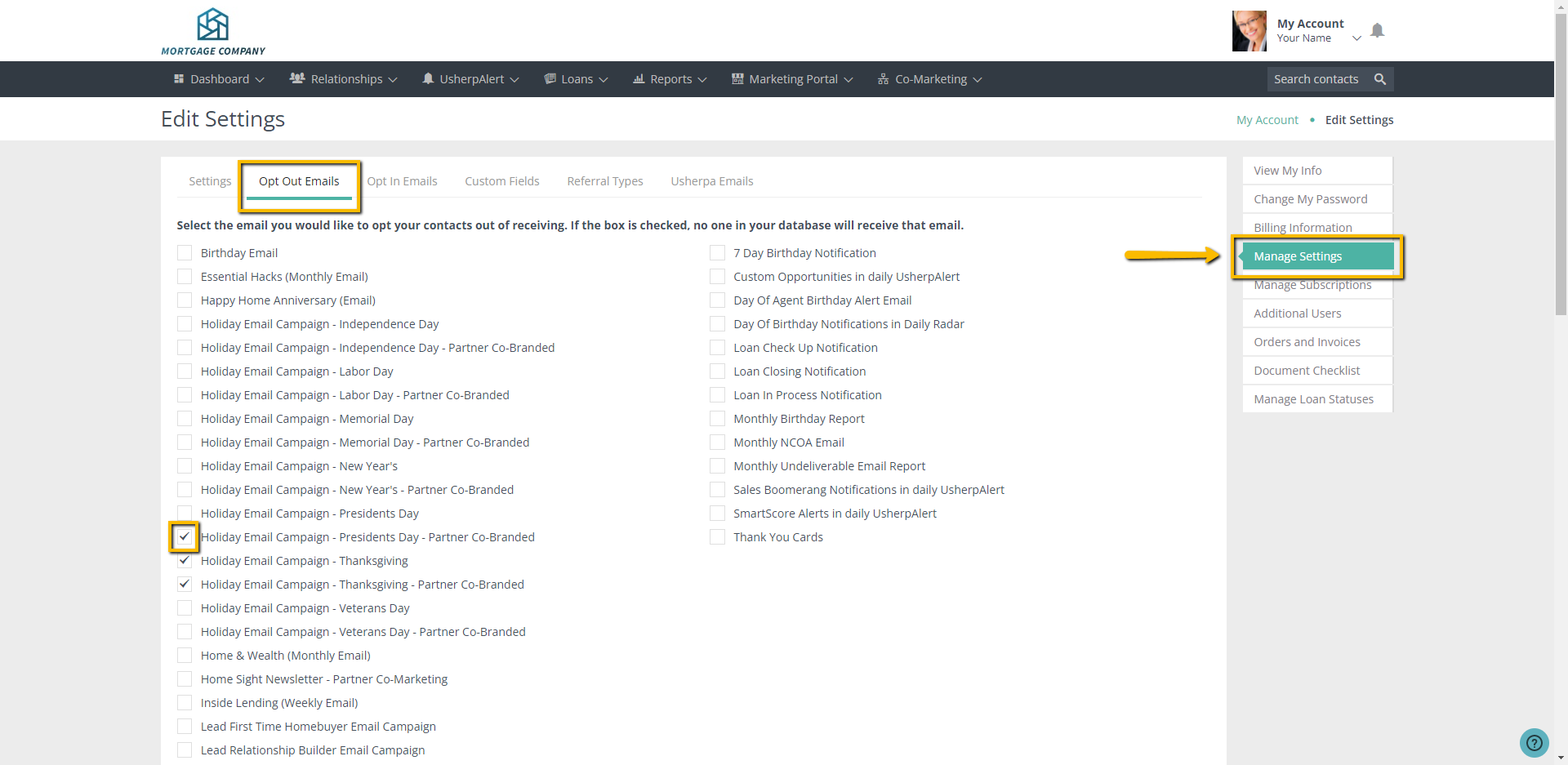
- Select "Manage Settings" from the menu on the right hand column.
- Click on "Opt Out Emails" tab.
- Check the box next to the emails you do not want to send automatically to your database.
- Once you have checked all of the boxes, click the Save button at the bottom.
Comments
0 comments
Article is closed for comments.