
Make sure all of your account information is entered in correctly so that all of your marketing collateral goes out with the right information.
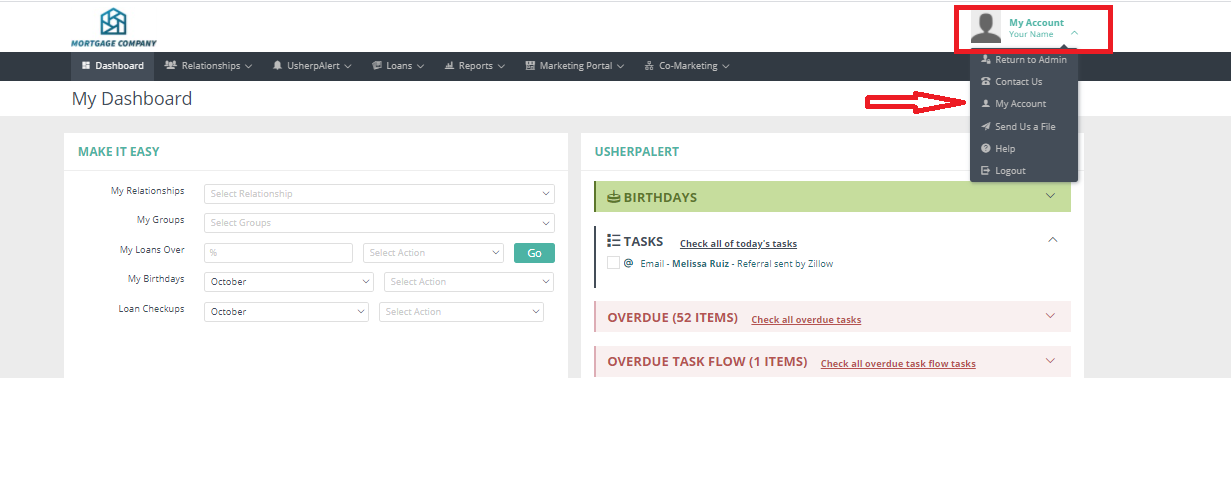
In your Usherpa account, click the dropdown arrow next to your name in the upper right corner. Then from the drop down select My Account.
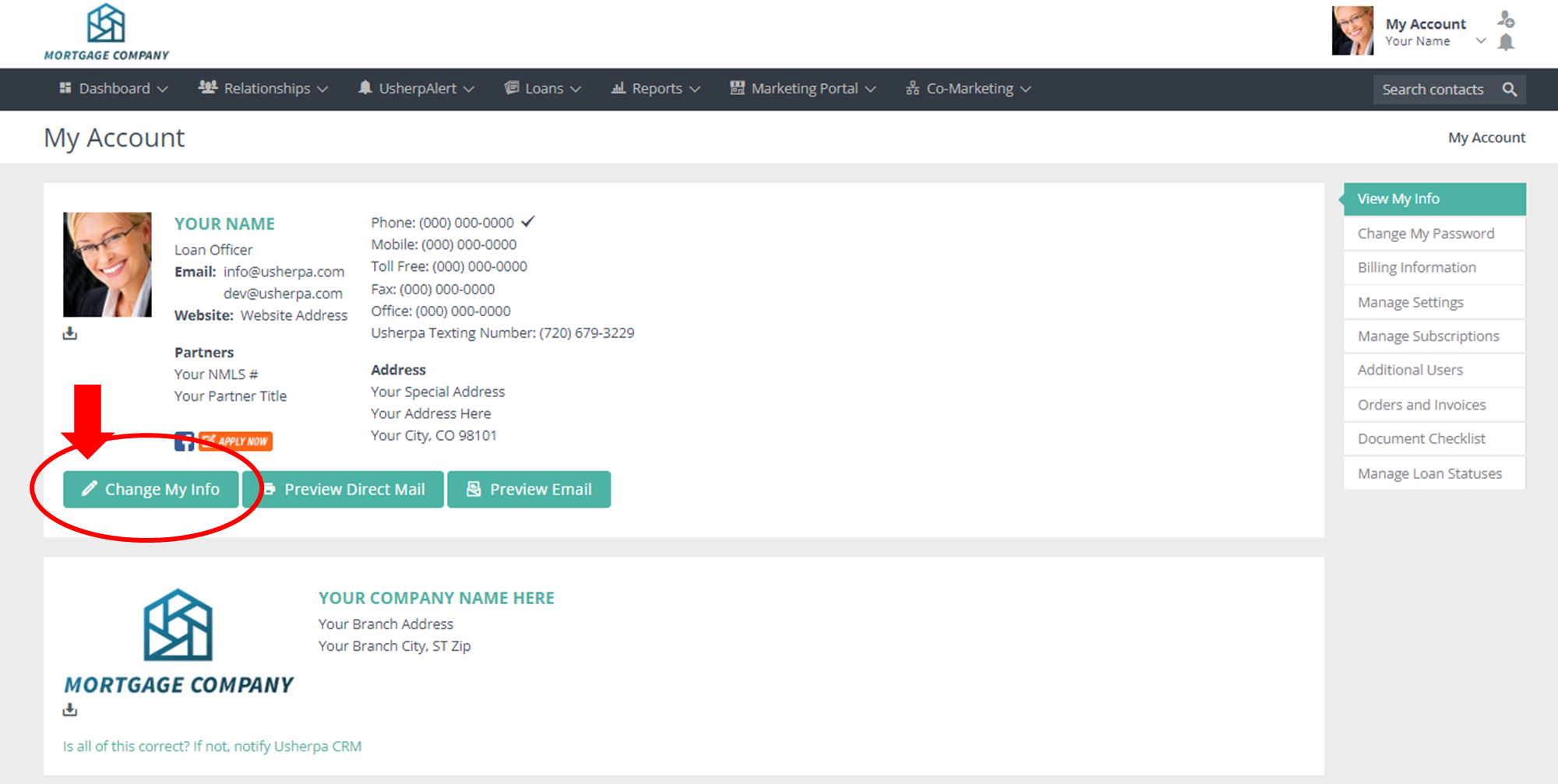
Double check your email address, website, NMLS, mailing address, etc. If you need to edit, click Change My Info. Make your edits in the form and then click save. This will submit a profile change request and our team will review and make sure everything is in order and approve your changes.
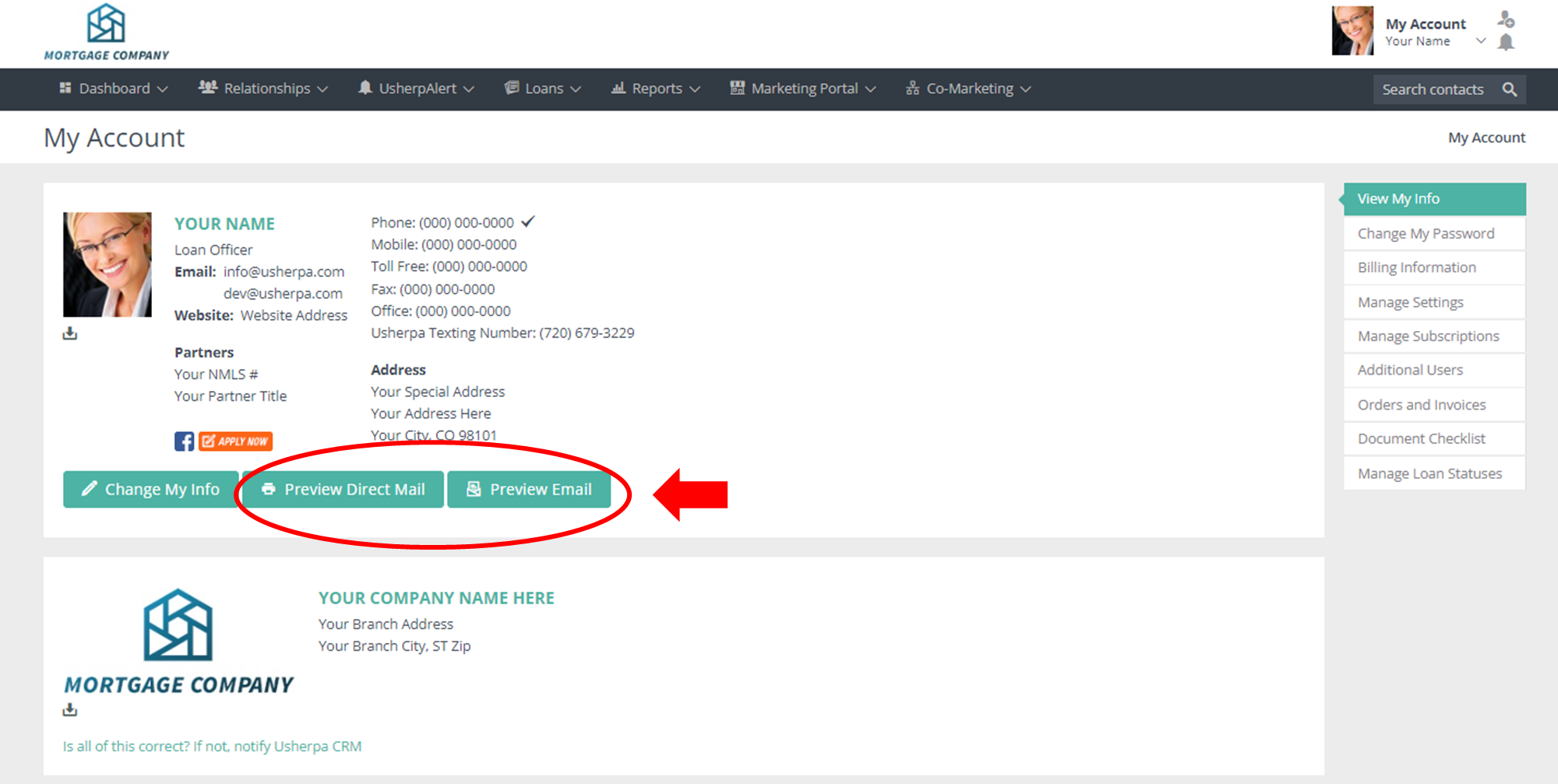
Preview how your signature will look on your Direct Mail marketing and email marketing by clicking the Preview Direct Mail button or the Preview Email button.
Comments
0 comments
Please sign in to leave a comment.