
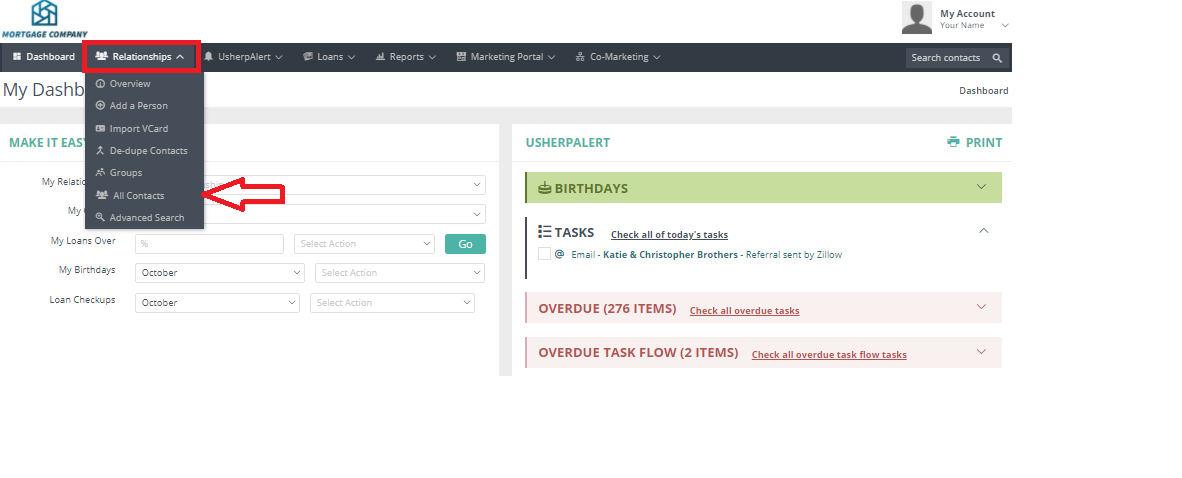
Click on the Relationships tab in your Usherpa account, and then click on the "All Contacts" button from the drop down box.
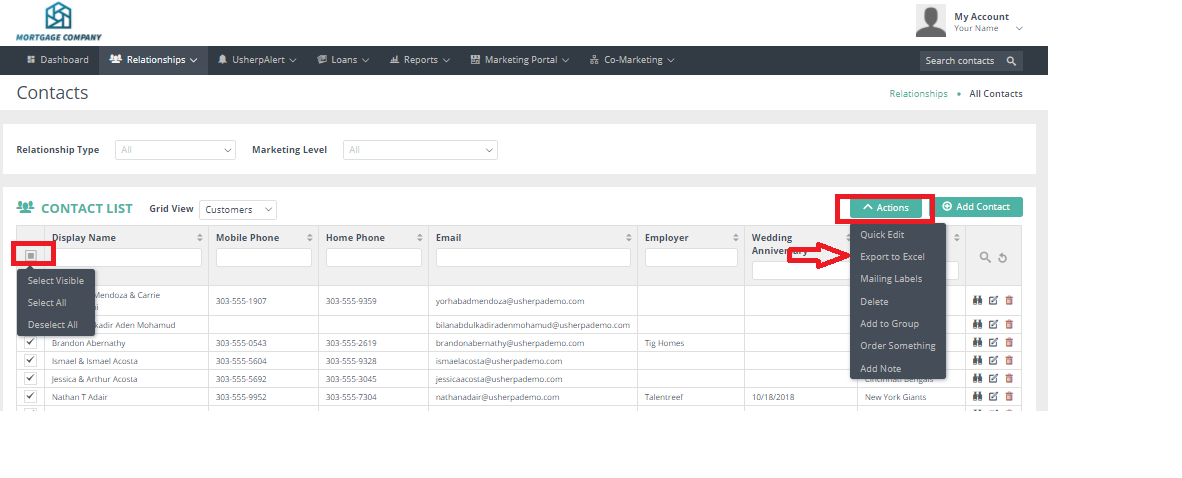
This will bring up your list of contacts. Click the gray box and from the drop down "Select All" in the left hand column. An Actions box will pop up. From the drop down box choose Export to Excel.
Comments
0 comments
Article is closed for comments.