
You may want to sub-categorize your contacts into searchable lists that are more specific than our default contact types of Customer, Prospects, and Business Partners. You can do this with the Groups feature. You can also order from the store from within the Groups feature if you want to queue up contacts based on your sub-divided groups.
First go to "Groups" under the Relationships tab. This will list all your previously created groups, if any. Next, click on "Add a Group". Title the Group how you prefer, then click "Save". Now the Group will appear in your Group List. 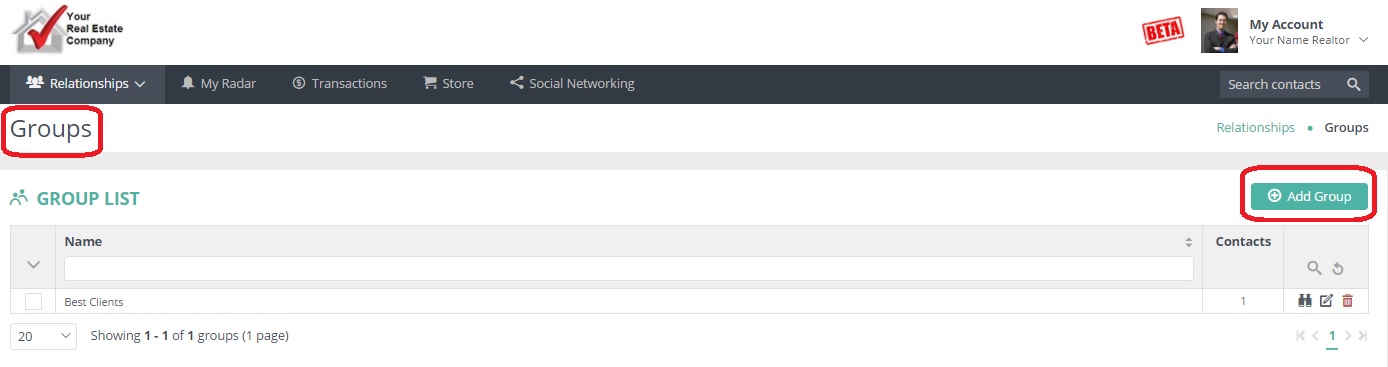
Now that you've created a group, you need to assign contacts to it. Locate your contact and click on their "Groups" tab. Click "Assign to a Group" and choose the appropriate one. If you want to add multiple contacts at once, do this from the list view of your Relationships, and simply place a checkmark next to all the names you want to appear in a given group.
Pro tip: you can create a group from within any contact record, too.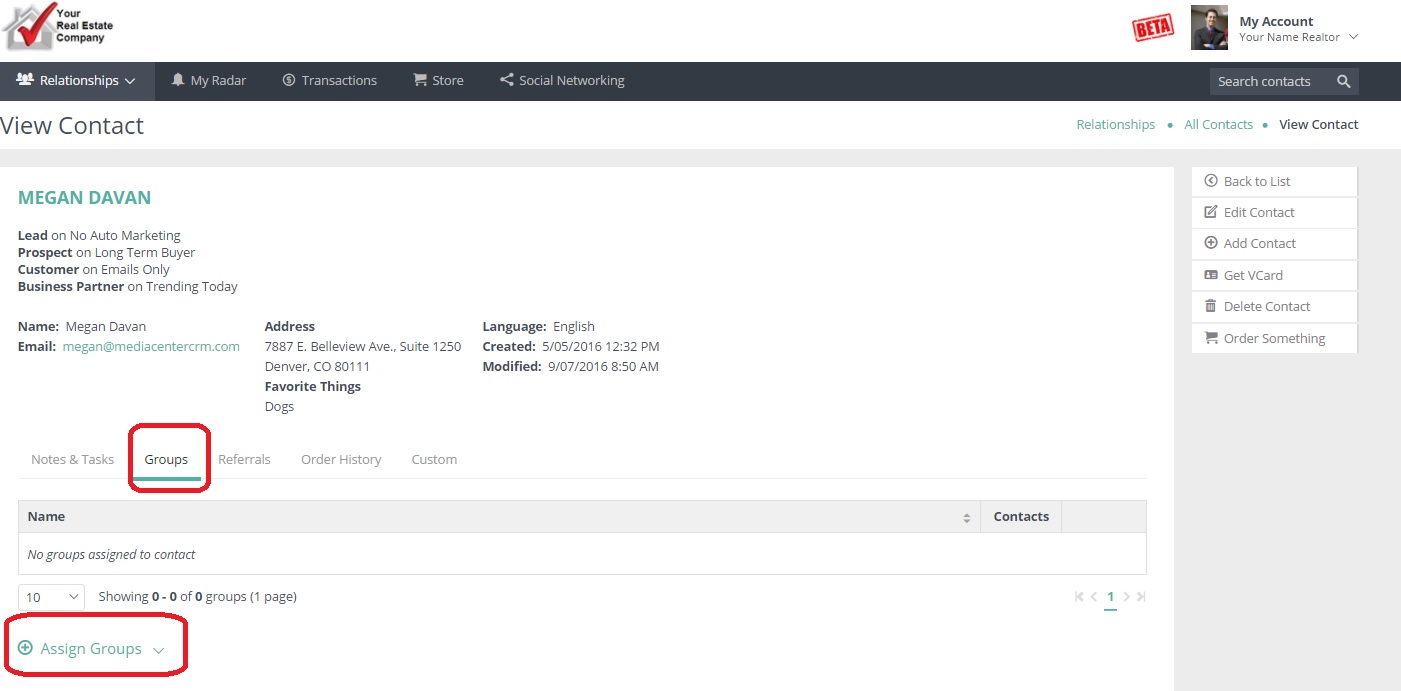
Comments
0 comments
Please sign in to leave a comment.