
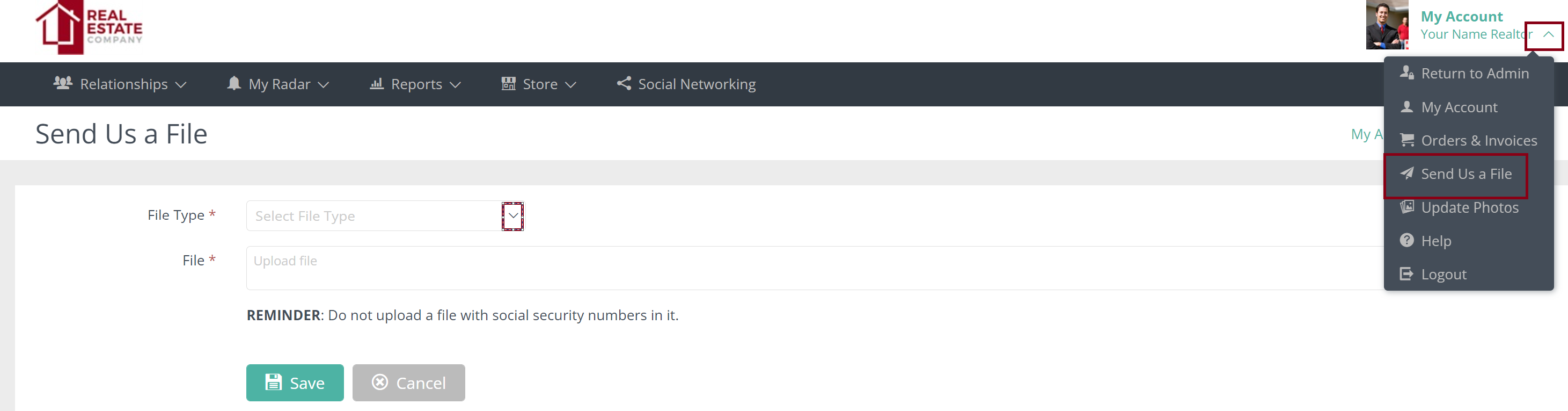
To upload your member photo, click on "My Account" arrow in the top right of your screen.
Then "Send Us a File" from the drop down.
Choose Member photo and Select file. Then Save.
This will go into our queue and we will add it to the account.
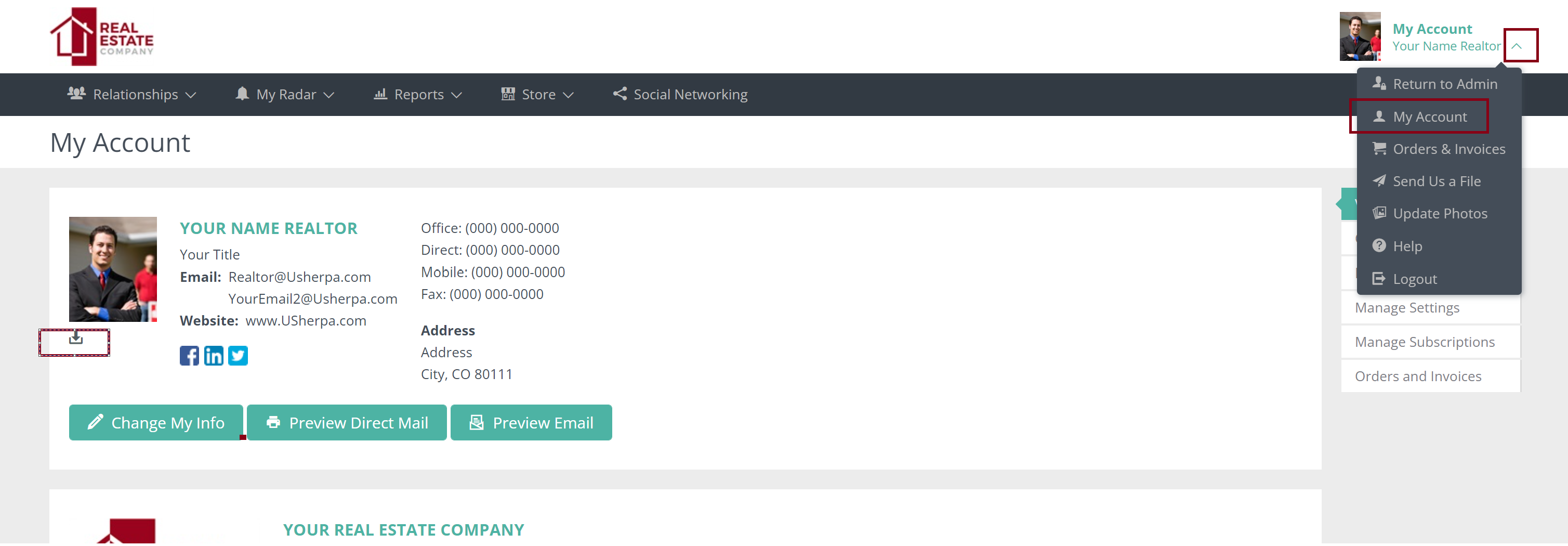
To download click on "My Account" arrow then "My Account" from the drop down.
Hit the download button under the photo
Comments
0 comments
Please sign in to leave a comment.