
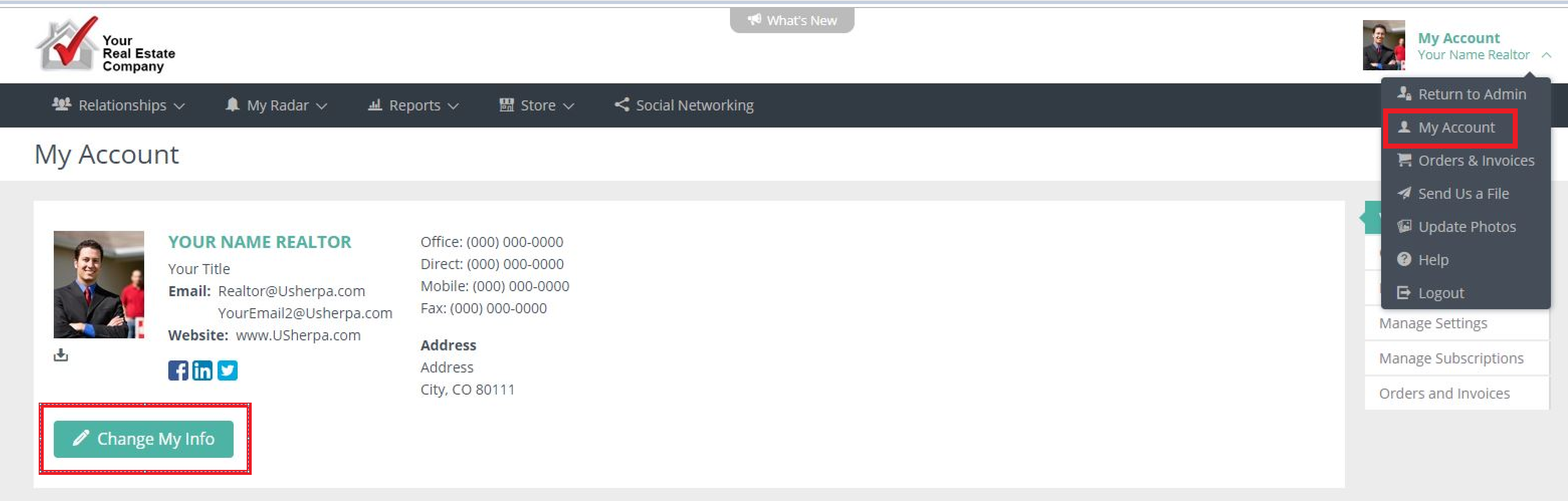
When you are logged in, click on My Account > My Account. When you are on this page, click on the menu item that says "Change My Info."
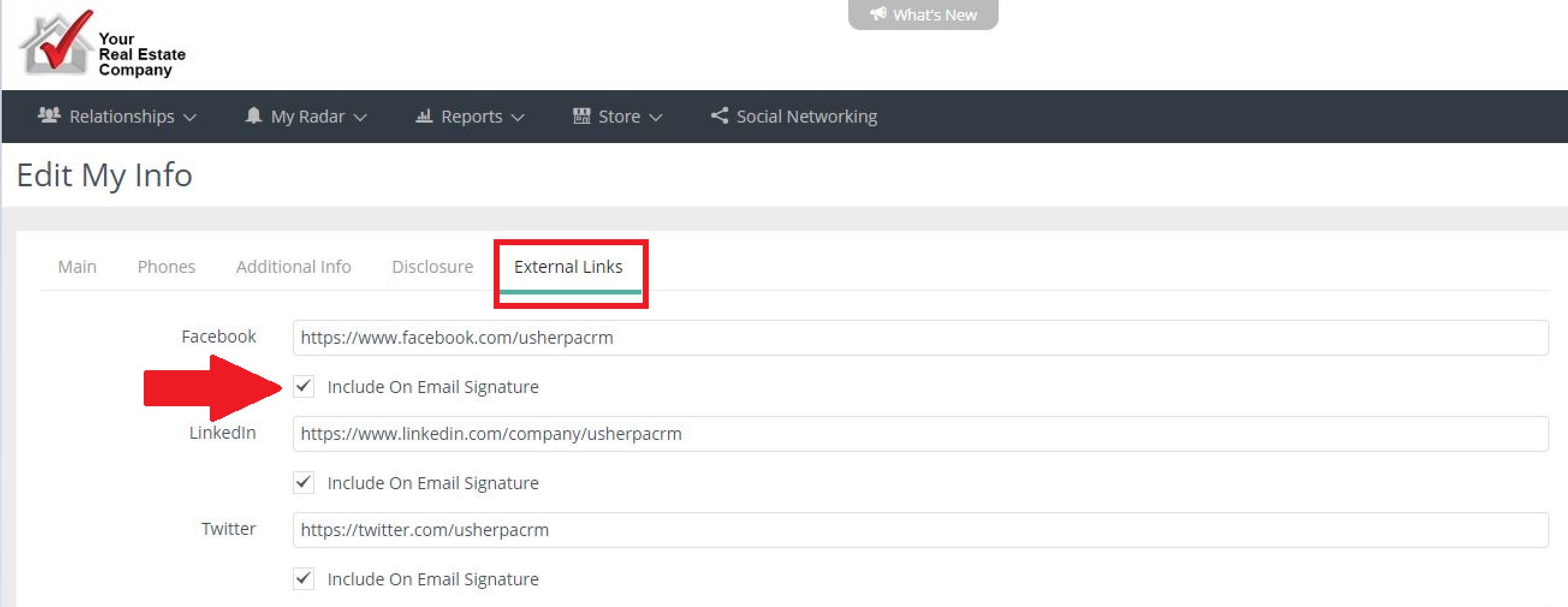
When this page pulls up, click on the tab that says "External Links." Then you can add the links to your Social Media pages and additional websites. Click the box "include on signature" for these to appear on your signature.
Comments
0 comments
Please sign in to leave a comment.