
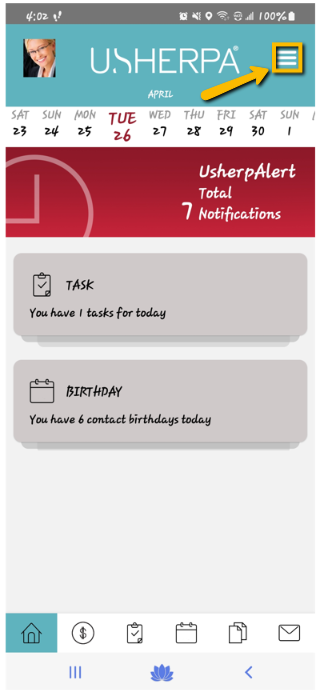
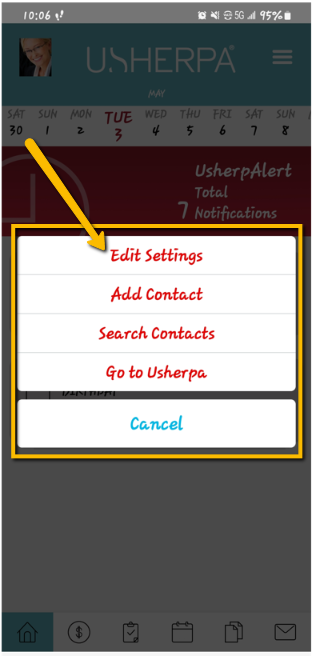
With the UsherpAlert Mobile App, not only will tasks and alerts be sent to your Dashboard within the Mobile App, you can enable Push Notifications on your Mobile Device and have alerts delivered to your Notification Center. To manage your Push Notifications click on the "Settings" icon from any page within the app; next click on the "Edit Settings" tab.
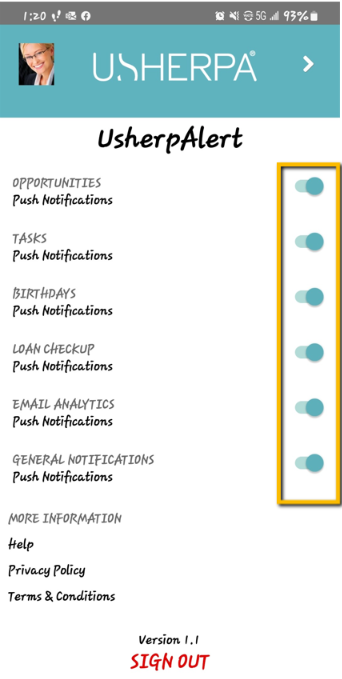
On this page, you can enable or disable Push Notifications for Tasks, Birthdays, Loan Checkups, Email Analytics, and General Notifications. If the button is displaying green, this means the Push Notifications are enabled.
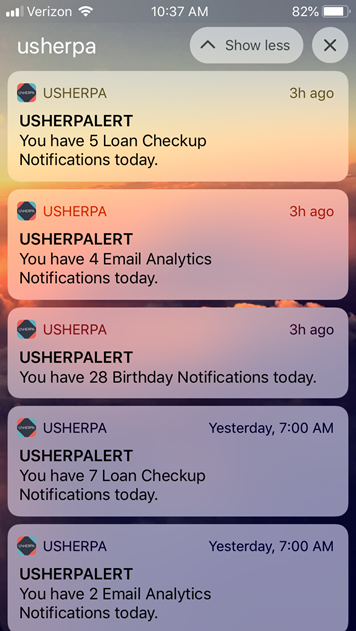
On your Mobile Phone's notification center, you can view all of your Usherpa alerts as well. From this page on your phone, you can view or manage the alert, or dismiss it from your notification center.
Comments
0 comments
Please sign in to leave a comment.