
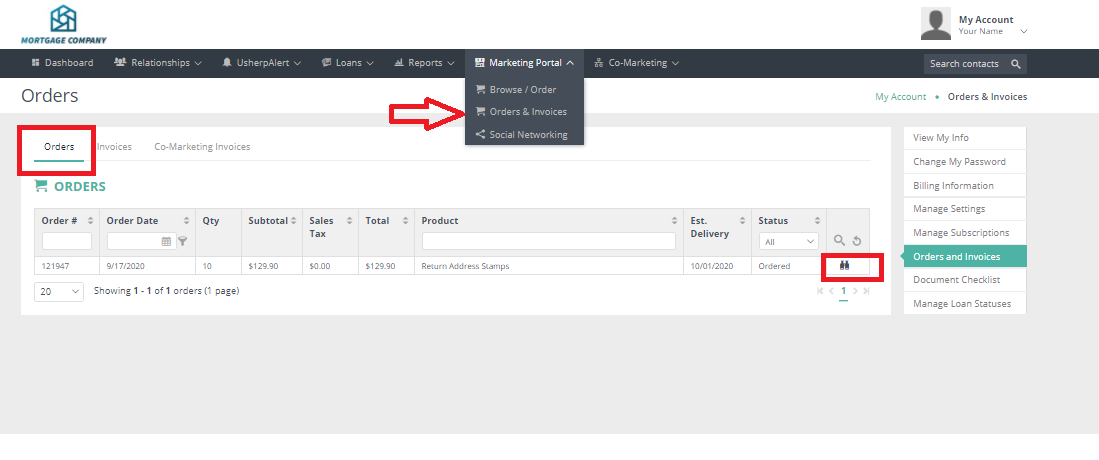
Login to your Usherpa account and click on "Marketing Portal".
From the drop down box choose "Orders & Invoices".
This will now bring you to a page where you can see all Orders that have been sent, ordered or are in process.
To get an in depth look at the order click on the binoculars to the far right of the order.
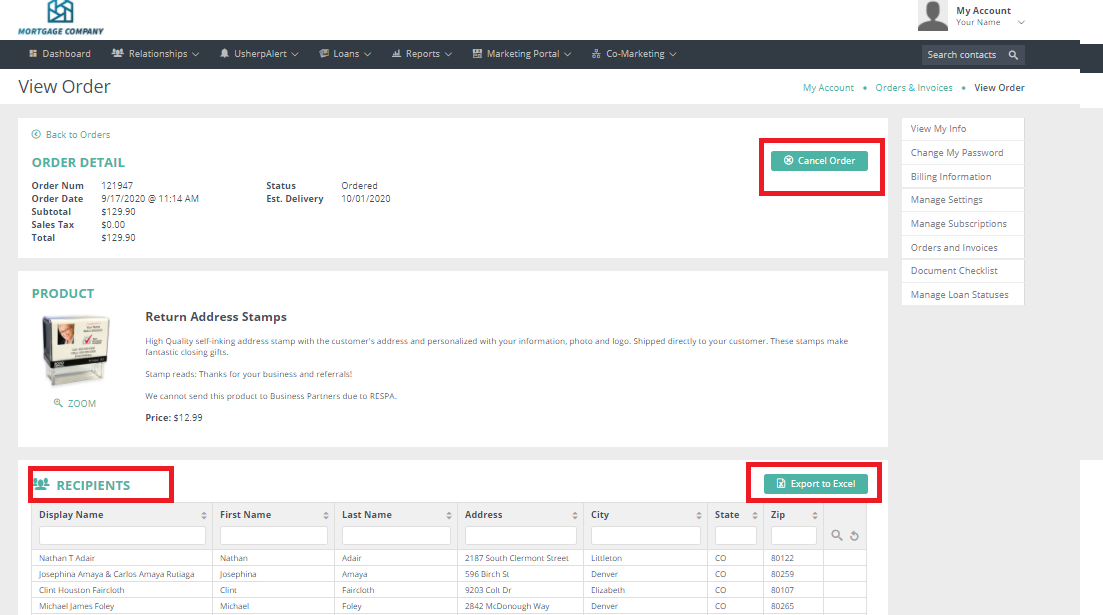
This screen will show you all the order details, as well as a complete list of the contacts this product was sent to.
This is also the way you can cancel an order, if it is within the deadline time frame. There will be an option to "Cancel Order".
You can locate this list under Recipients List and it also gives you the option to download this list of contacts for your records.
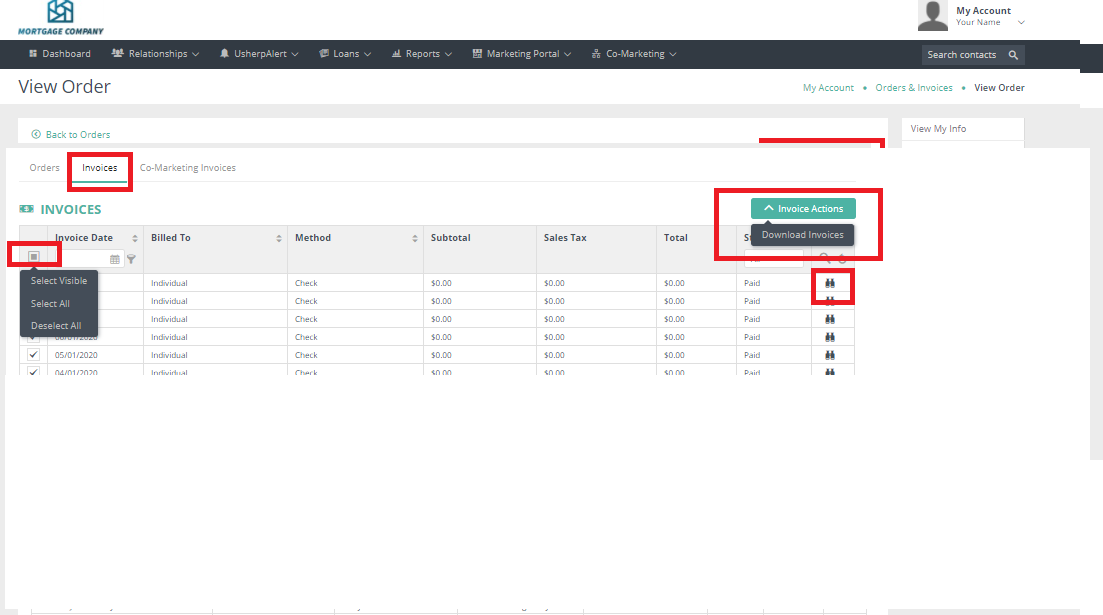
To view your invoices, click invoices. To print a copy choose Select All from the gray box. An Invoice Actions box will pop up to Download Invoices.
Comments
0 comments
Article is closed for comments.