
We do all of our billing on the 1st of each month. This invoice will include the required dues for that month and any additional costs (direct mailings, etc.) from the previous month.
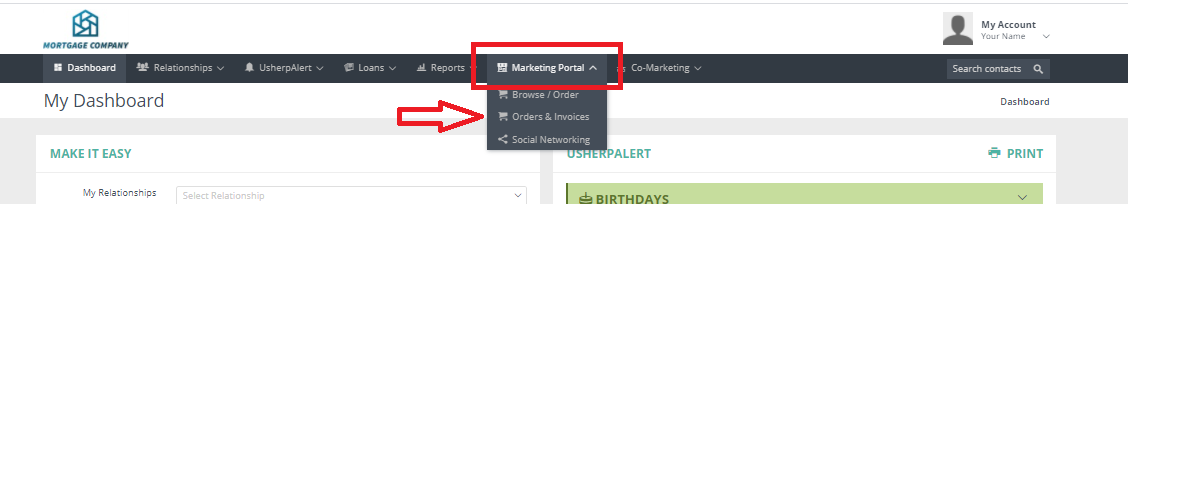
You can view your invoices at any time by logging in to your Usherpa account, and clicking on "Marketing Portal" then select "Orders and Invoices" from the drop down.
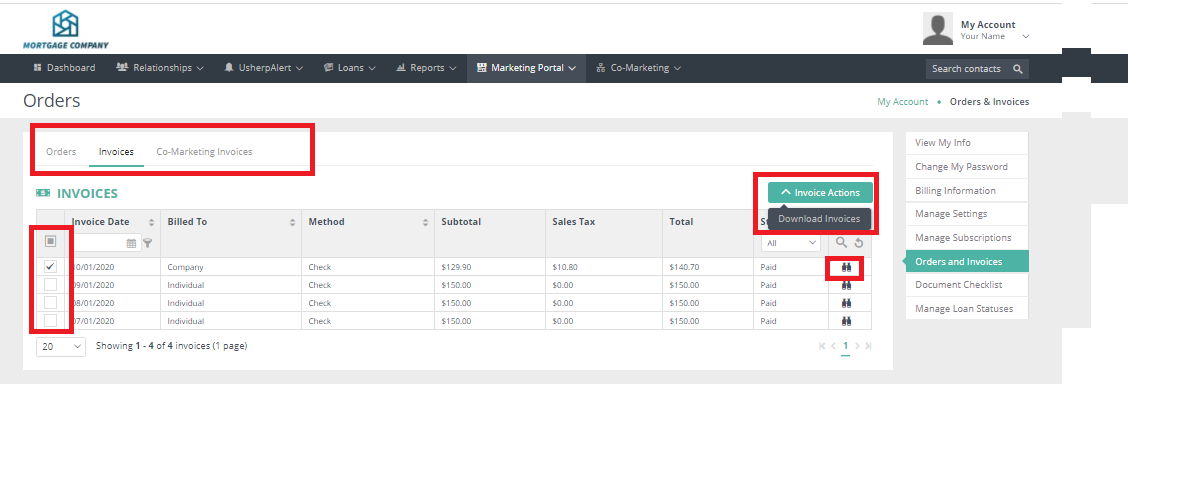
Here you can choose Orders/Invoices/Co-Marketing Invoices.
Under invoices click the binoculars to view or check the boxes of the months you want to download and print.
Comments
0 comments
Please sign in to leave a comment.