
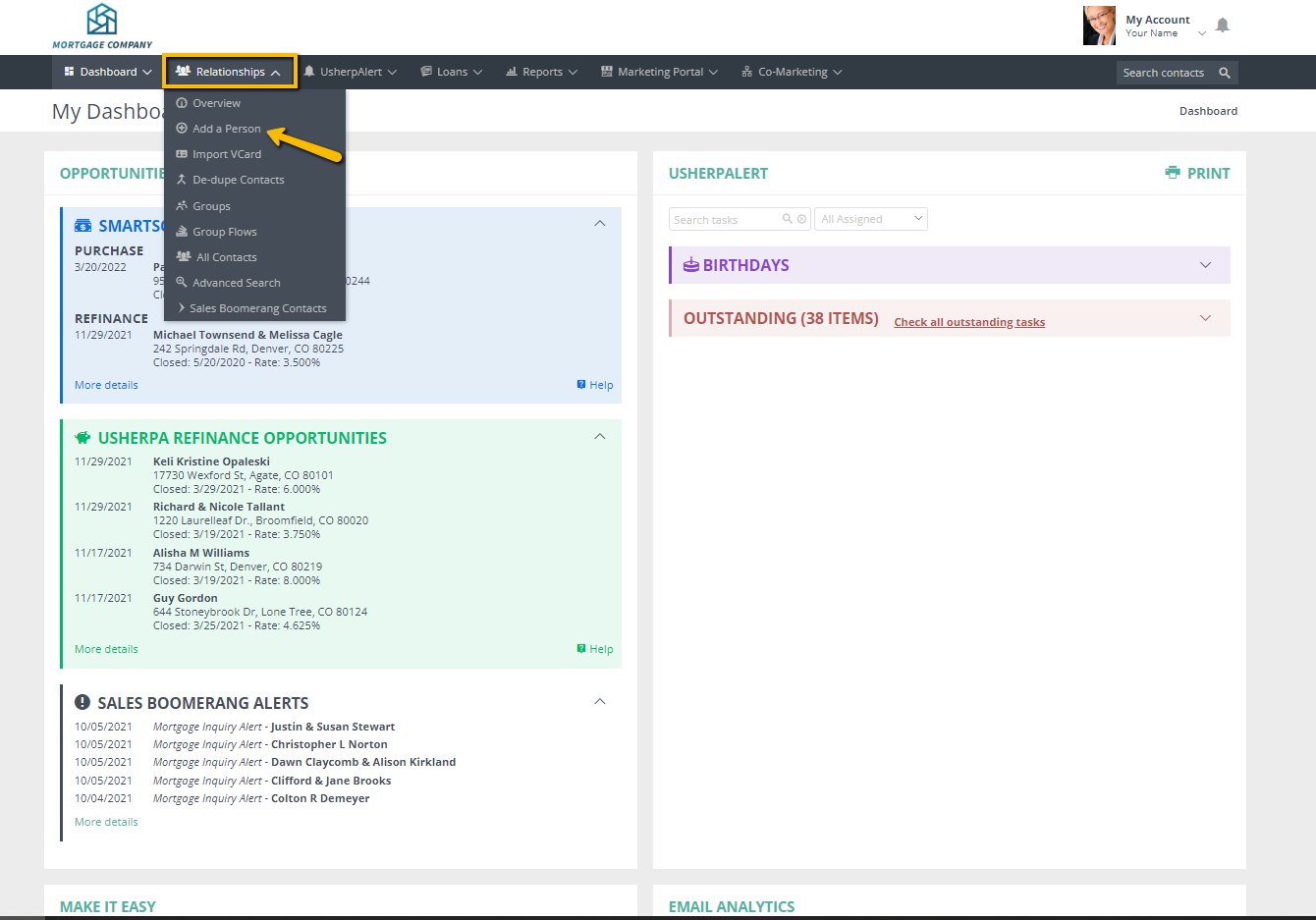
Click on the arrow next to the Relationships tab; from the drop down menu choose "Add a Person".
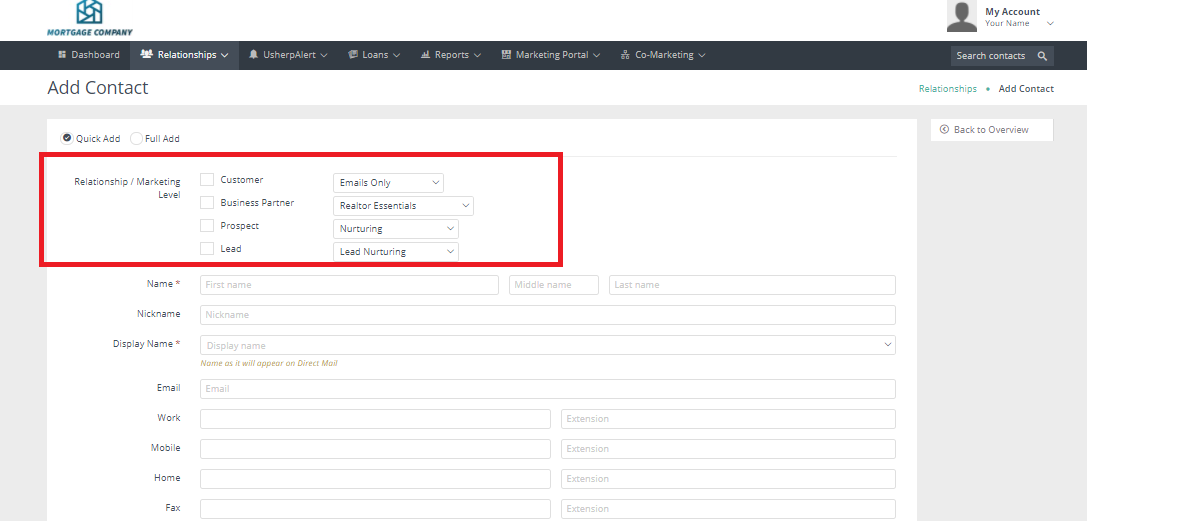
The screen will pull up "Quick Add" on the "Add Contact" screen, where you can choose what type of Relationship they are and what Marketing Level you want them on. Proceed to enter their contact information, being sure to fill in all of the fields with a red asterisk (*) next to it. Also make sure that the Display Name is correct, as this what is printed on all marketing pieces.
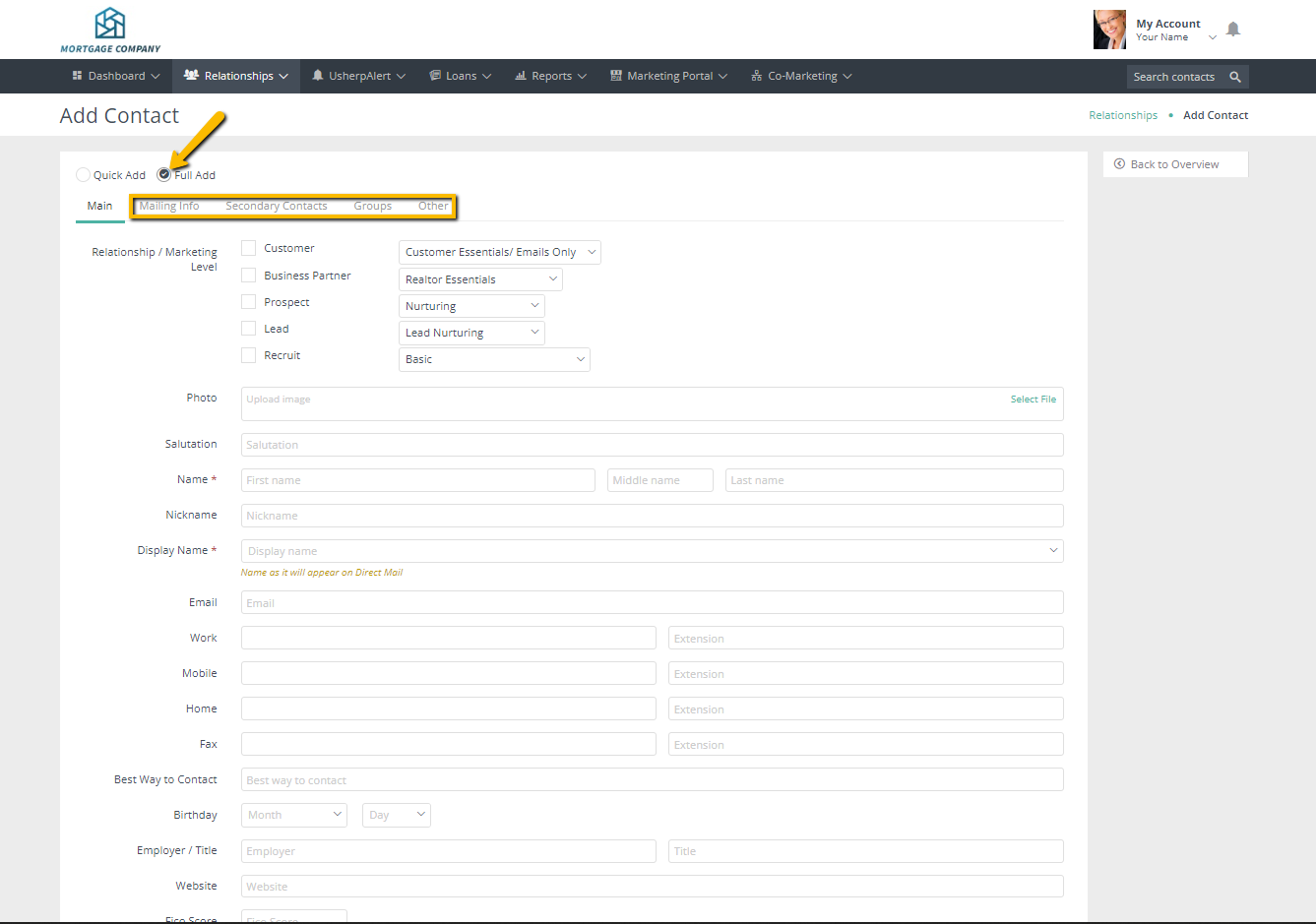
By choosing "Full Add", you can add additional information by choosing Mailing Info, Secondary Contacts, Groups, or Others. Then scroll down and click "Add" to finish adding this relationship to your Usherpa account and automatically stay top of mind!
Comments
0 comments
Article is closed for comments.