
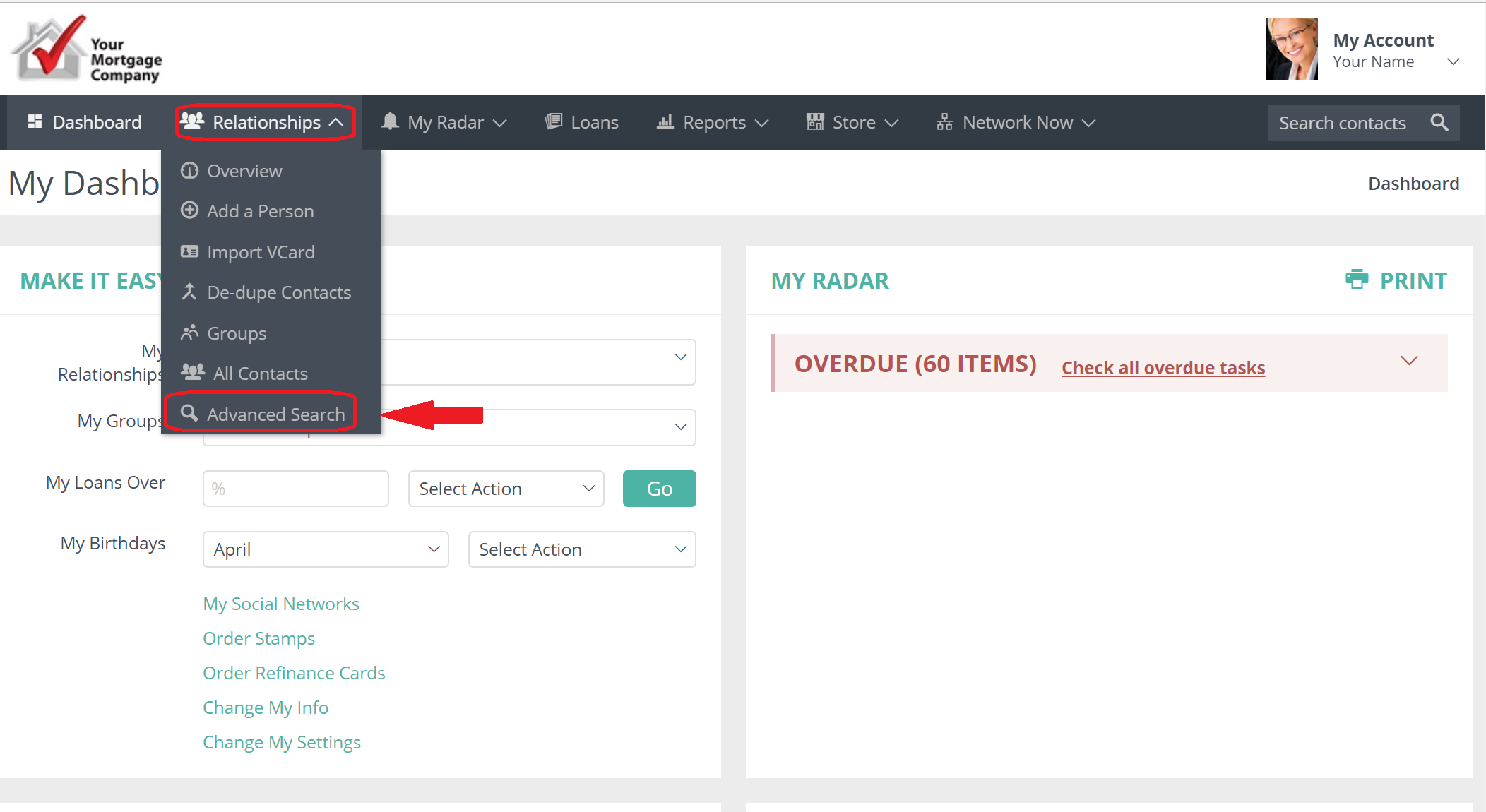
In your Usherpa account, click on the Relationships tab. From the drop down box choose "Advanced Search".
A box will appear will many different search options. Personal info, such as names, mailing info, secondary contacts, loan details, referrals etc.
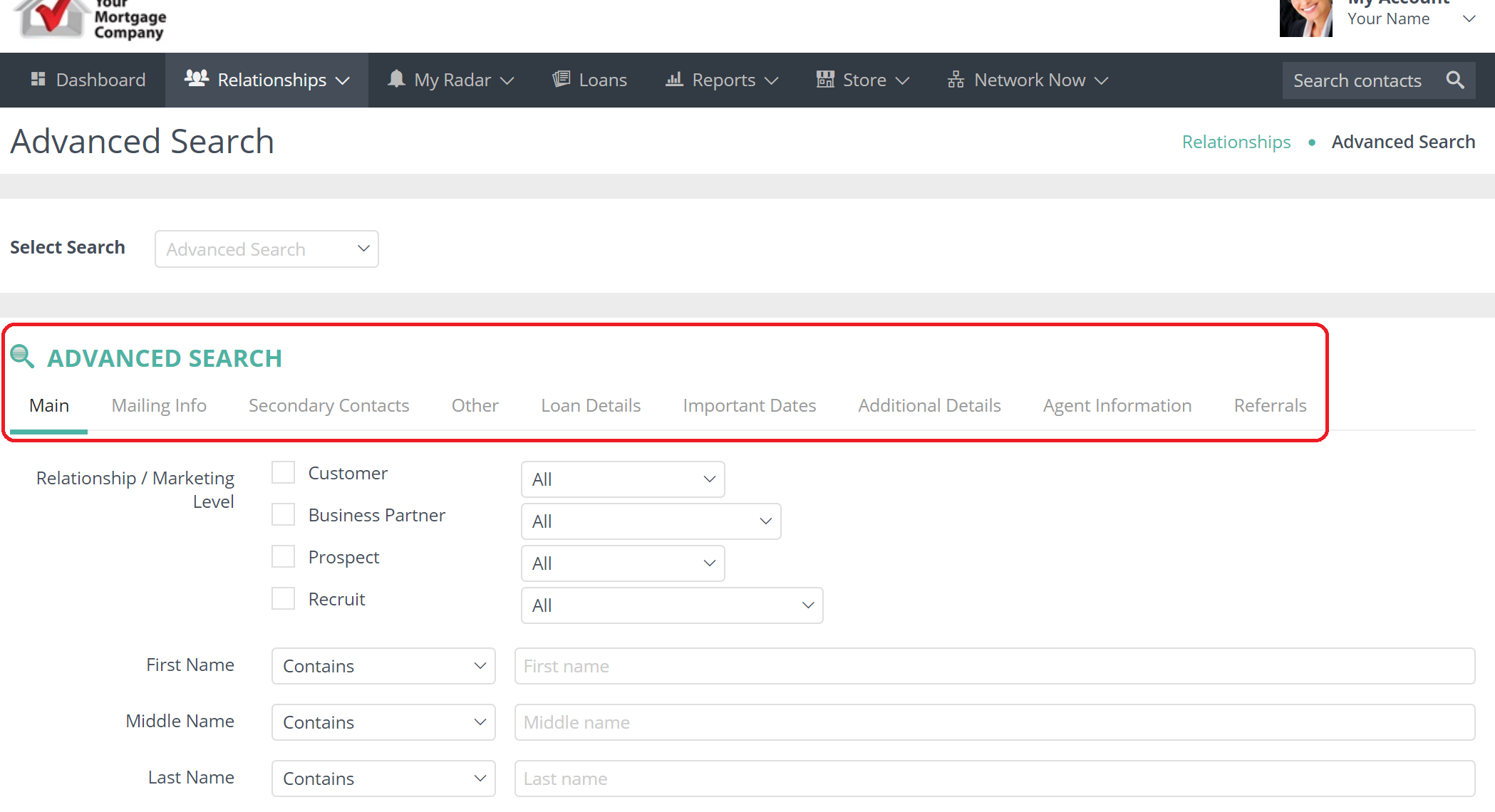
Choose the category you would like to search by.
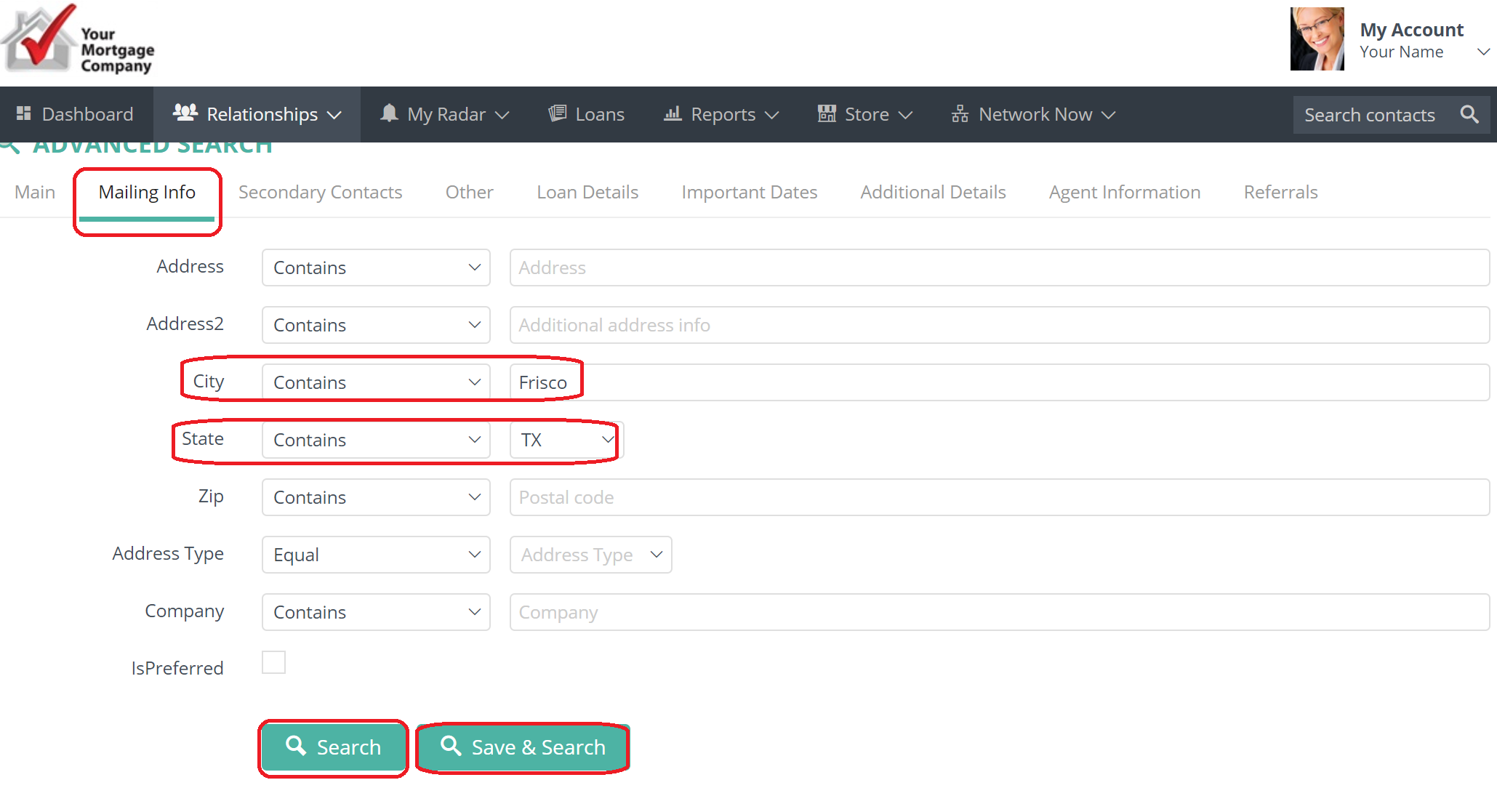
For example, lets search our database for all contacts that have Frisco, TX as their Mailing Information.
Under Mailing info, type Frisco into the City box and TX, scroll down and click Search or you can Save & Search.
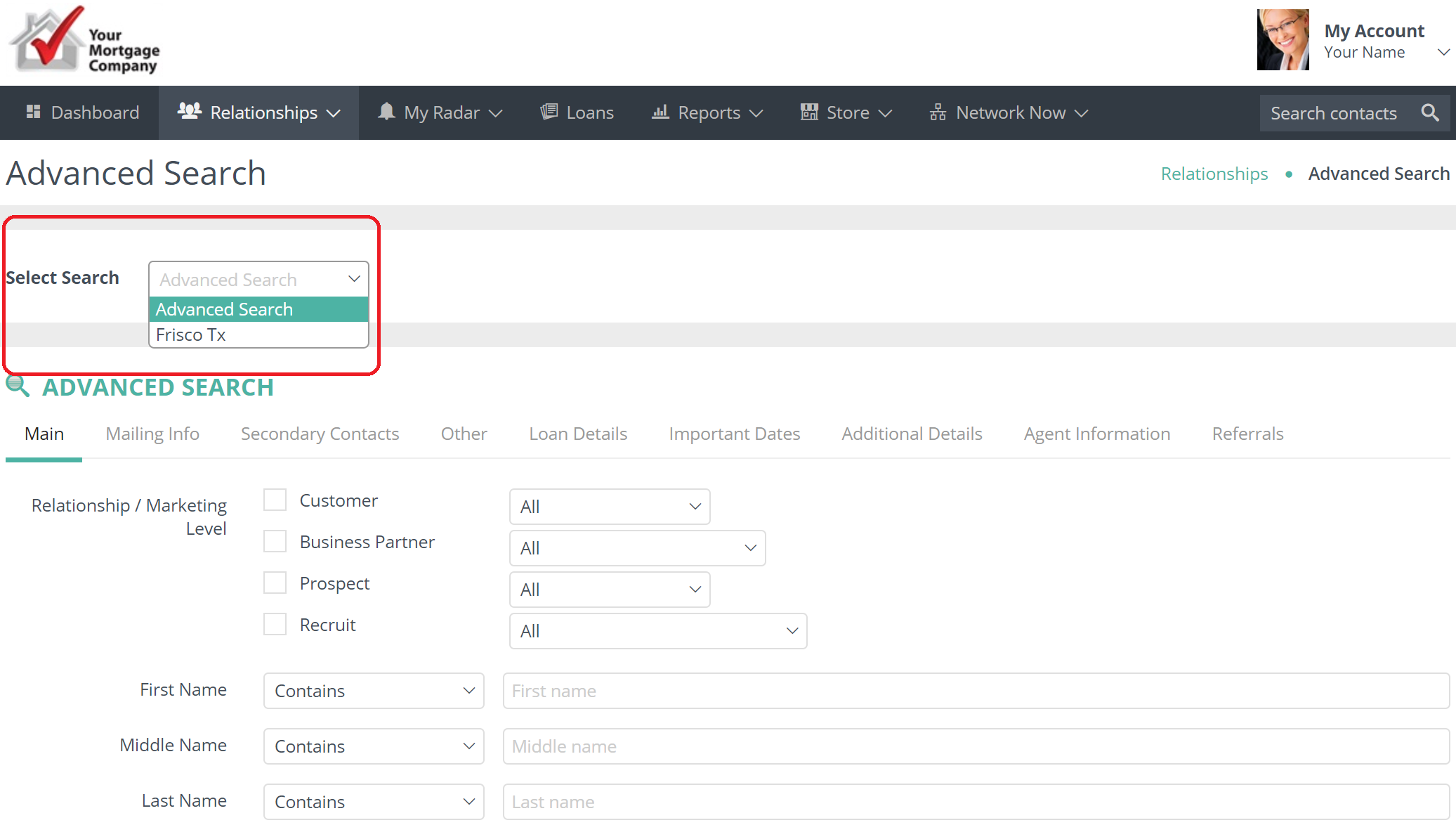
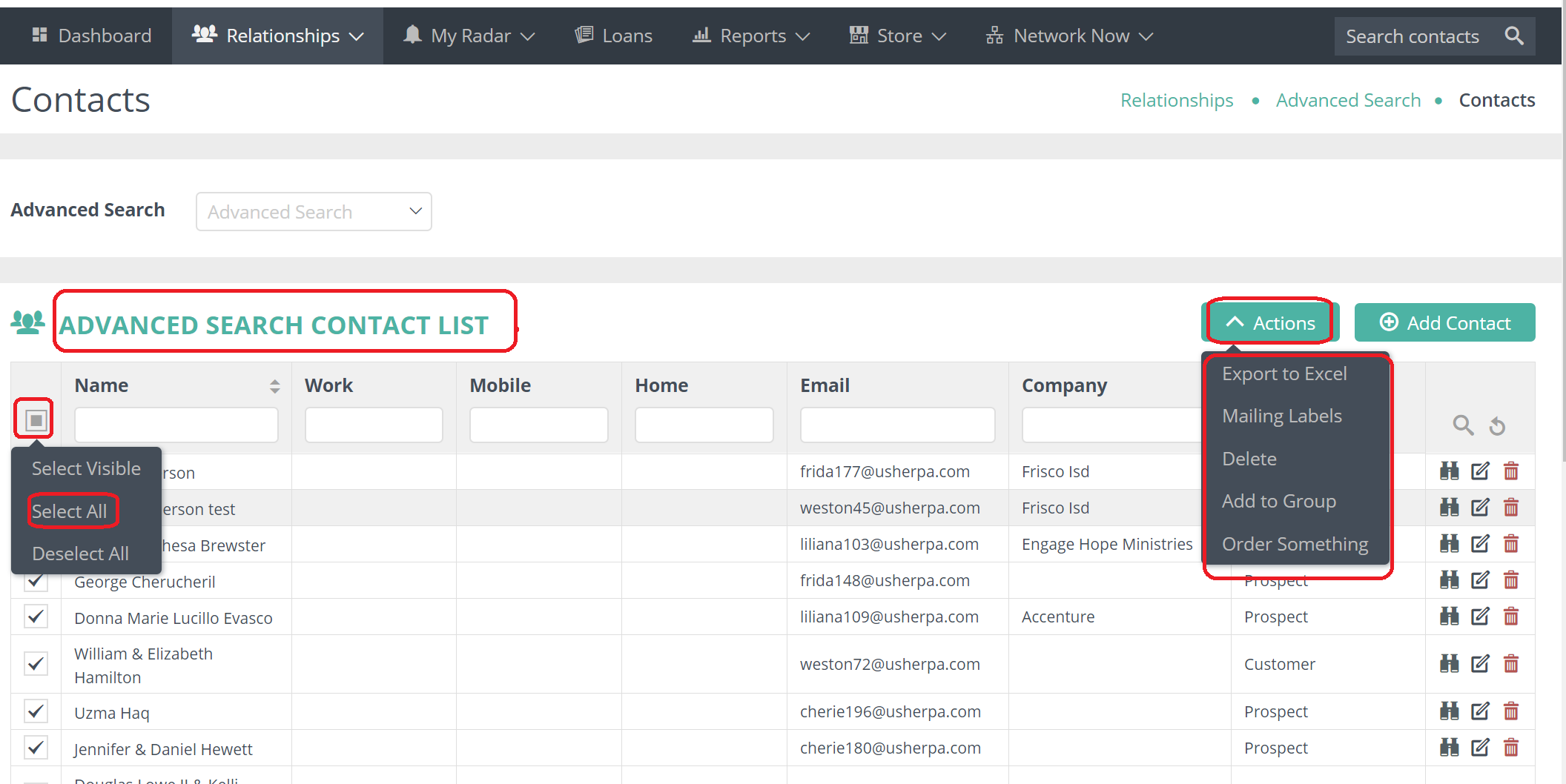
Once you have selected your search criteria and saved, all the contacts that meet that criteria will be shown. To locate choose the search name in the Select Search box.
 From here you can order something for them, get mailing labels, add them to a specific group or get an Excel file for them.
Comments
0 comments
Article is closed for comments.