
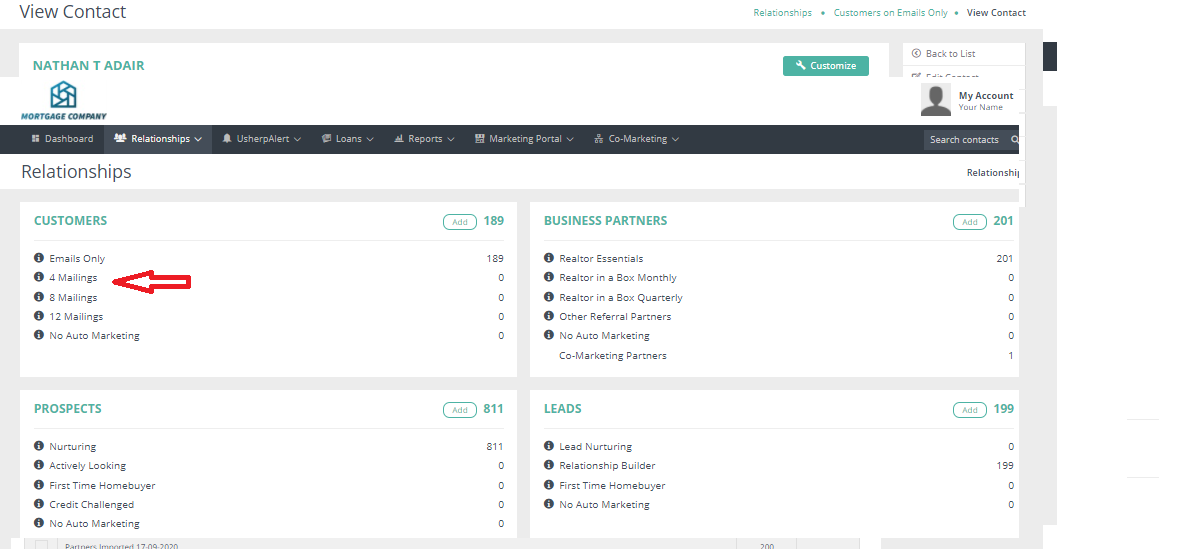
To move customers on different levels, click on the "Relationships" tab. From the drop down box choose Overview. Next, click on the customers you want to have moved. For example if you want to move all customers on 4 mailings to 8 mailings, click on the number link next to 4 mailings.
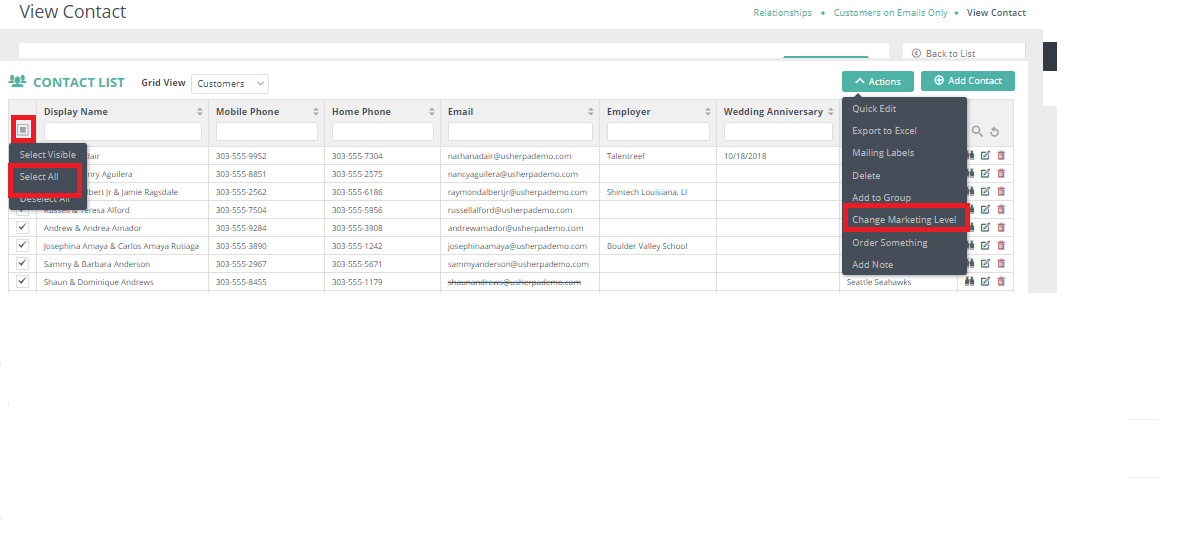
Select the check boxes of customers you want to move. If you would like all of the customers in that grid view moved, click on the "Select All" box. This will select all records for the grid view, in this example, we are selecting all customers that were on emails only. An Actions box will pop up, click on the "Change Marketing Level" button.
Comments
0 comments
Article is closed for comments.