
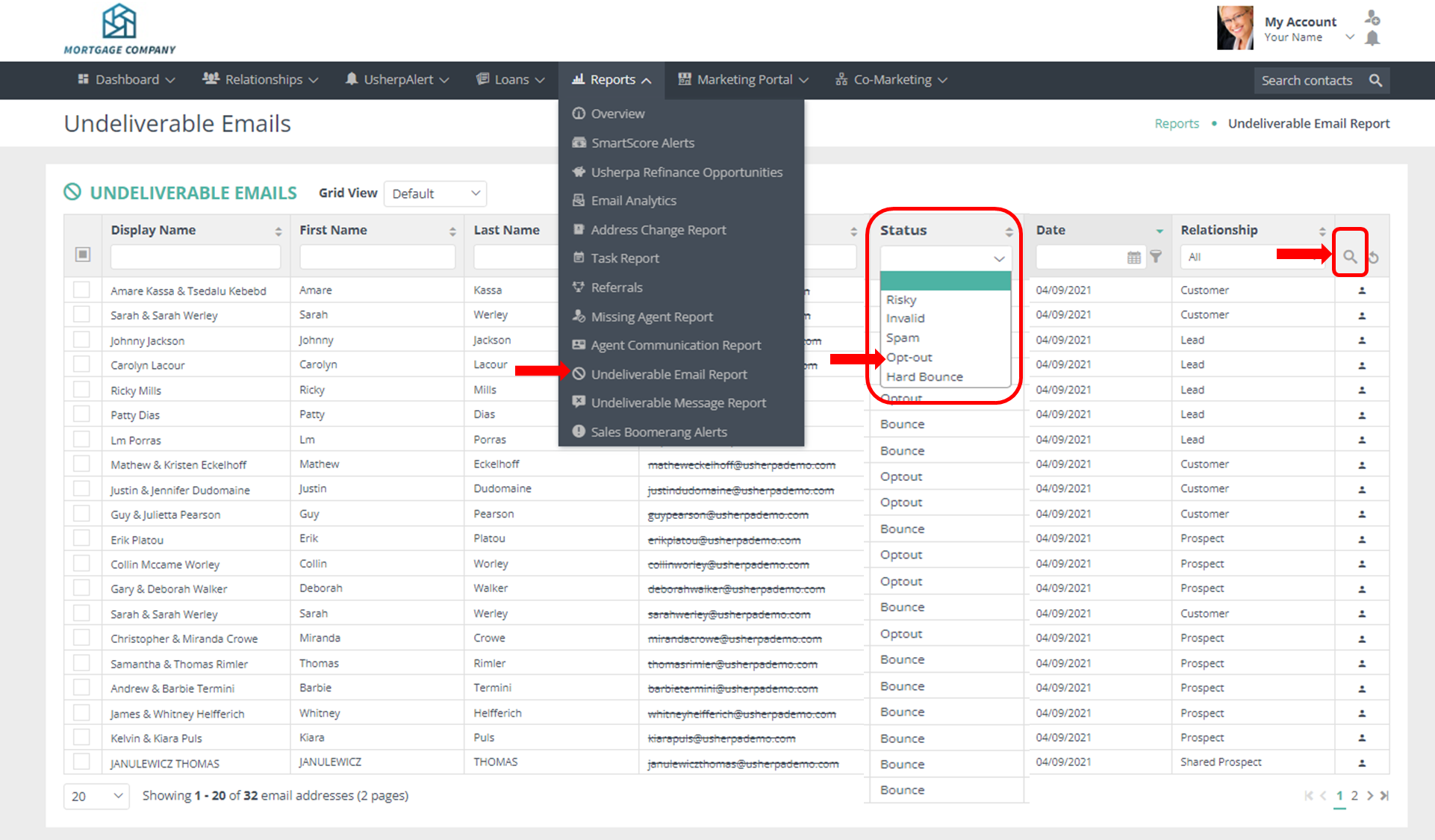
- Log into your account and click the Reports tab.
- From the drop down choose Undeliverable Email Report.
- From the Status drop down, choose Opt-out
- Click the Magnifying Glass to run the report.
Usherpa will automatically stop emailing these contacts. They are not deleted from your account and their email address is not removed from their contact record. You may still want to contact them by other means like phone or text, or email them directly yourself. If for some reason that contact decides to allow you to send emails, we can remove them from the opt outs report with a written confirmation.
Comments
0 comments
Article is closed for comments.