
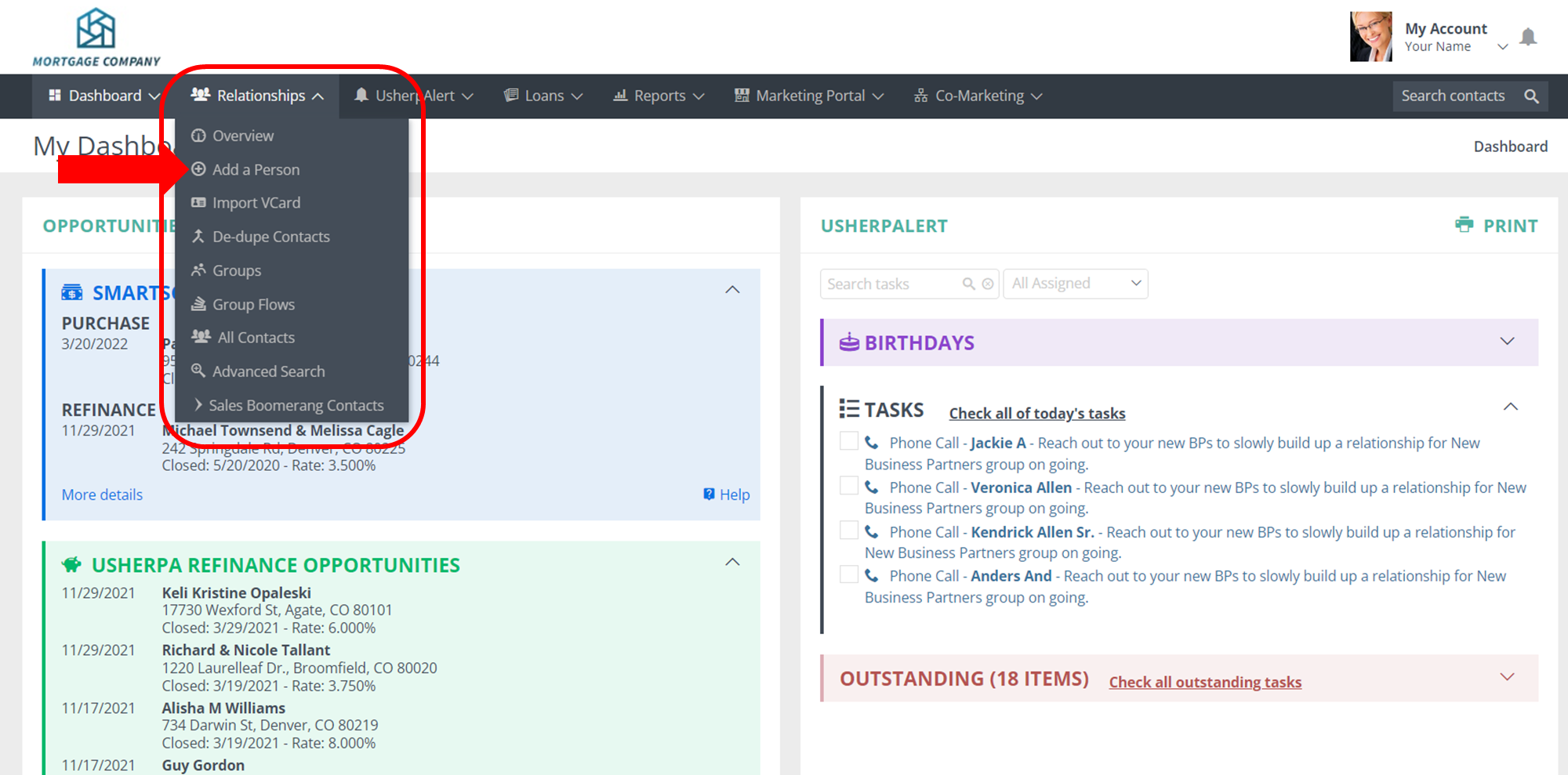
Log in to your Usherpa account at lo.usherpa.com using your user name and password. On the Dashboard page, click on the Relationships tab and select Add a Person from the dropdown.
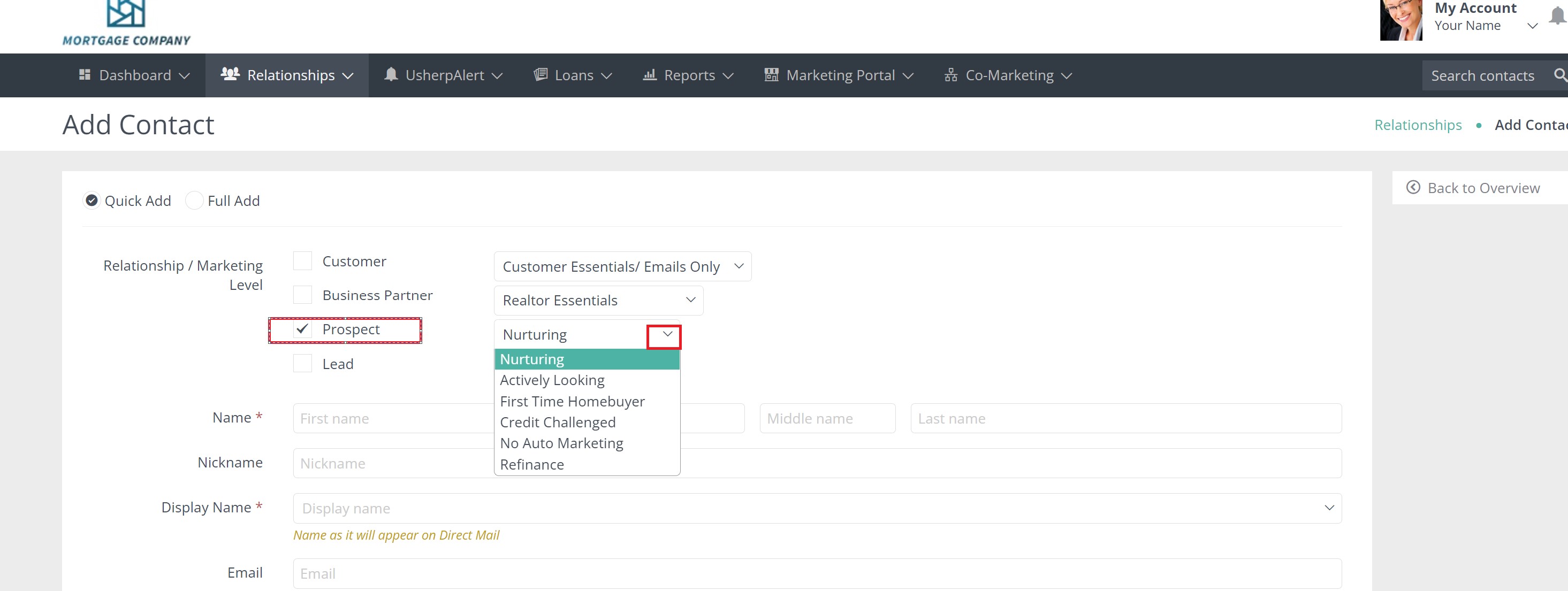
After you select "Add a Person" you will be taking to a form. Before you enter contact information, make sure the "Prospect" box is checked, and select the campaign from the dropdown next to this selection. You can now enter the contact information and click "Add" at the bottom of the page.
Comments
0 comments
Article is closed for comments.