
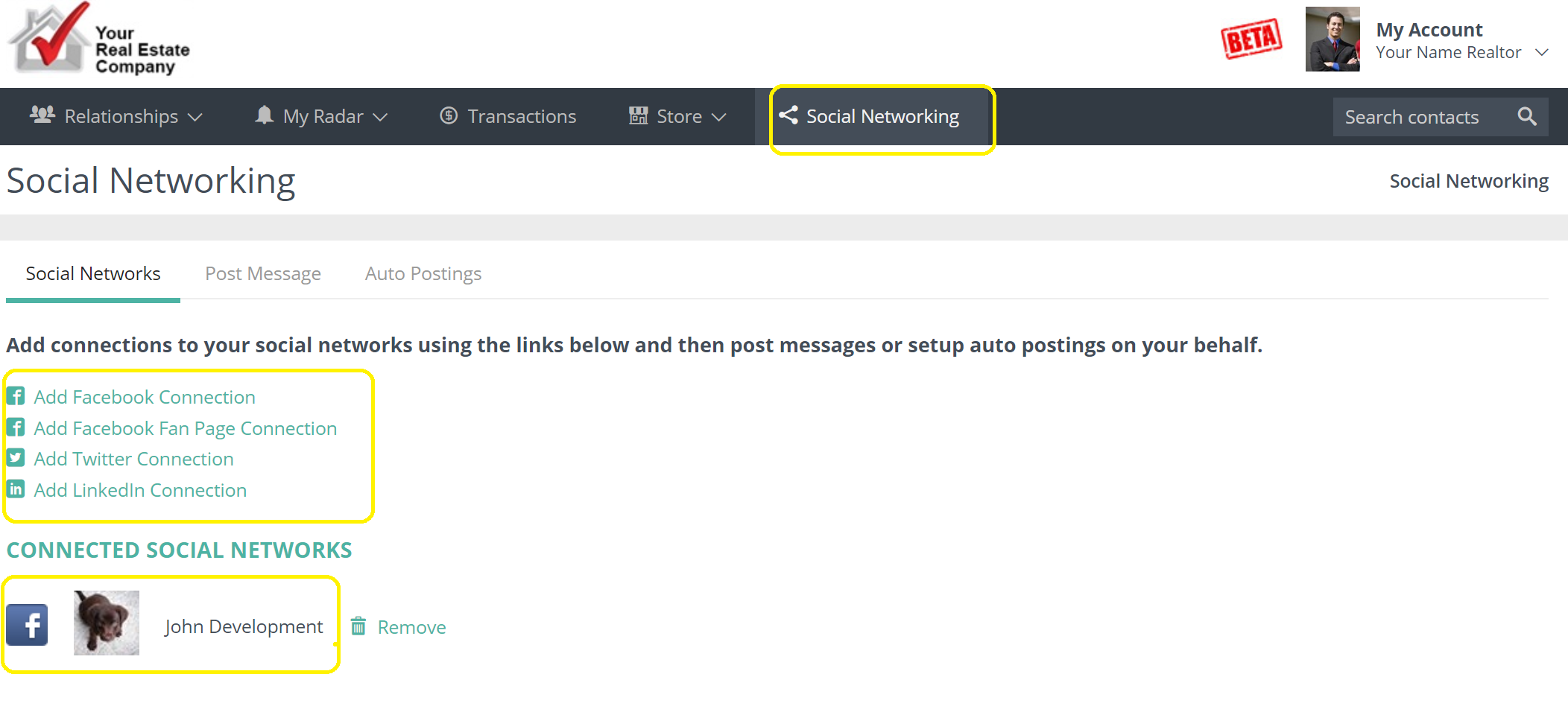
In your Usherpa account click on Social Networking. Then click on the Social Network and Connect. You will have to do this one time.
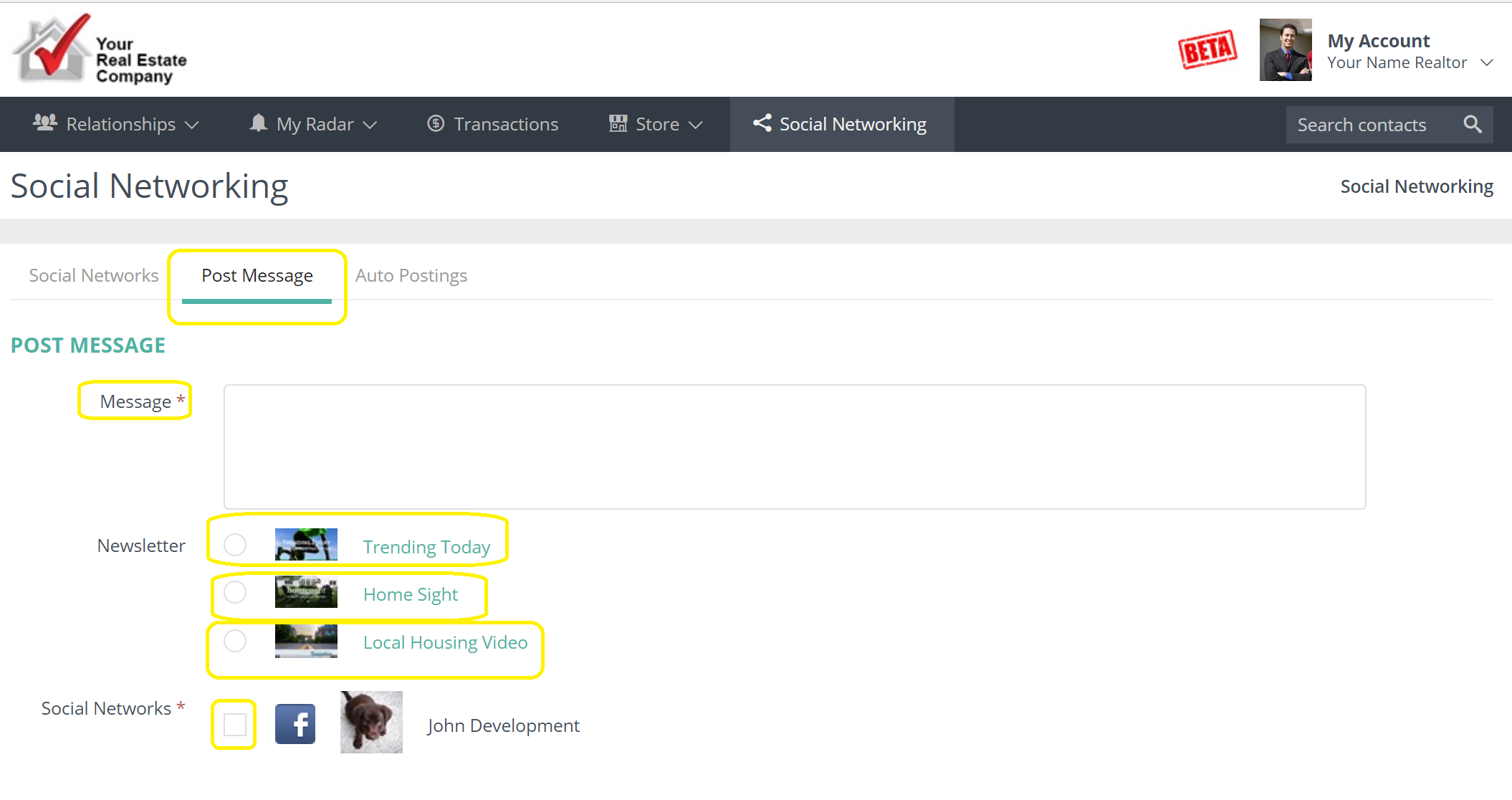
Click on Post Message. Write a message in the box and choose the Newsletter and the Social Network. Hit Post Message. Repeat for each Newsletter you would like to post.
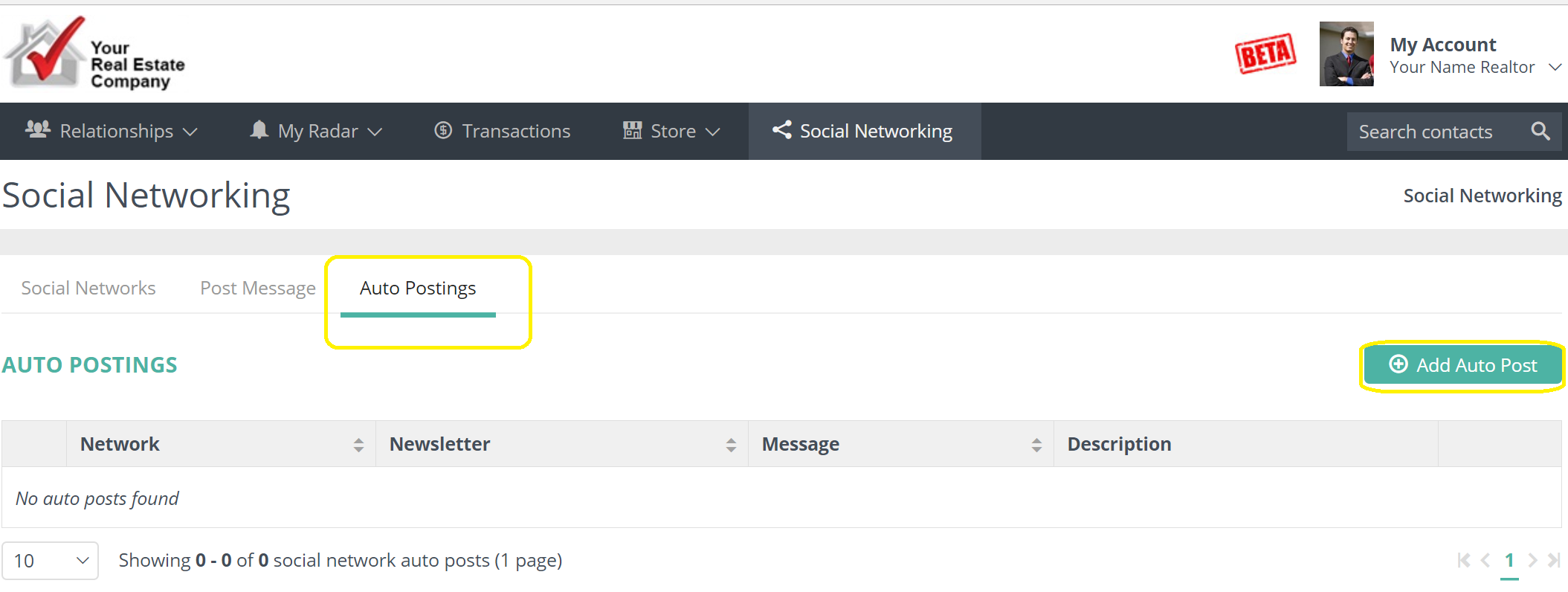
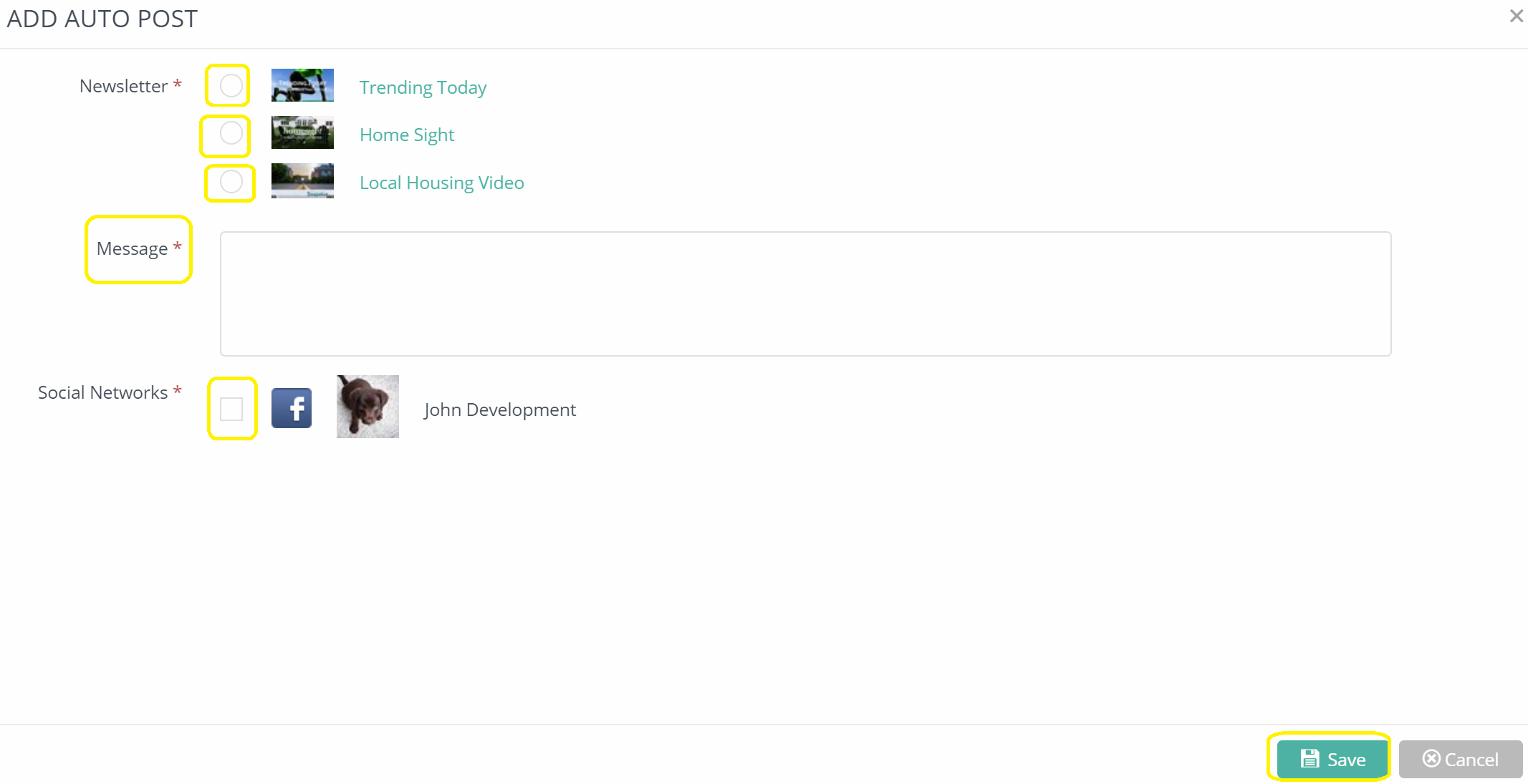
To set up Automatic posts, click on the Auto Postings. Select Add Auto Post. Write a message in the box and choose the Newsletter and the Social Network then Save. Repeat for each Newsletter you would like to set up an auto post.
Comments
0 comments
Please sign in to leave a comment.