
To merge duplicate records, first click "De-Dupe Contacts" under the Relationships tab: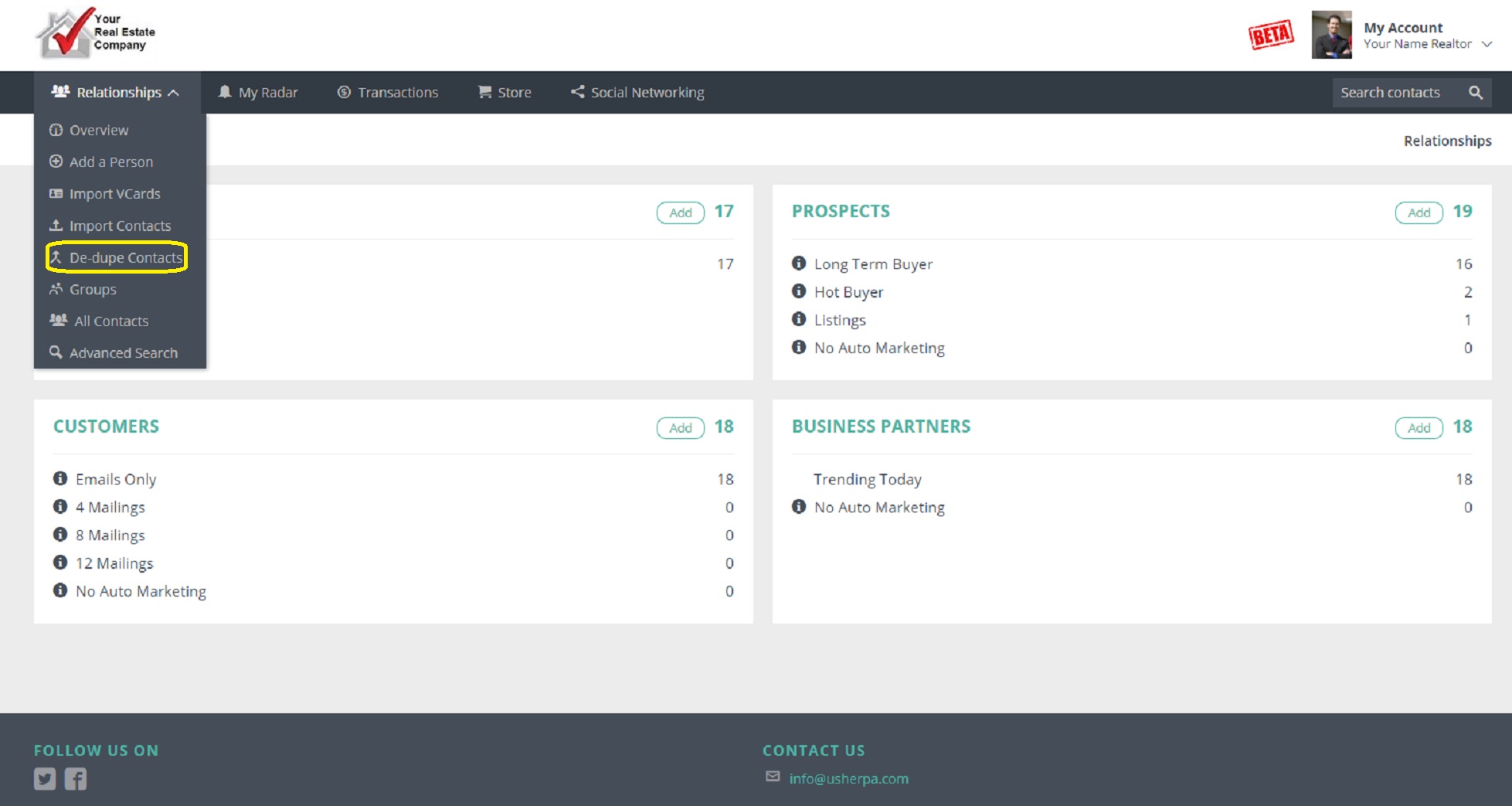
Next, you will need to select either "Exact Match" (First and Last Name must be exactly the same), or "Same Last Name". ("Show All" will be for rare cases where no name fields match, i.e. unmarried couples you want to merge).
The system will keep the data of the CHECKED circles. In the example below, I want the system to change the Contact Type and Email Address to the information in the right column, so I move the checkmarks over. Once all the data you want to KEEP is selected, just click "Merge". 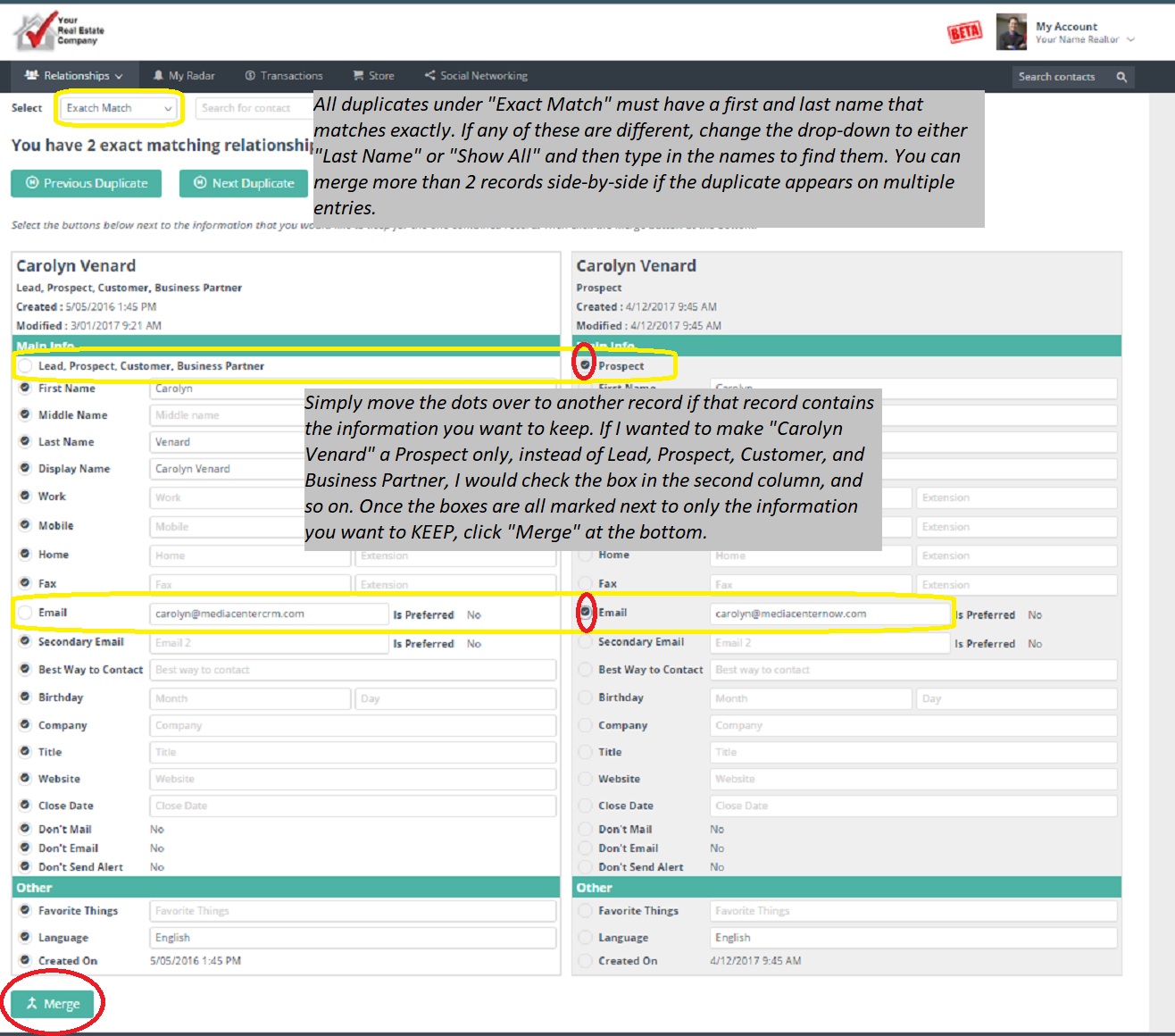
Comments
0 comments
Please sign in to leave a comment.