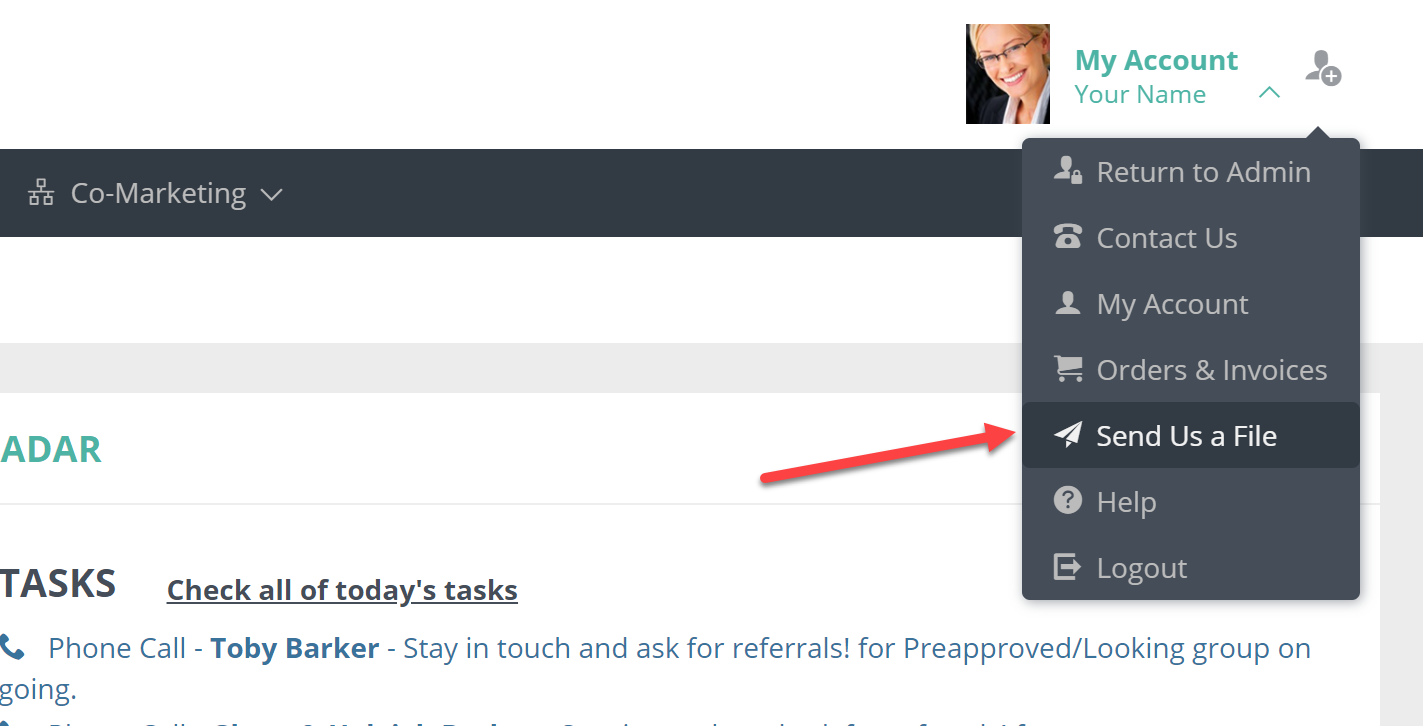
In your Usherpa account, click on My Account in the upper right hand corner.
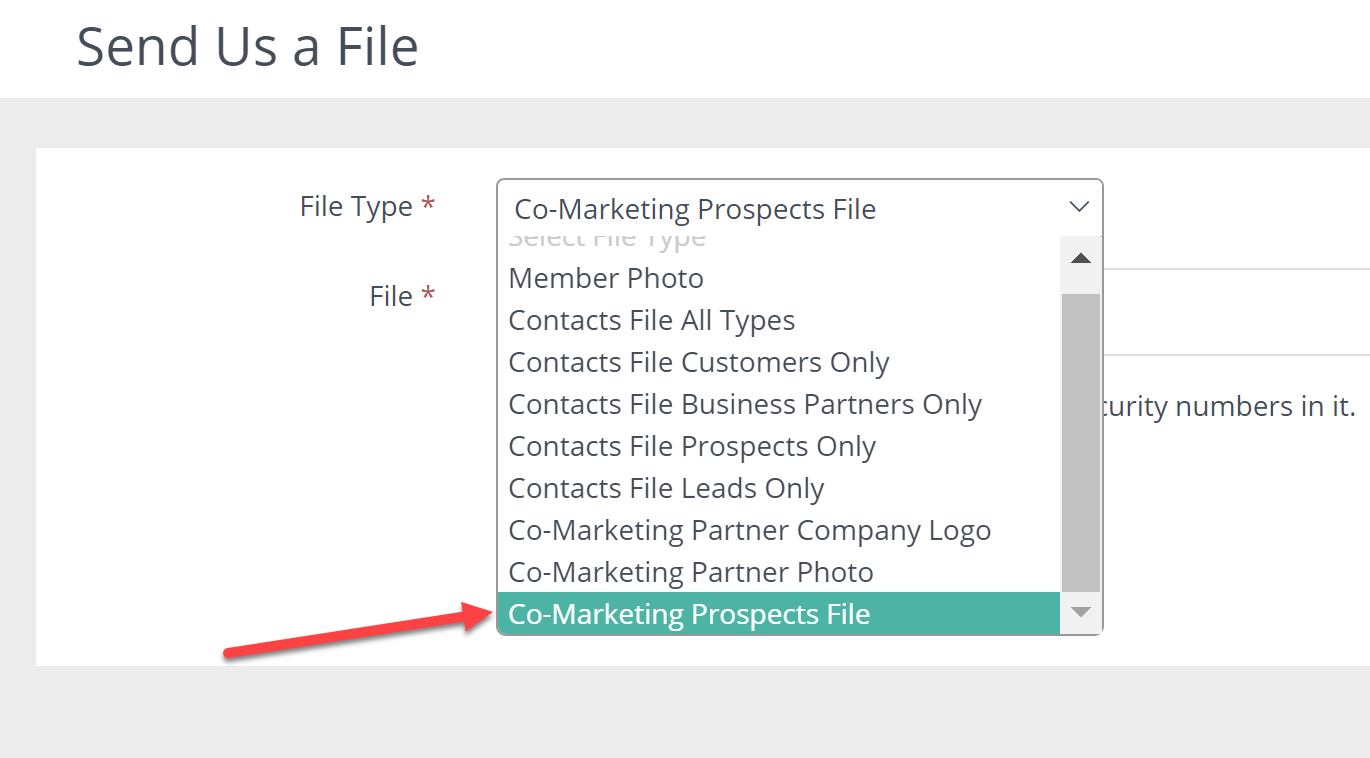
For the file type, choose "Co-Marketing Prospect File." Click on "Select File" and choose a file from your desktop to upload, and click Save.

In your Usherpa account, click on My Account in the upper right hand corner.
For the file type, choose "Co-Marketing Prospect File." Click on "Select File" and choose a file from your desktop to upload, and click Save.
Comments
0 comments
Please sign in to leave a comment.