
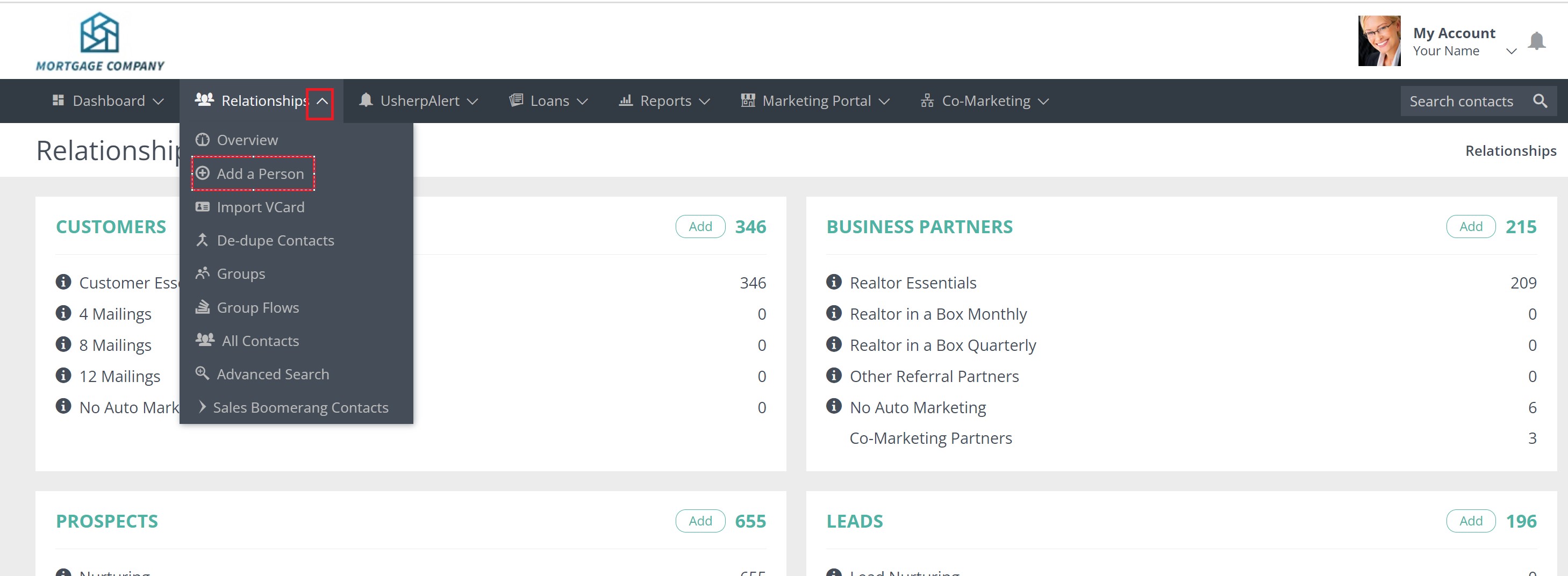
Once you are logged into your Usherpa account, click on the Relationships tab and select "Add a Person"
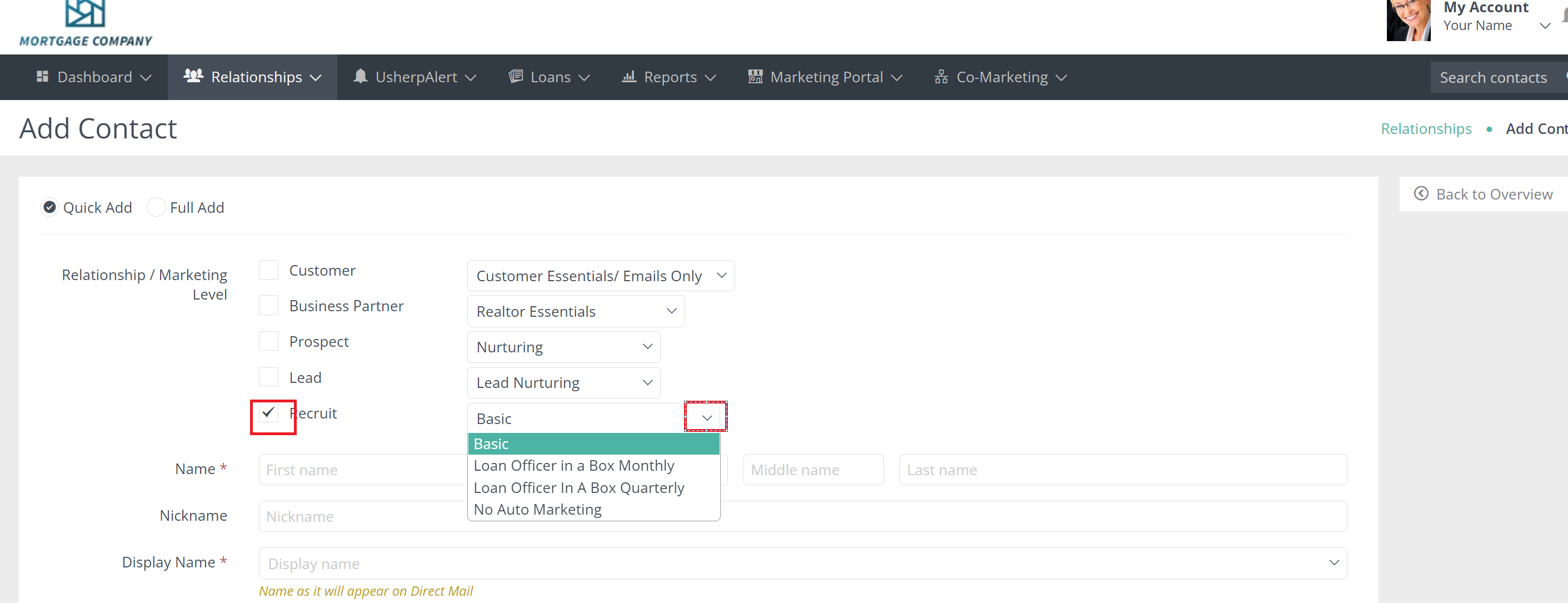
You will be taken to a form where you can select Recruit, as a checkbox, and select the marketing campaign for this Recruit. The default is Basic. Once you have made a selection, you can add the contact information in the form, and click "Add".
If you wish to also set this Recruit on the a "Loan Officer in a Box" campaign, click Basic and a drop down menu will appear and you can select Loan Officer in a Box (monthly or quarterly).
Comments
0 comments
Please sign in to leave a comment.