
Simply connect your Social Networks to your Usherpa account to post compliant and engaging content to your channels. Easily post marketing campaigns and set up auto posts.
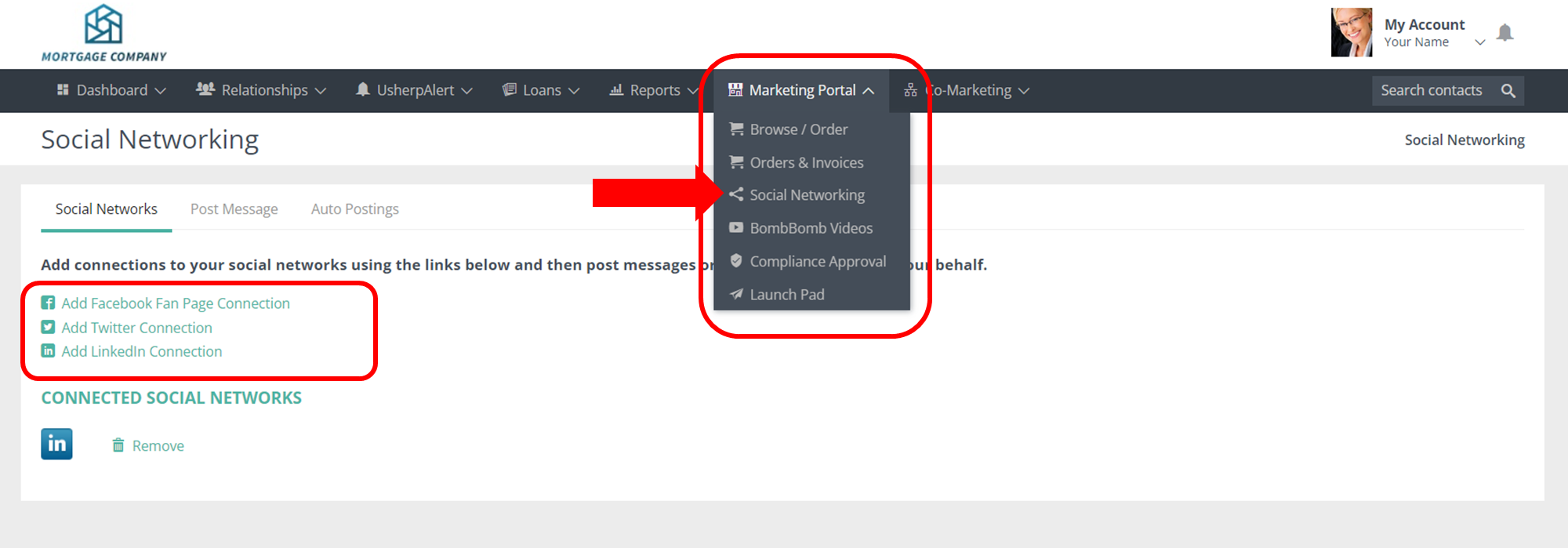
Click on Social Networking under the Marketing Portal tab. From there click on the type of social network you want to connect, follow the steps to allow posting through that social network portal. Your connected accounts will appear in your Usherpa!
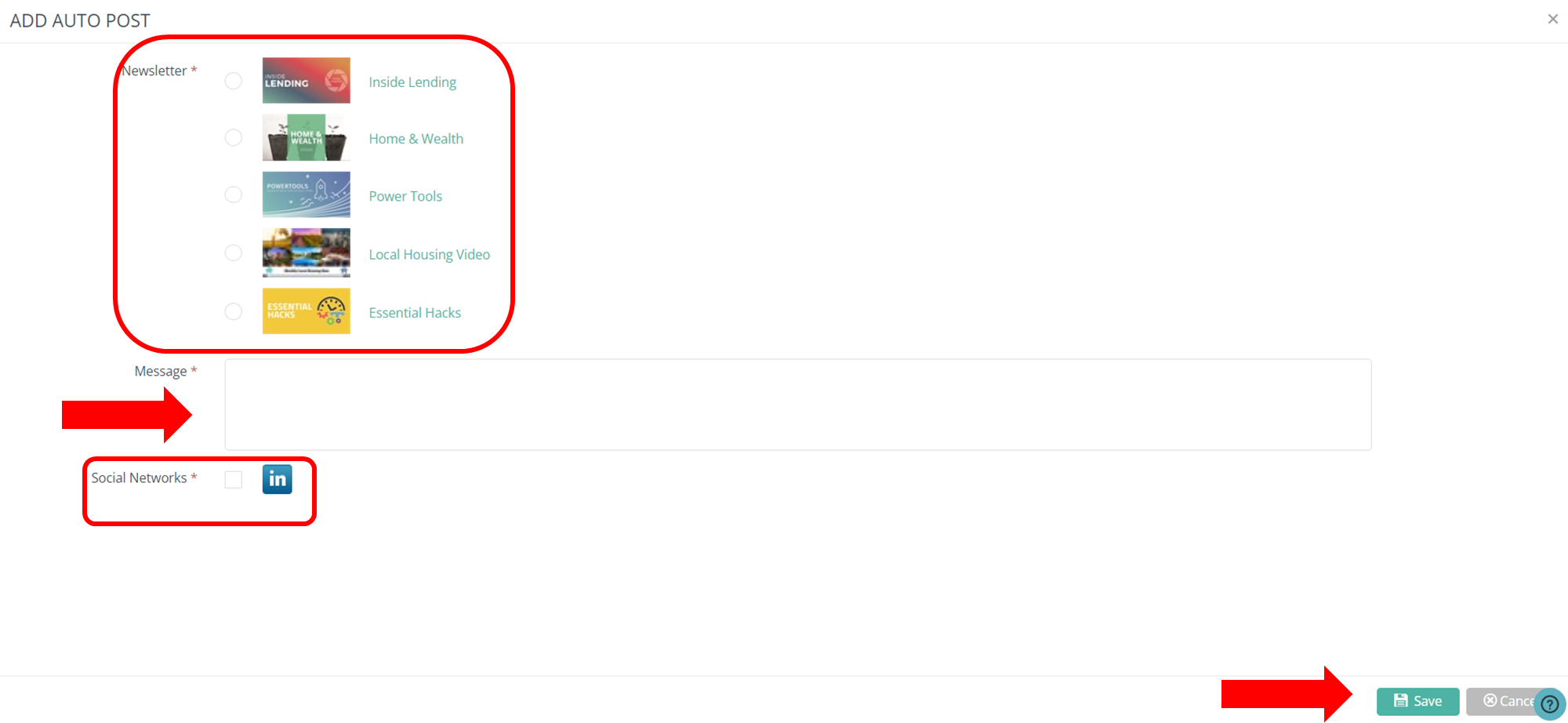
Create Auto Post for all of your marketing by simply selecting the Newsletter, writing a message, and selecting which network to post to. Usherpa does the rest! Each time a newsletter goes out, it will also post to your social media networks automatically with the message you wrote!
Comments
0 comments
Article is closed for comments.