
To find the business partner you would like to add to the Realtor in a Box, type their name into the "Search Contacts" box on the upper-right side of your screen. You can also select Relationships, Overview and Select Business Partners from the Relationship Overview page.

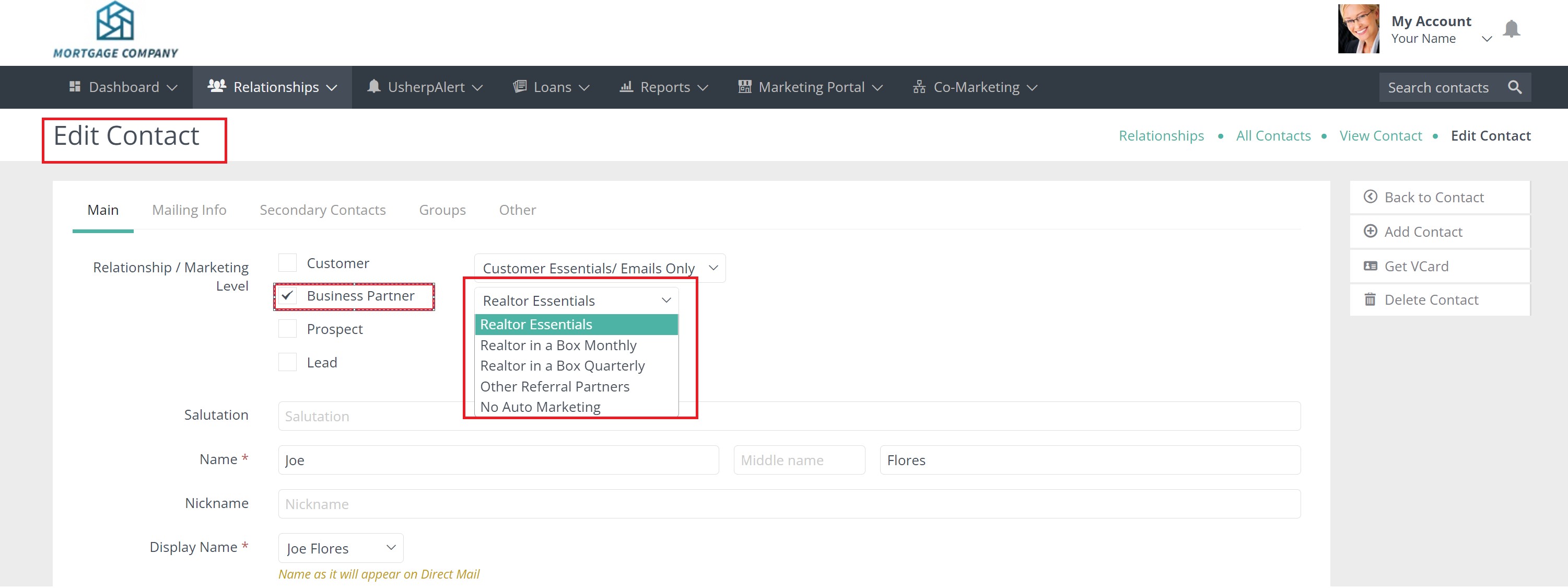
On the contact record, you will need to select "Edit Contact" on the right. You can now edit the contact and select "Realtor in a Box" from the drop down box next to Business Partners. You have the option to select Monthly or Quarterly sends. Once you have made your selection, scroll to the bottom and hit Save!
Comments
0 comments
Article is closed for comments.