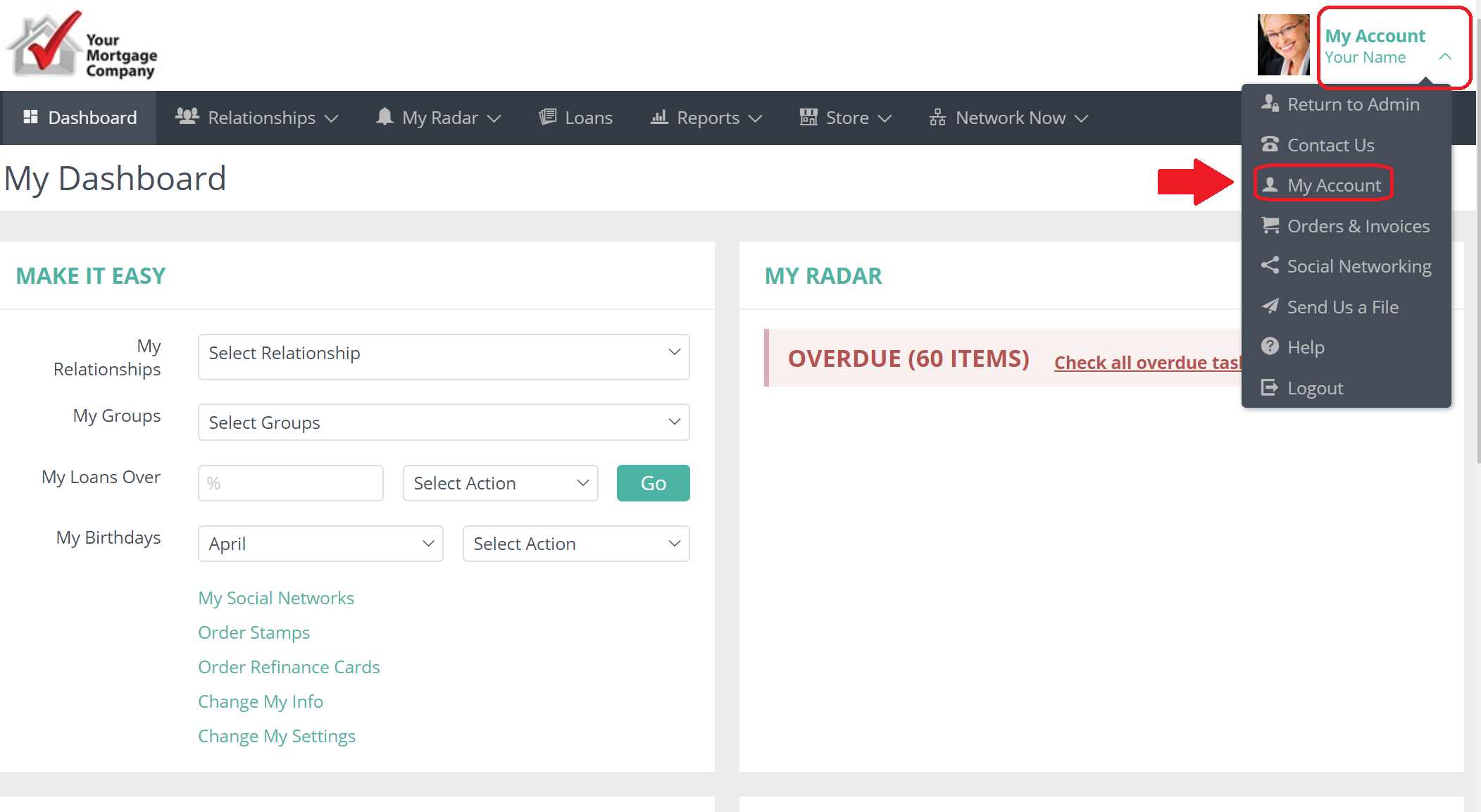
Click on "My Account" in the upper right corner and from the drop down box "My Account" again.
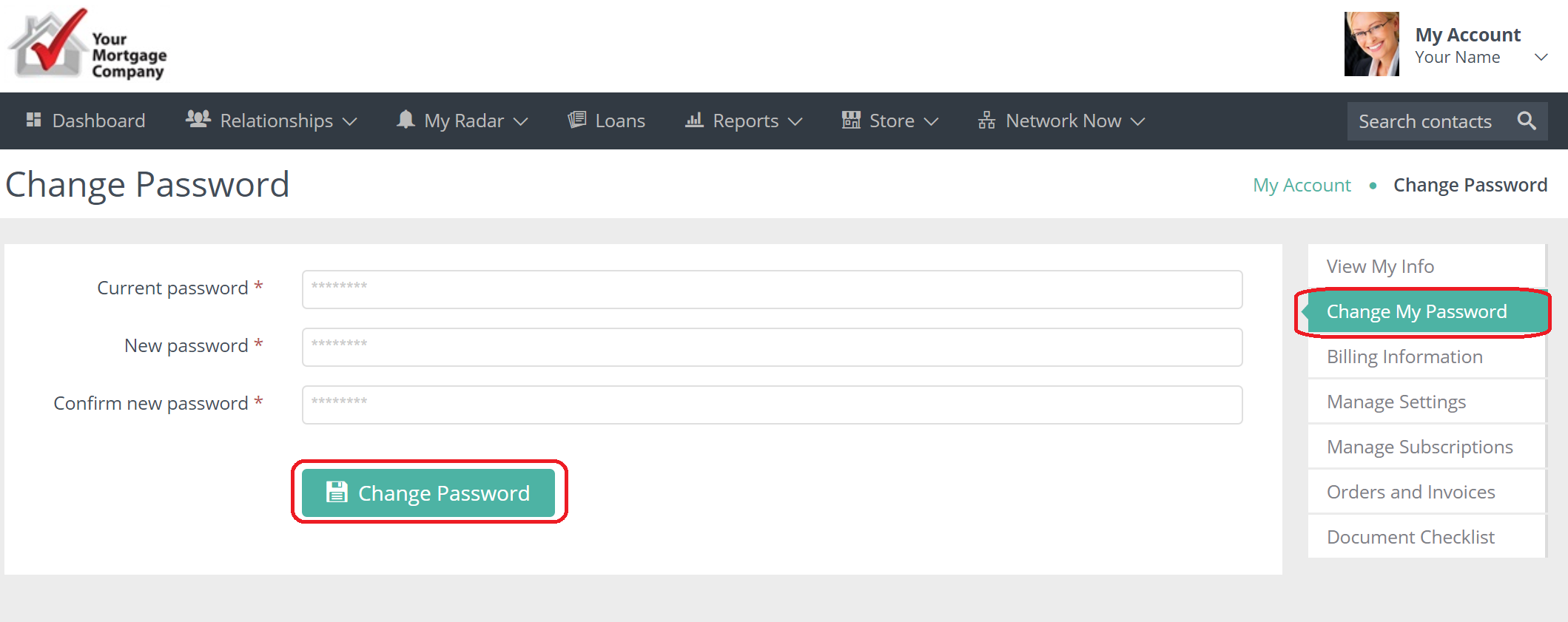
Click on the Change Password button. Type in your current and new password. Hit Change Password.

Click on "My Account" in the upper right corner and from the drop down box "My Account" again.
Click on the Change Password button. Type in your current and new password. Hit Change Password.
Comments
0 comments
Article is closed for comments.