
We've automated everything except your voice!
To set up your call settings, select Manage Settings under the UsherpAlert tab.
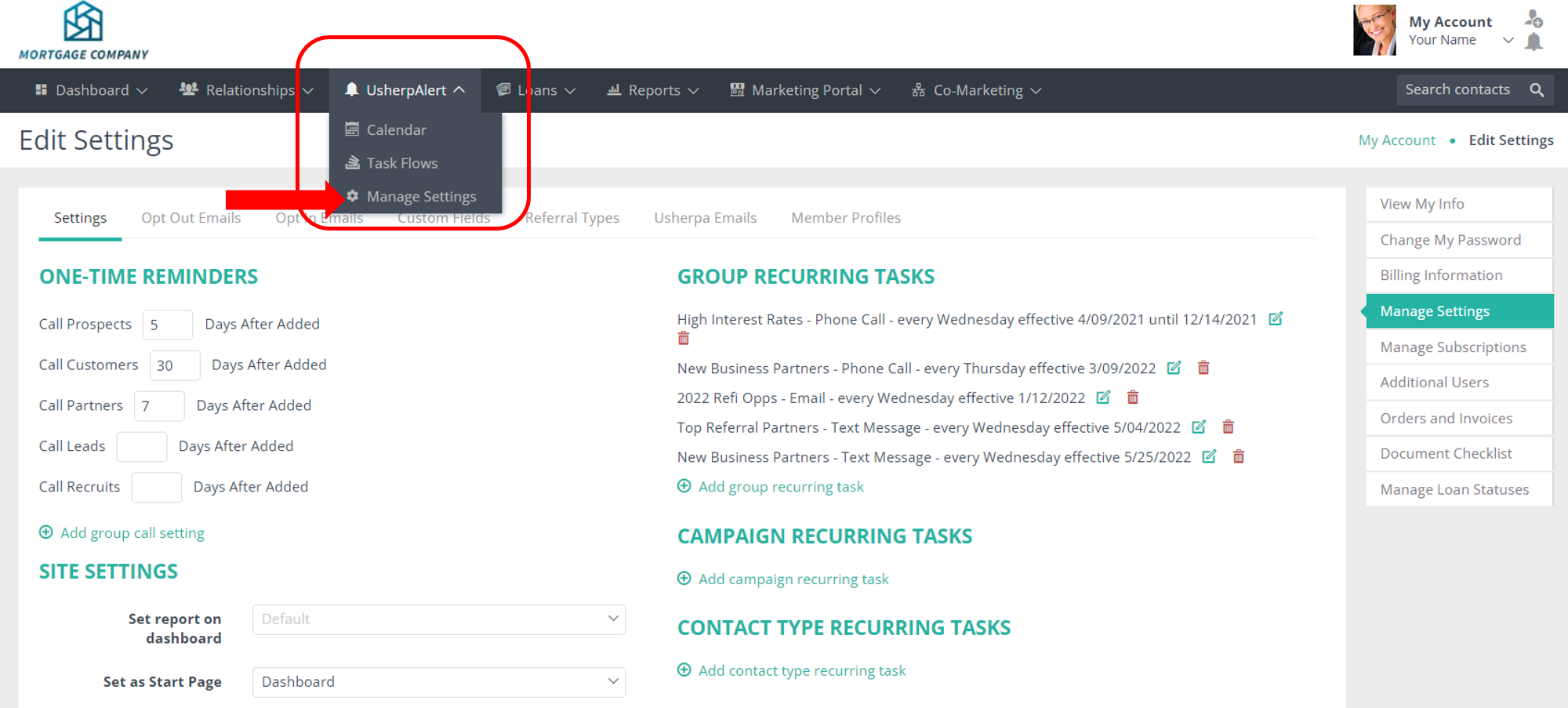
Create your default call reminders for Prospects, Customers, Partners, Leads, Recruits by editing the number in the corresponding boxes.

Add additional reminders for specific groups. Choose your custom group, and enter your desired call reminder time frame. Remember to select Save at the bottom of the screen!

For even more customization, by creating Recurring Tasks for Groups, Campaigns, and Contacts.

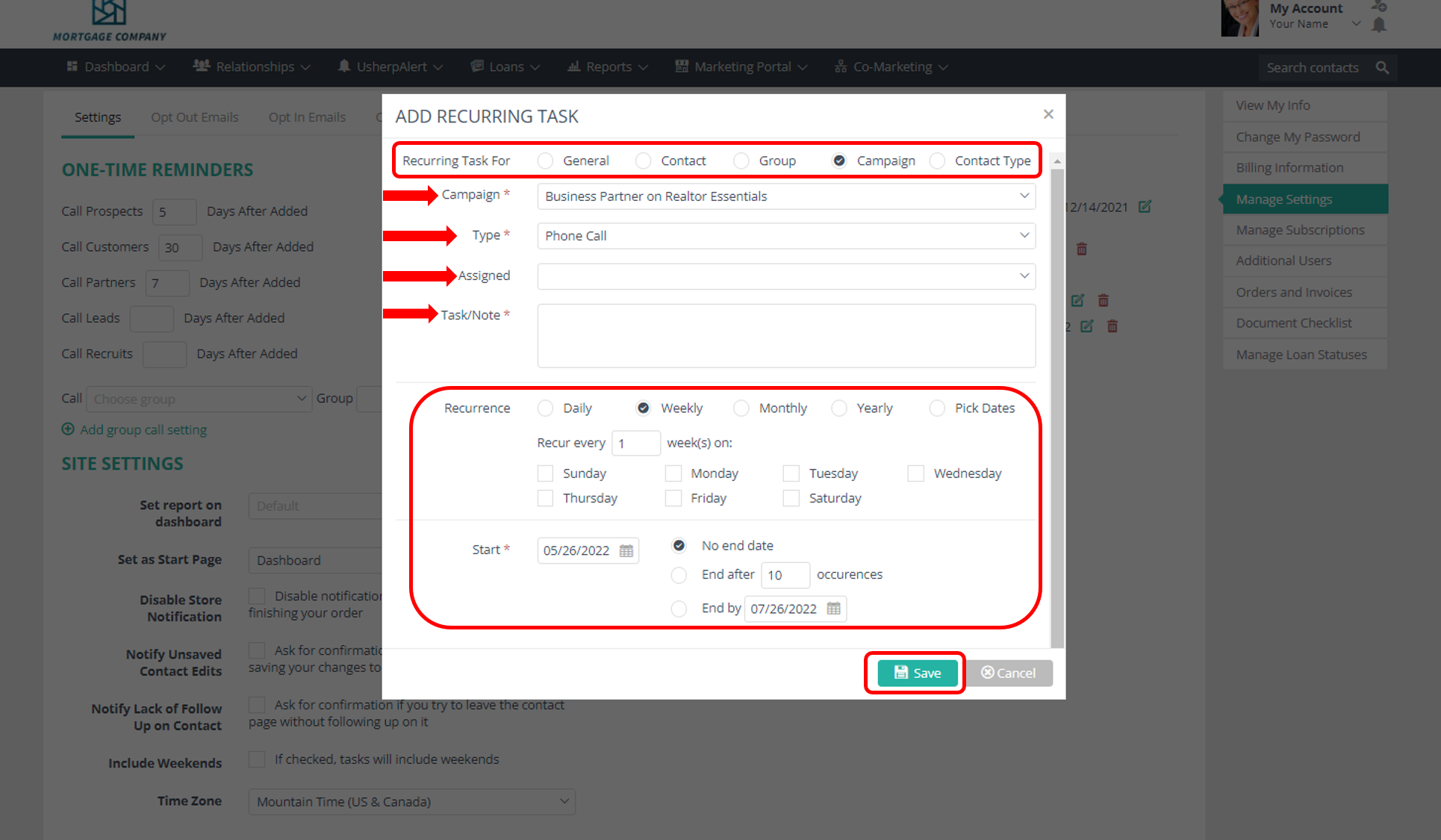
Choose what the Recurring Task is for, choose the type of task, add a note about the task, set your recurring schedule. That's it! Now you have custom recurring task reminders set up. Easily edit or delete the tasks using the Pencil or Trash icon.
Comments
0 comments
Article is closed for comments.