
As you grow your network, be sure to add new contacts into your Usherpa to instantly add them to relevant and timely marketing campaigns that will strengthen and grow your relationship.
There are two ways to add contacts to your account.
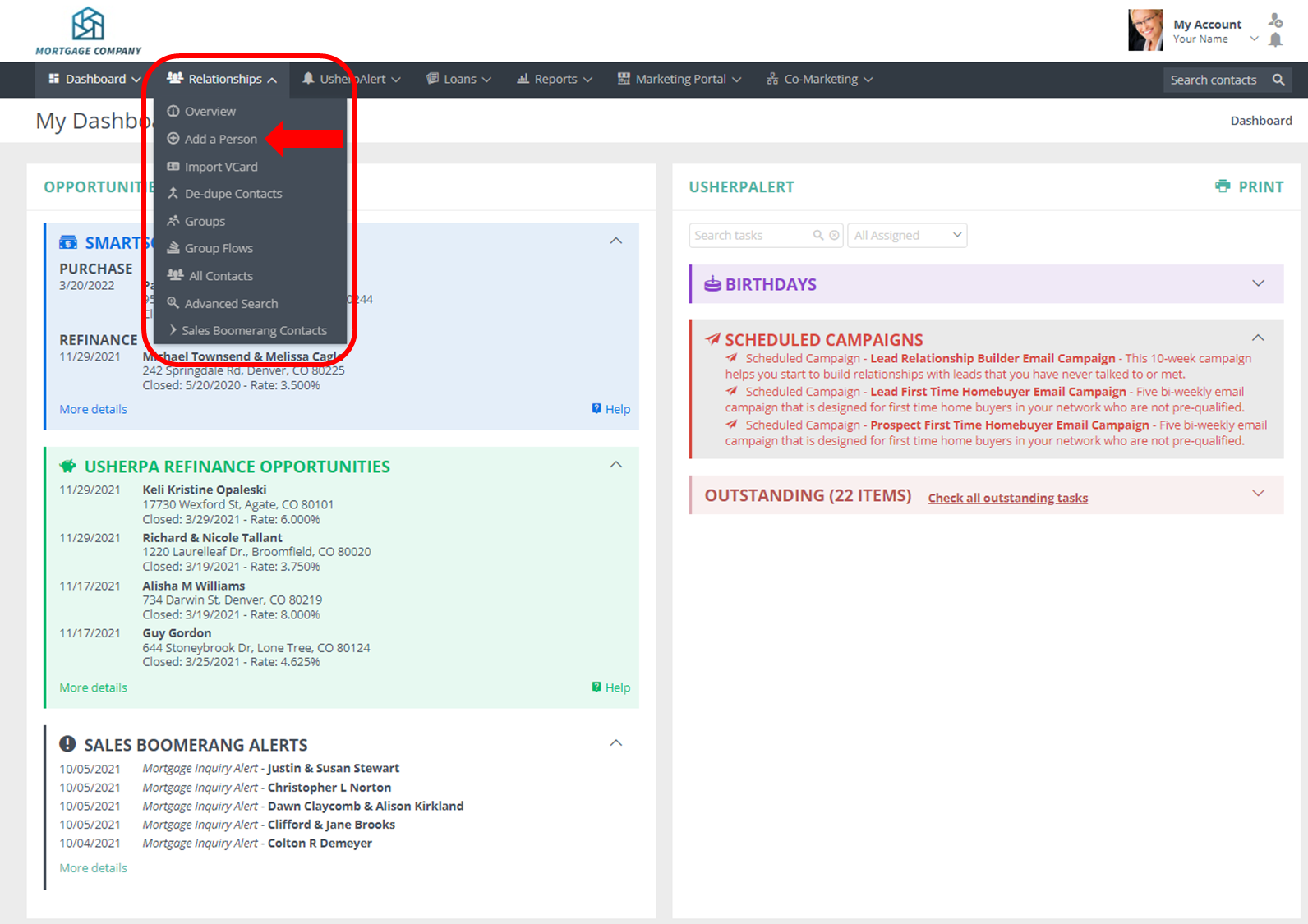
First, click on the Relationships Tab and then select Add A Person from the dropdown menu.
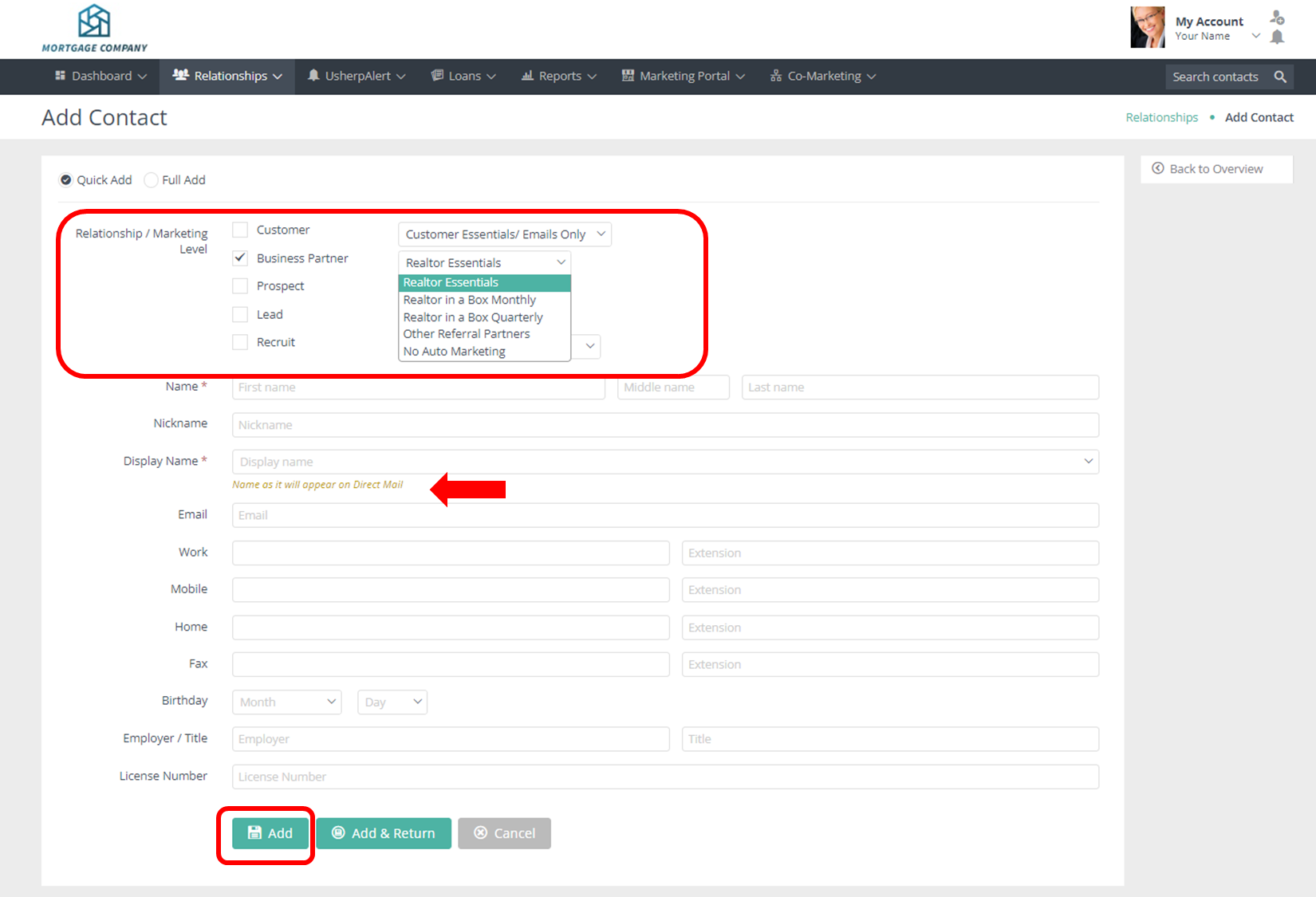
Choose the Relationship Type, for example select Business Partner for a new Realtor. Then choose the marketing package, and fill out their contact information. Pay specific attention to the Display Name which is how the contact's name will show on their marketing. Then click Add.
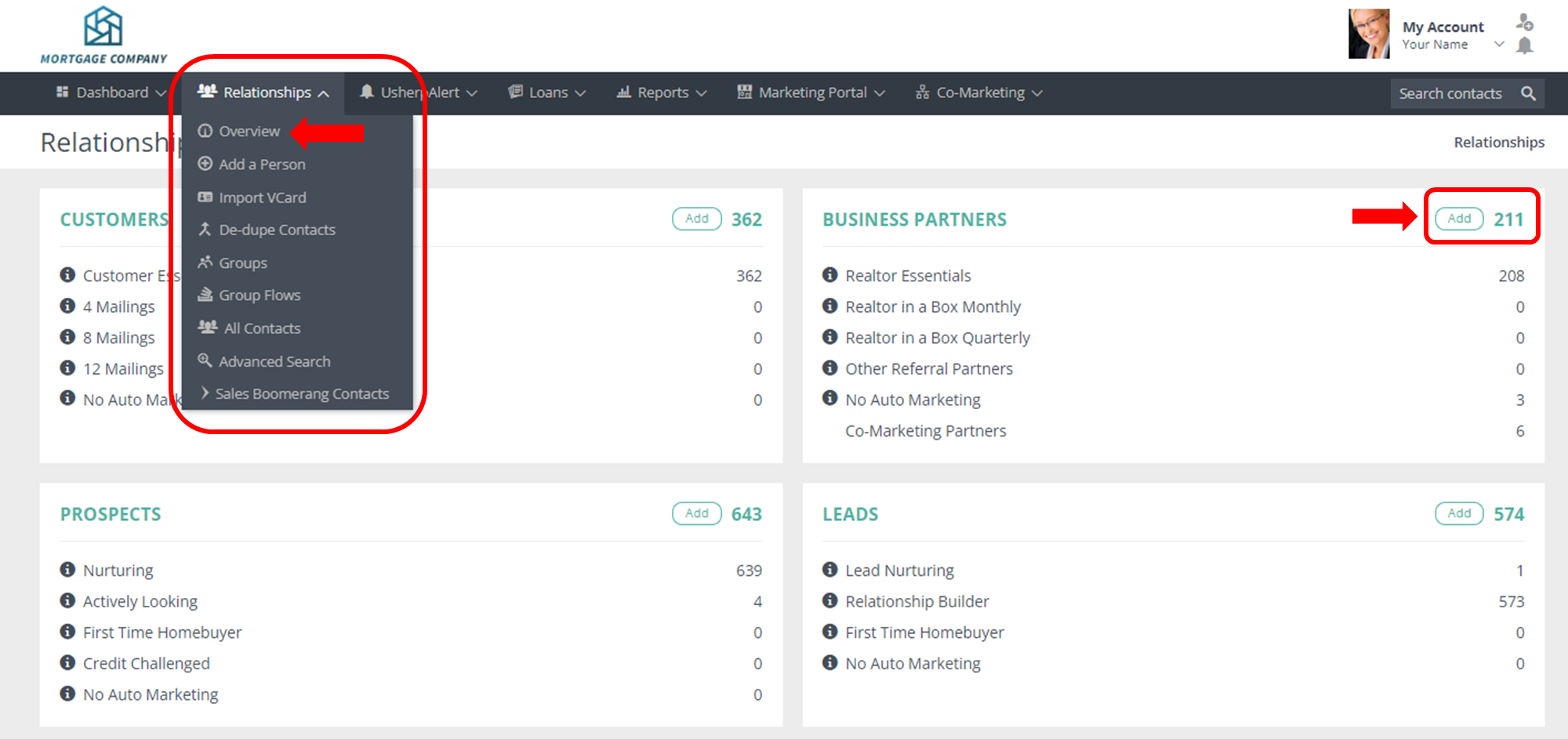
Second, from the Relationships Tab, choose Overview. Then click the Add button next relationship type you'd like to add. For example, to add a new Realtor relationship, click Add in the Business Partners category. Then fill out the rest of the form and click Add, and they will automatically get added to your account.
In this video, you will learn how to search, add, edit and manage your contacts.
Comments
0 comments
Article is closed for comments.